in the open

Flight Simulation Screenshots displaying your Flight Simulation Experience. MSFS, FSX, Prepar3D, XPlane and other Flight Simulators. Focus is your Flight Simulator Experience. Please upload to Simviation (Button at top right)

in the open

Postby JET_junkie_mil » Thu Oct 18, 2007 11:52 am

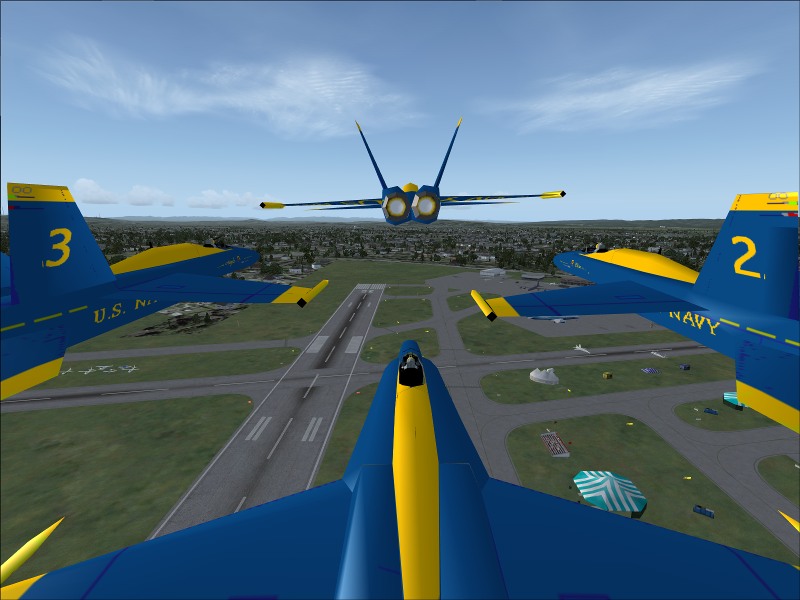
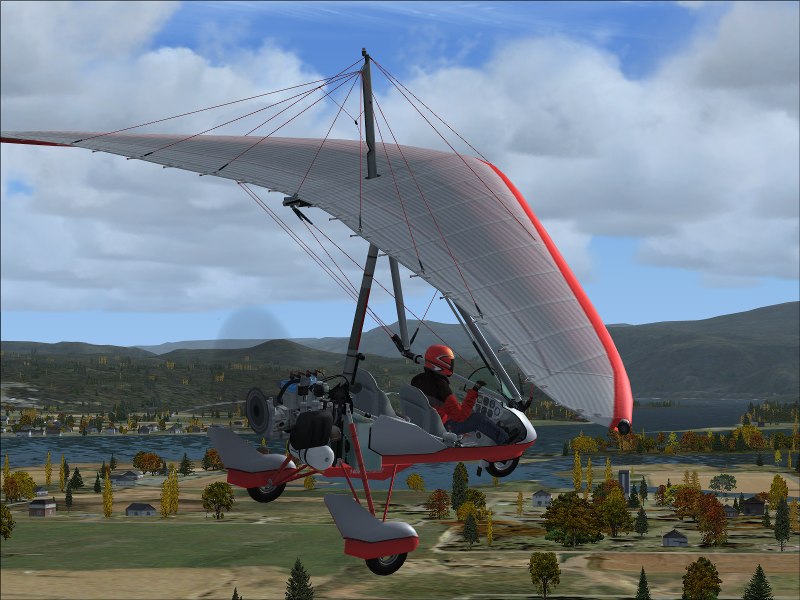
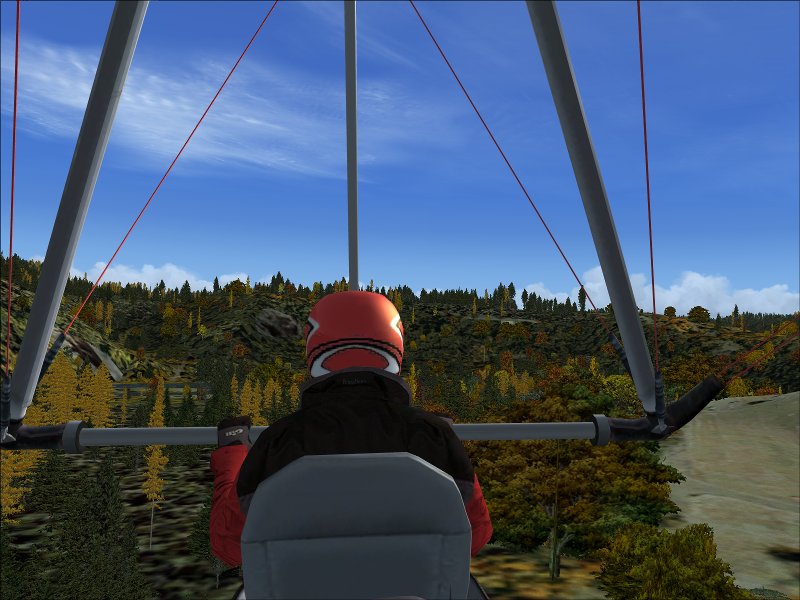
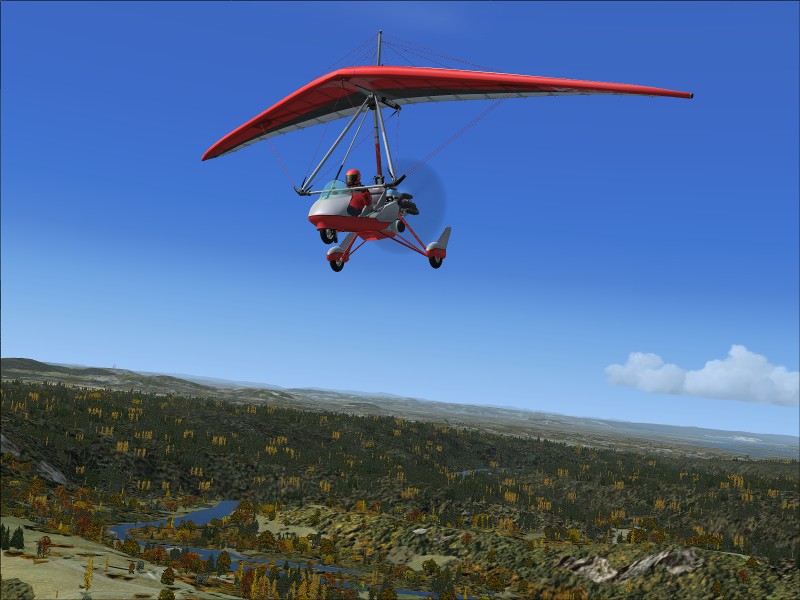
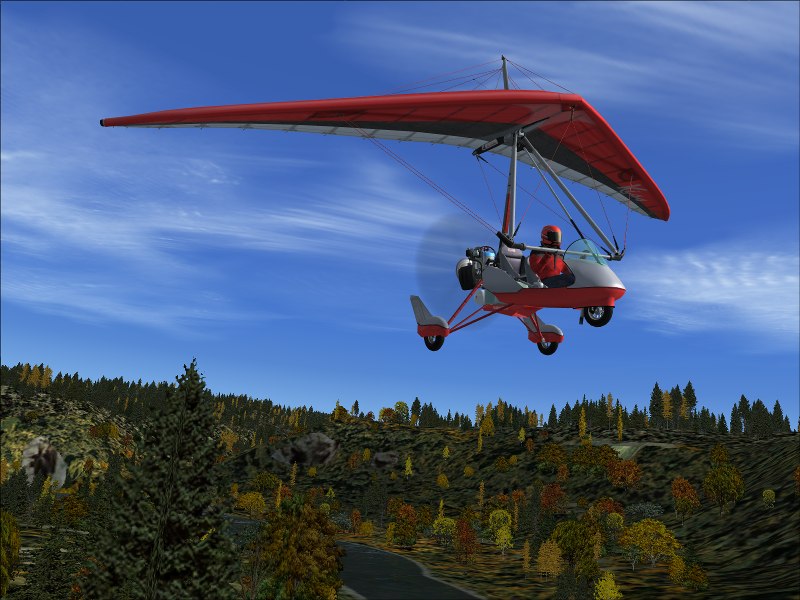
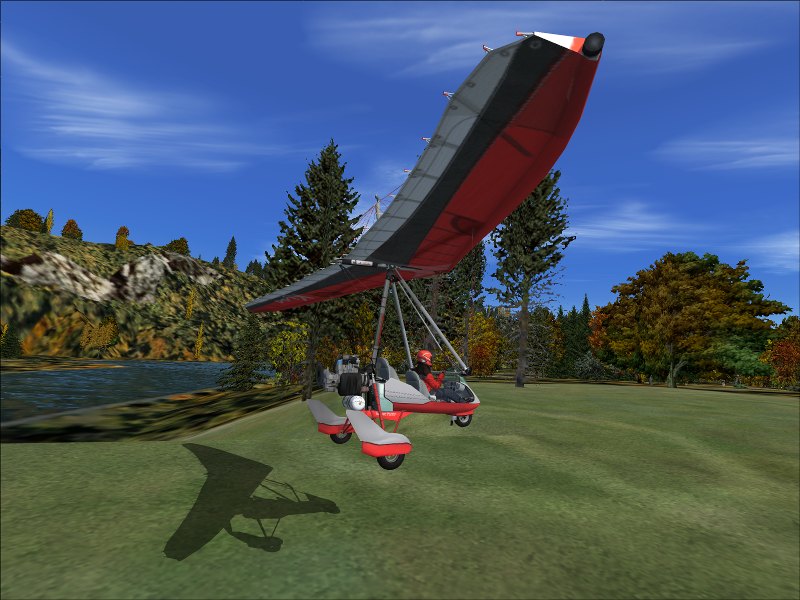
ImageImageImageImageImageDay-off fun. Sandy River,Oregon. have a good day.

JET_junkie_mil
2nd Lieutenant
2nd Lieutenant
 
Posts: 184
Joined: Fri Feb 09, 2007 3:18 pm

Re: in the open

Postby Ashar » Thu Oct 18, 2007 12:18 pm

I thought you were a Jet Junkie :D

I love that last one 8-) 8-)
Blabbing Away at SimV Since June 8, 2004
Ashar
Major
Major
 
Posts: 4041
Joined: Wed Mar 14, 2007 4:13 am
Location: Ottawa, Ontario

Re: in the open

Postby firemonte007 » Thu Oct 18, 2007 12:20 pm

sweet low and slow shots ;) 8-)
Image
User avatar
firemonte007
Major
Major
 
Posts: 2288
Joined: Mon Aug 20, 2007 8:24 pm
Location: northern IL, USA

Re: in the open

Postby JET_junkie_mil » Thu Oct 18, 2007 12:31 pm

I thought you were a Jet Junkie :D

I love that last one 8-) 8-)

Thanx guys. Love the Jets,But I haven't had my coffee yet this morning. ;D
JET_junkie_mil
2nd Lieutenant
2nd Lieutenant
 
Posts: 184
Joined: Fri Feb 09, 2007 3:18 pm

Re: in the open

Postby JET_junkie_mil » Thu Oct 18, 2007 12:57 pm

I thought you were a Jet Junkie :D

I love that last one 8-) 8-)

I know the models look like #%*& but I'm working on it.Image
JET_junkie_mil
2nd Lieutenant
2nd Lieutenant
 
Posts: 184
Joined: Fri Feb 09, 2007 3:18 pm

Re: in the open

Postby Sovien » Thu Oct 18, 2007 2:52 pm

Nice shots Jet, what do have your auto-gen set at normally?
Image
User avatar
Sovien
1st Lieutenant
1st Lieutenant
 
Posts: 311
Joined: Fri Mar 10, 2006 10:10 am

Re: in the open

Postby JET_junkie_mil » Thu Oct 18, 2007 3:26 pm

Nice shots Jet, what do have your auto-gen set at normally?

Thanx. Run all settings at max. Have a good Alienware computer.
JET_junkie_mil
2nd Lieutenant
2nd Lieutenant
 
Posts: 184
Joined: Fri Feb 09, 2007 3:18 pm

Re: in the open

Postby Sovien » Thu Oct 18, 2007 3:58 pm

Nice shots Jet, what do have your auto-gen set at normally?

Thanx. Run all settings at max. Have a good Alienware computer.

/jealousy mode.

It definitally shows in your shots.

Out of curiousity, what model is your alienware?
Image
User avatar
Sovien
1st Lieutenant
1st Lieutenant
 
Posts: 311
Joined: Fri Mar 10, 2006 10:10 am

Re: in the open

Postby JET_junkie_mil » Fri Oct 19, 2007 2:48 am

Nice shots Jet, what do have your auto-gen set at normally?

Thanx. Run all settings at max. Have a good Alienware computer.

/jealousy mode.

It definitally shows in your shots.

Out of curiousity, what model is your alienware?

Its an Area 51 7500,DUO CORE 2 EXTREME x6800,2.93ghz 4MB CACHE 1066MHZ FSB,GRAPHICS 512MB NVIDIA GEFORCE 7900 GTX
JET_junkie_mil
2nd Lieutenant
2nd Lieutenant
 
Posts: 184
Joined: Fri Feb 09, 2007 3:18 pm

Re: in the open

Postby Layne. » Fri Oct 19, 2007 3:58 am

*crack*

Ouch my jaw couldnt drop far enough.... ;D
Windows 7 Ultimate x64 | 22" LED Monitor (1920x1080) | AMD Phenom II x4 970 Black Edition~3.5Ghz | 4gb RAM | ATI Radeon 6850 1gb | 1Tb HDD

[img]http://www.simviation.com/phpupload/uploads/1302666610.
User avatar
Layne.
Major
Major
 
Posts: 2646
Joined: Sun Jun 10, 2007 9:17 pm
Location: Australia, Victoria, Melbourne

Re: in the open

Postby Conan Edogawa » Fri Oct 19, 2007 2:31 pm

My goodness, those shots look really really nice! Keep going on and maybe you'll win a contest in here or something!

Which program do you use to improve and compress your pics?
Last edited by Conan Edogawa on Fri Oct 19, 2007 2:32 pm, edited 1 time in total.
Image

Specs: Intel Core2Quad Q6600 2,4GHz; 3,25GB RAM; nVidia EN8800GTS 512MB; Flight Simulator 9.1.
User avatar
Conan Edogawa
1st Lieutenant
1st Lieutenant
 
Posts: 488
Joined: Tue Dec 26, 2006 5:14 pm
Location: Hamburg, Germany

Re: in the open

Postby JET_junkie_mil » Fri Oct 19, 2007 4:18 pm

My goodness, those shots look really really nice! Keep going on and maybe you'll win a contest in here or something!

Which program do you use to improve and compress your pics?

All my shots are just fsx.FSscreen to take the shot and microsoft picture it express 9 came installed on my computer so thats what I use to resize and compress my shots. So shots are not improved but degraded due to compression.Takes me an average of three attemps to get compression as close to 100 as possible without going over 100k
Last edited by JET_junkie_mil on Fri Oct 19, 2007 4:37 pm, edited 1 time in total.
JET_junkie_mil
2nd Lieutenant
2nd Lieutenant
 
Posts: 184
Joined: Fri Feb 09, 2007 3:18 pm

Re: in the open

Postby Conan Edogawa » Sat Oct 20, 2007 6:37 am

#1 could also be a very nice splashscreen for FS[whatever, does FSX have an splashscreen you can edit?].

I know that problem: Killing time with getting pics as good as they should be without getting them above 100K.

I did that with CS2, but now, after reinstalling Windows several times, it didn't work again (by now I uninstalled CS2) and I'm alone with Paint and I don't want to get any software of my friends again!!

That's why I don't publish my screenshots here any more.

And by the way, my PC is clean now! :)

What do you think about the idea of #1 as a splashscreen?

EDIT: Any idea for a good freeware program which edits pics (cut and compress) without getting such a bad quality like Microsoft Paint (please nothing from Microsoft...)? I'd love to share some shots with you again! :)
Last edited by Conan Edogawa on Sat Oct 20, 2007 8:32 am, edited 1 time in total.
Image

Specs: Intel Core2Quad Q6600 2,4GHz; 3,25GB RAM; nVidia EN8800GTS 512MB; Flight Simulator 9.1.
User avatar
Conan Edogawa
1st Lieutenant
1st Lieutenant
 
Posts: 488
Joined: Tue Dec 26, 2006 5:14 pm
Location: Hamburg, Germany

Re: in the open

Postby JET_junkie_mil » Sat Oct 20, 2007 2:42 pm

#1 could also be a very nice splashscreen for FS[whatever, does FSX have an splashscreen you can edit?].

I know that problem: Killing time with getting pics as good as they should be without getting them above 100K.

I did that with CS2, but now, after reinstalling Windows several times, it didn't work again (by now I uninstalled CS2) and I'm alone with Paint and I don't want to get any software of my friends again!!

That's why I don't publish my screenshots here any more.

And by the way, my PC is clean now! :)

What do you think about the idea of #1 as a splashscreen?

EDIT: Any idea for a good freeware program which edits pics (cut and compress) without getting such a bad quality like Microsoft Paint (please nothing from Microsoft...)? I'd love to share some shots with you again! :)

Hi Conan, If your looking for a free program to resize and compress and convert to jpeg. Try IRFANVIEW, to get it click on UPLOAD IMAGES, toward bottom of page their is a link to down load Irfanview. There are many Irfanview tutorials on web. I have seen FSX splash screens but have never tried to make one from my shots. SOMETHING FOR ME TO CHECK INTO. Any way I hope this helps.
JET_junkie_mil
2nd Lieutenant
2nd Lieutenant
 
Posts: 184
Joined: Fri Feb 09, 2007 3:18 pm

Re: in the open

Postby Conan Edogawa » Sat Oct 20, 2007 3:22 pm

Thanks for that.

Actually I run Irfanview on my PC, but it was only supposed to show me the pics I'v got on my PC. I didn't know that it could also cut and compress pictures.

...again something learned besides.  :)

PS.: I guess your grandfather can't tell you that much from his career, can he... ;)

BTW, where did you get that model? Would like to try it next time...
Last edited by Conan Edogawa on Sat Oct 20, 2007 3:28 pm, edited 1 time in total.
Image

Specs: Intel Core2Quad Q6600 2,4GHz; 3,25GB RAM; nVidia EN8800GTS 512MB; Flight Simulator 9.1.
User avatar
Conan Edogawa
1st Lieutenant
1st Lieutenant
 
Posts: 488
Joined: Tue Dec 26, 2006 5:14 pm
Location: Hamburg, Germany


Return to Simulation Screenshots Showcase

Who is online

Users browsing this forum: No registered users and 600 guests