
bmi baby

Flight Simulation Screenshots displaying your Flight Simulation Experience. MSFS, FSX, Prepar3D, XPlane and other Flight Simulators. Focus is your Flight Simulator Experience. Please upload to Simviation (Button at top right)

bmi baby

Postby DaveT » Sun Jan 21, 2007 8:20 am

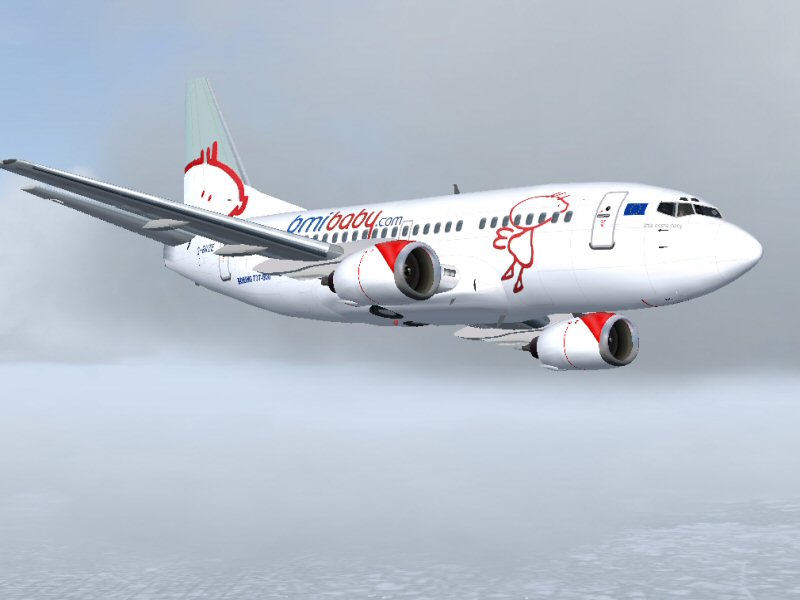
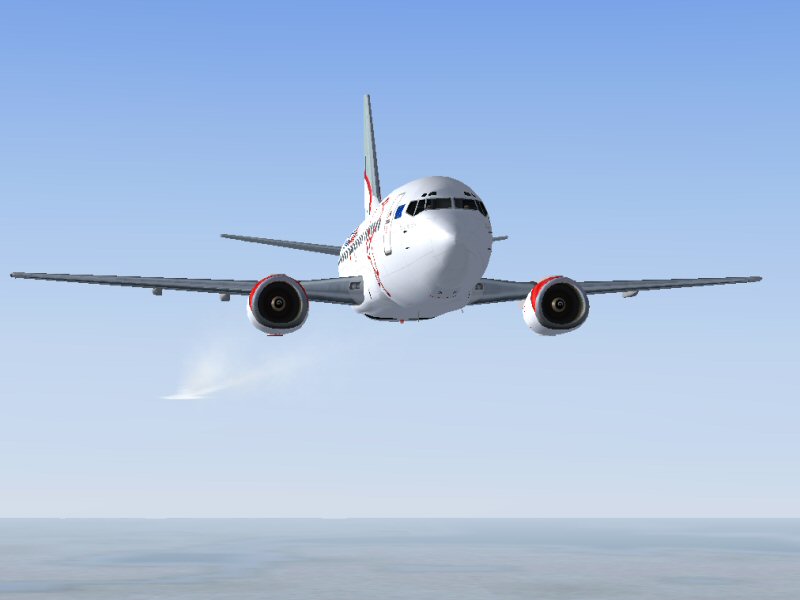
bmi baby 737-500 what do you think guys? :D

     Image


      Image
Last edited by DaveT on Sun Jan 21, 2007 9:06 am, edited 1 time in total.
User avatar
DaveT
Major
Major
 
Posts: 2260
Joined: Thu Jan 31, 2002 7:46 pm
Location: KGSO

Re: bmi baby

Postby Ravang » Sun Jan 21, 2007 9:38 am

Nice plane but I prefer smaller GA aircraft, and you may want to turn on the AA ;)
User avatar
Ravang
Ground hog
Ground hog
 
Posts: 0
Joined: Sat Nov 07, 2009 11:40 pm
Location: South Carolina, USA

Re: bmi baby

Postby DaveT » Sun Jan 21, 2007 9:59 am

Nice plane but I prefer smaller GA aircraft, and you may want to turn on the AA ;)

yeah i forgot the AA Ha Ha  ;D  never mind.......
Last edited by DaveT on Sun Jan 21, 2007 10:02 am, edited 1 time in total.
User avatar
DaveT
Major
Major
 
Posts: 2260
Joined: Thu Jan 31, 2002 7:46 pm
Location: KGSO

Re: bmi baby

Postby Jakemaster » Sun Jan 21, 2007 10:21 am

Not bad, but you need to turn up the AA on your graphics card or increase your resolution.

From a screenshot standpoint, number 1 is pretty good, but keep in mind that the white BMI baby scheme is very bright, so it should be on a darker background to provide more contrast.  In number 2 you showed your horizon line, a BIG nono in screenshots (and real pictures too)
Jakemaster
 

Re: bmi baby

Postby murjax » Sun Jan 21, 2007 11:16 am

Nice shot. Did you paint that plane?  :)
Image
I am just a train fan who happens to like flying and attempting to get the better of the mods especially those with 20/20 vision ;D ;D
User avatar
murjax
Major
Major
 
Posts: 1152
Joined: Sun Nov 26, 2006 12:18 am
Location: Jacksonville,FL

Re: bmi baby

Postby DaveT » Sun Jan 21, 2007 1:18 pm

Nice shot. Did you paint that plane?  :)

no i didn;t paint the plane i got it from flightsim.com,nice int it
User avatar
DaveT
Major
Major
 
Posts: 2260
Joined: Thu Jan 31, 2002 7:46 pm
Location: KGSO

Re: bmi baby

Postby DaveT » Sun Jan 21, 2007 1:21 pm

Not bad, but you need to turn up the AA on your graphics card or increase your resolution.

From a screenshot standpoint, number 1 is pretty good, but keep in mind that the white BMI baby scheme is very bright, so it should be on a darker background to provide more contrast.  In number 2 you showed your horizon line, a BIG nono in screenshots (and real pictures too)


it all depends on what you like,if you like horizon you like it if u dont then u dont.sorry if this disapoints you ;D
Last edited by DaveT on Sun Jan 21, 2007 2:08 pm, edited 1 time in total.
User avatar
DaveT
Major
Major
 
Posts: 2260
Joined: Thu Jan 31, 2002 7:46 pm
Location: KGSO

Re: bmi baby

Postby Jakemaster » Mon Jan 22, 2007 9:55 am

[quote][quote]Not bad, but you need to turn up the AA on your graphics card or increase your resolution.

From a screenshot standpoint, number 1 is pretty good, but keep in mind that the white BMI baby scheme is very bright, so it should be on a darker background to provide more contrast.
Jakemaster


Return to Simulation Screenshots Showcase

Who is online

Users browsing this forum: No registered users and 612 guests