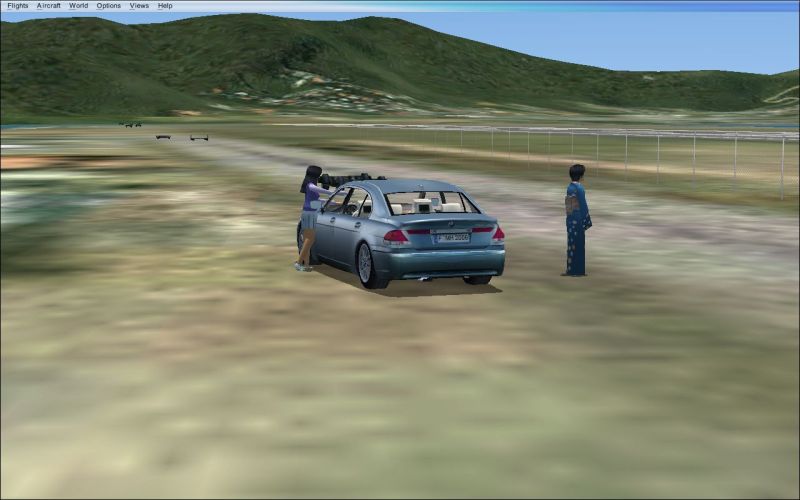
BMW in FSX

Flight Simulation Screenshots displaying your Flight Simulation Experience. MSFS, FSX, Prepar3D, XPlane and other Flight Simulators. Focus is your Flight Simulator Experience. Please upload to Simviation (Button at top right)

BMW in FSX

Postby Katahu » Wed Aug 16, 2006 11:17 am

I decided to take another car out for a ride in FSX. This one seems to handle a little more loosely in FSX than it does in FS9. It's most likely that it has something to do with the MOI values.

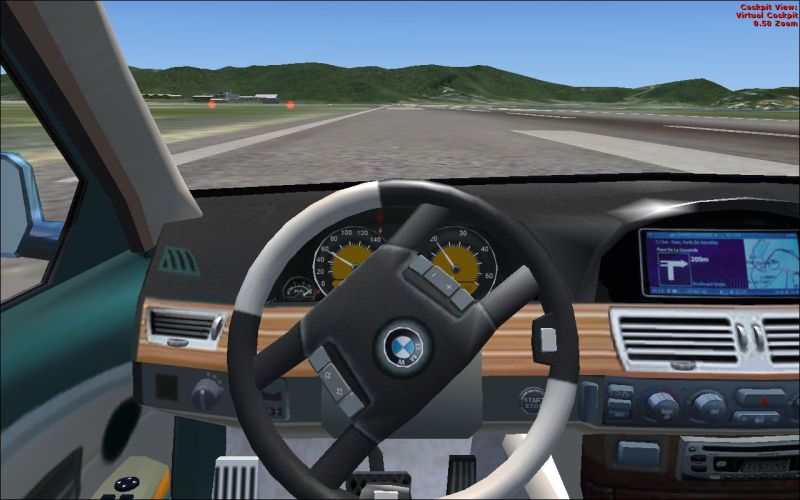
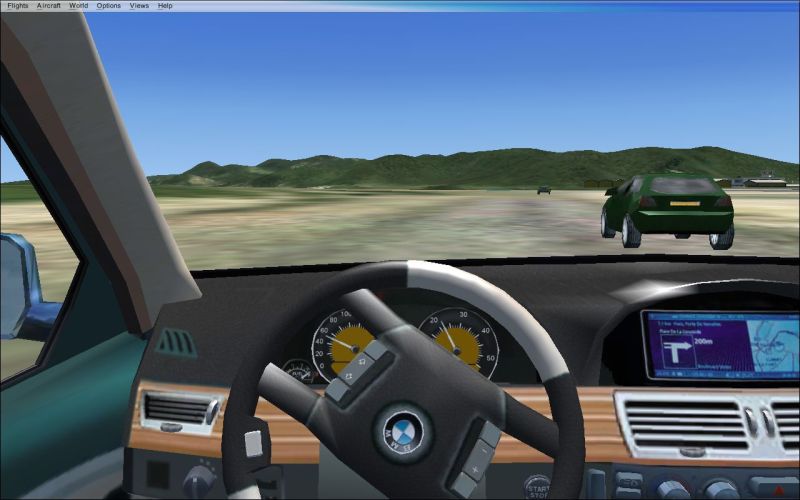
Anyways, here are some shots of the BMW. I noticed that the textures are "not" blurred at all and the gauges are as clear as day in both the DVC and 2D panel. However, I did notice that there were absolutely no sounds coming from the BMW although the sounds were working nicely in my Nissan. The animations are in order though.
Image
Image
Image
User avatar
Katahu
Lieutenant Colonel
Lieutenant Colonel
 
Posts: 5993
Joined: Mon Jul 22, 2002 10:29 pm

Re: BMW in FSX

Postby RollerBall » Wed Aug 16, 2006 11:37 am

;D Nice one
RollerBall
 

Re: BMW in FSX

Postby Ecko » Wed Aug 16, 2006 11:38 am

The sounds are linked to the default fs9 Cessna 182, so...
Image
User avatar
Ecko
Major
Major
 
Posts: 3684
Joined: Fri May 13, 2005 4:47 pm
Location: Denmark

Re: BMW in FSX

Postby Hai Perso Coyone? » Wed Aug 16, 2006 12:58 pm

LOL...Looks nice ;)
User avatar
Hai Perso Coyone?
Ground hog
Ground hog
 
Posts: 0
Joined: Fri Jan 12, 2007 7:31 pm
Location: Rome, Italy

Re: BMW in FSX

Postby flymo » Wed Aug 16, 2006 7:20 pm

lol nice.
i can see it now. we will al be on MP flying, and their is kat giveing us a top gear style race in his beamer (BMW) :P

with the new reflections in FSX would you be able to make the wing mirrors and rear view mirror give an accuarate projection of what is behind you??
Last edited by flymo on Wed Aug 16, 2006 7:22 pm, edited 1 time in total.
flymo
 

Re: BMW in FSX

Postby gijake » Wed Aug 16, 2006 8:21 pm

your stearing wheel seems to be upside down  ;)
gijake
Major
Major
 
Posts: 1027
Joined: Sun Dec 18, 2005 12:04 pm

Re: BMW in FSX

Postby Mav_316 » Thu Aug 17, 2006 12:00 am

How are you guys installing these Fs9 vehicles and aircrafts into FSX. I don't see any aircraft folder.
I am whatever you say I am 1 :P
User avatar
Mav_316
2nd Lieutenant
2nd Lieutenant
 
Posts: 250
Joined: Sat Feb 02, 2002 10:27 am
Location: Bronx, New York

Re: BMW in FSX

Postby haroldkip » Thu Aug 17, 2006 2:40 am

Nice kimono ;D
User avatar
haroldkip
Lieutenant Colonel
Lieutenant Colonel
 
Posts: 5906
Joined: Wed Apr 12, 2006 5:13 am
Location: Amsterdam, The Netherlands

Re: BMW in FSX

Postby flymo » Thu Aug 17, 2006 3:49 am

Mav to install aircraft i think you go to

?:\Program Files\Microsoft Games\Microsoft Flight Simulator X Demo\SimObjects
flymo
 

Re: BMW in FSX

Postby Katahu » Thu Aug 17, 2006 10:14 am

There is an "airplanes" folder rather than an "aircraft" folder and it's located in the "simobjects" folder as others have mentioned.

Just bare in mind that most some FS9-based addon may not work due to how the "unfinished" FSX demo now interprets the codes from certain files of the addon such as the *.mdl file.
User avatar
Katahu
Lieutenant Colonel
Lieutenant Colonel
 
Posts: 5993
Joined: Mon Jul 22, 2002 10:29 pm

Re: BMW in FSX

Postby Saitek » Thu Aug 17, 2006 10:15 am

your stearing wheel seems to be upside down  ;)


I think he is doing a massive swerve to avoid that other car.
Windows 7 Pro 64bit
Intel Core 2 Duo E2180 2GHz
GA-P35-DS3L Intel P35
Kingston HyperX 4GB (2x2) DDR2 6400C4 800Mhz
GeForce 8800 GT 512MB
2 x 22" monitors
200GB Sata
Be Quiet! Straight Power 650W

Flying FS
Saitek
Lieutenant Colonel
Lieutenant Colonel
 
Posts: 5274
Joined: Thu Jun 19, 2003 3:04 pm
Location: UK


Return to Simulation Screenshots Showcase

Who is online

Users browsing this forum: No registered users and 639 guests