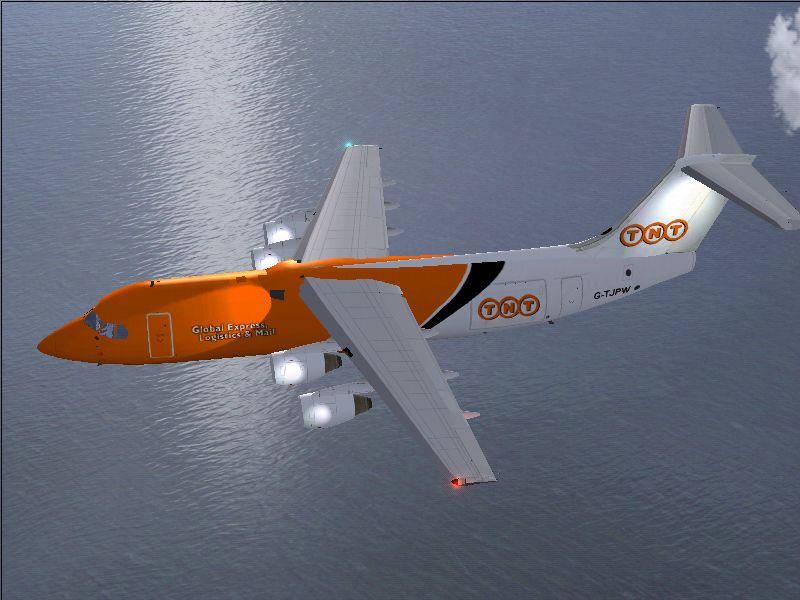
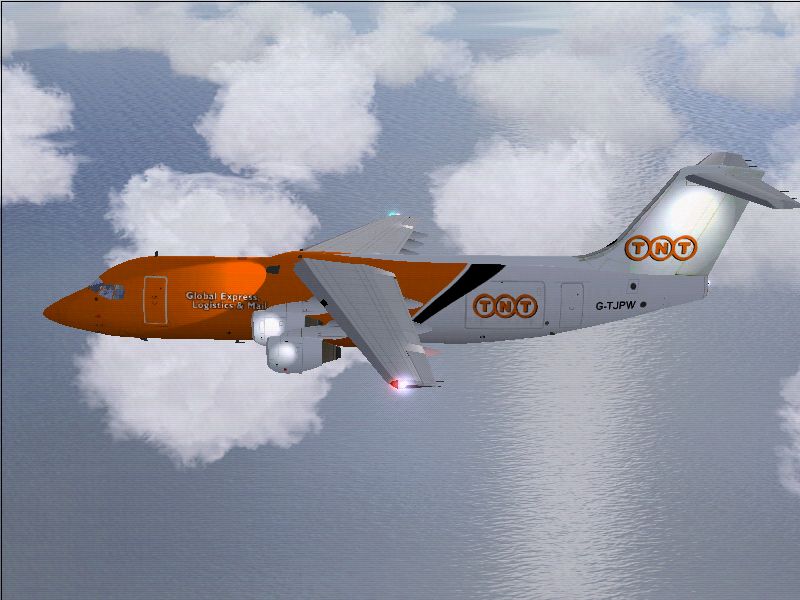
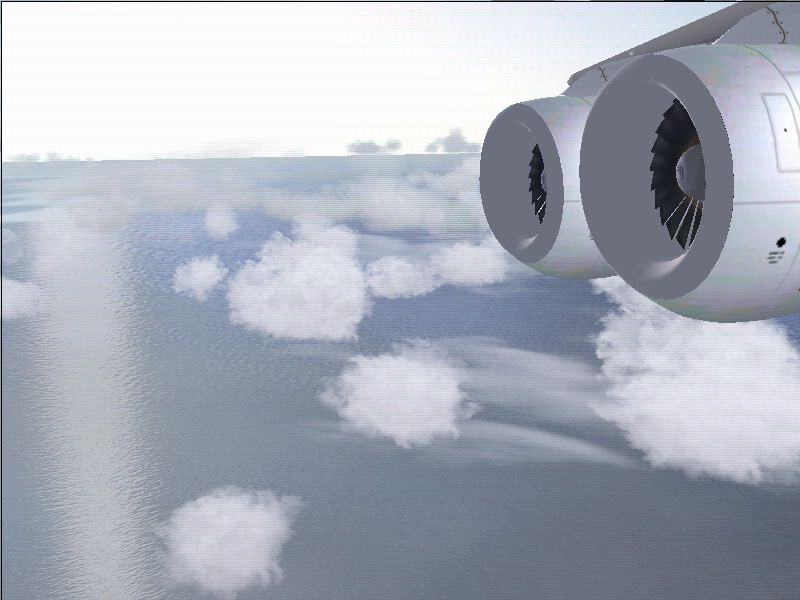
Some screenshots with my new FX5200

Flight Simulation Screenshots displaying your Flight Simulation Experience. MSFS, FSX, Prepar3D, XPlane and other Flight Simulators. Focus is your Flight Simulator Experience. Please upload to Simviation (Button at top right)

Some screenshots with my new FX5200

Postby BiggBaddWolf » Tue Feb 08, 2005 5:36 am

Just wanted to post some shots taken with my new FX 5200 grafix card  ;D
Image
Image
Image
I have water reflections now.. ;D ;D ;D
Also like to mention that the water textures are lemoncats...... ;D

BiggBaddWolf
 

Re: Some screenshots with my new FX5200

Postby Clipper » Tue Feb 08, 2005 6:00 am

Hi Wolf  :)  Which card did you get exactly? Is it a geforce 5200le 256k pci (not express)? I bought that card a few weeks ago, and my water reflections are still more or less non existent. Would you mind telling me which Lemoncat water reflect you got? Also, what are the specs of your pc? Do you use FS Autostart? Finally, what screen resolution are you set at? There may be tweaks to keep pushing your graphics. Like the shots. Isn't it great when you upgrade?
Image
User avatar
Clipper
Global Moderator
Global Moderator
 
Posts: 8420
Joined: Tue Aug 23, 2005 5:40 am

Re: Some screenshots with my new FX5200

Postby BiggBaddWolf » Tue Feb 08, 2005 6:14 am

Clipper, it is a Chaintech FX 5200 128MB AGP.

The water textures is called waterzone, if I remember correctly and you can get it here at simviation.

Specs are:
P4 2.8
512 MB RAM (Gonna be the next upgrade  ;D)
Maxtor 250 G Hard Drive

Resolution is 1024x768
BiggBaddWolf
 

Re: Some screenshots with my new FX5200

Postby lemoncat » Tue Feb 08, 2005 6:47 am

looking good bbwolf now you can set your aa up a notch maybe :) :)
User avatar
lemoncat
Major
Major
 
Posts: 4286
Joined: Fri Jan 02, 2004 6:41 pm
Location: earth

Re: Some screenshots with my new FX5200

Postby BiggBaddWolf » Tue Feb 08, 2005 6:51 am

Yep I have been playing with the aa some, Just trying to figure out what seems to work best, and I have a few more options for it than I had with the old card  ;D
BiggBaddWolf
 

Re: Some screenshots with my new FX5200

Postby Clipper » Tue Feb 08, 2005 7:00 am

Hey Wolf.  :) I have a p4 2.8 with 768ram, I only have a pci (not express) video card. I'd like you to look at my screenshots in my Meigs:Pick 10 post this morning, and look at the image quality of the plane. I think with you having about the same computer as me, and an agp video card, you should be able to achieve even better results than I do. I like to experiment with my vid cards anti-aliasing and anthroscopic filtering, till I get my shots as smooth as I can. Let me know what you think :)
Image
User avatar
Clipper
Global Moderator
Global Moderator
 
Posts: 8420
Joined: Tue Aug 23, 2005 5:40 am

Re: Some screenshots with my new FX5200

Postby Fitter » Tue Feb 08, 2005 7:18 am

It looks good but....
1st reduce to 2 or 0 your pci memory in the control panel advanced settings of your graphic card....
2nd in the bios try to keep the agp apperture size in the minimum value
3rd dont use the graphic card antialiazing and the game antialiazing together.....use only the graphic card antialiazing......
This configurattion listed above will work good only with a minimum of 512mb of ram....

Be sure that the AGP is on in your computer....

Some people think that the AGP apperture size in the bios should be big like 64mb or 128 mb....but thats a mistake....at least in my computer it doest seems to work good with a big apperture....
I set the AGP size to 8 mb....after many attempts 8mb really show me a difference in my graphic performance.
Also the pci texture is good to keep in minimum values...
But remember if you change this values do at your own risk....in fact it doesnt bring risks to the computer but I need to say this....I just want to show you how i set up my graphic configuration.... :)
Fitter
Major
Major
 
Posts: 4204
Joined: Sat Nov 29, 2003 3:15 pm
Location: Earth

Re: Some screenshots with my new FX5200

Postby BiggBaddWolf » Tue Feb 08, 2005 7:19 am

From what I have been told AGP cards are better than PCI, because they have a higher bandwidth, maybe someone else can explain that to you better than I can, but still I would think you should be able to get water reflections using a PCI card..  ???

And the funny thing with this computer is, the system information said the card that was in it was PCI, but the owners manual said it did have an AGP slot, so I never really checked it, but when I went to change out the cards the old card was in the AGP slot...go figure  :(
BiggBaddWolf
 

Re: Some screenshots with my new FX5200

Postby Clipper » Tue Feb 08, 2005 7:27 am

Wolf, I'm going to install waterzone, set my fs9 water slider to high, and I'll take a few shots. Fitter, if you could look in as well I'd appreciate it. Any advice you guys may have would be a big help. I'll post the shots to- nite. P.S. I do get some water reflects, they're just awful and very 2d looking. I'll post some of those shots as well.  :)
Image
User avatar
Clipper
Global Moderator
Global Moderator
 
Posts: 8420
Joined: Tue Aug 23, 2005 5:40 am

Re: Some screenshots with my new FX5200

Postby Fitter » Tue Feb 08, 2005 8:21 am

Yes you are right...AGP is better than pci....but thats about slot type....Im talking about how many agp apperture size are you setting on....reboot your computer...than press del before the windows came on....When you reboot your system press del after the system finish to read your ram memory value.... 8)
Look for chipset configuration....or something like that.
But be sure if you know how to enter in Bios setup....Or ask a friend to help you...Changing bios value requires a little more knolegde about computers...not too much but a little more.... :)
[quote]From what I have been told AGP cards are better than PCI, because they have a higher bandwidth, maybe someone else can explain that to you better than I can, but still I would think you should be able to get water reflections using a PCI card..
Fitter
Major
Major
 
Posts: 4204
Joined: Sat Nov 29, 2003 3:15 pm
Location: Earth

Re: Some screenshots with my new FX5200

Postby Gixer » Tue Feb 08, 2005 2:52 pm

Here is a brief explanation of AGP aperture size for you:

How big should I set AGP Aperture size in my BIOS?

First of all, AGP Aperture memory will not be used until your video card's on-board memory is running low. That means it will usually not impact your gaming performance because developers are trying hard to not exceed the on-board memory limits.
The bigger your video memory, the smaller your Aperture Size could be. However with later games requiring more and more texture memory a good number seems to be 128MB Aperture Size for all cards with 64 MB to 256 MB Video RAM.
Setting the Aperture Size to HUGE values will not increase performance because this merely sets the maximum amount of physical memory that can be used. It only makes the GART Table bigger because every 4K page has its own entry, no matter if allocated or not.
Setting the Aperture Size to too small values could result in running out of available texture memory especially on a low-mem video card. It is also possible that developers make use of the GART's features by creating textures as 'non-local'.

If you experience in-game stuttering try playing with the size of your Aperture.

Grabbed it off the net! best bet is to play with your apperture size and see what is best for you.  I would think that 8mb is a bit small though IMO.  But as you say Fitter it may just be that it works well on your PC.
AMD64 3500+ @ 2200MHz 400FSB
MSI K8N Neo 2 mobo nForce3 chipset
1gig Corsair XMS PC3200 timings @ 10.2.2.2
XFX 6800 Ultra @ 450/1200
80gig HDD
Loadsa fans!!!
User avatar
Gixer
Major
Major
 
Posts: 1538
Joined: Sat Nov 08, 2003 12:12 pm

Re: Some screenshots with my new FX5200

Postby WarriorDriver » Tue Feb 08, 2005 3:27 pm

Nice shots. That water is breathtaking.
Best Short-Medium-Long Range Airliner Ever. Behold The 757!

Image
WarriorDriver
2nd Lieutenant
2nd Lieutenant
 
Posts: 132
Joined: Sun Jan 23, 2005 4:19 pm
Location: Danville,VA or Bronx,NY

Re: Some screenshots with my new FX5200

Postby BiggBaddWolf » Wed Feb 09, 2005 11:36 am

Ok I set the AGP apperature to 32, which was the lowest setting, it had 32, 64, 128, and 256, so I set it to the lowest one....
I cant find anything for pci memory in the advanced settings of the video card  ???
And I am only using anti aliasing on the video card, I have it set at 2x, and also something called anisotropic filter or something like that set to 2x
BiggBaddWolf


Return to Simulation Screenshots Showcase

Who is online

Users browsing this forum: ShawnLearm and 345 guests
