Page 1 of 1
USS Langley CV1 aircraft carrier, Aeromarine 39B V3.20 and USS Langley CV1 mission released

Posted:
Tue Jan 22, 2013 2:21 pmby Woodylepic
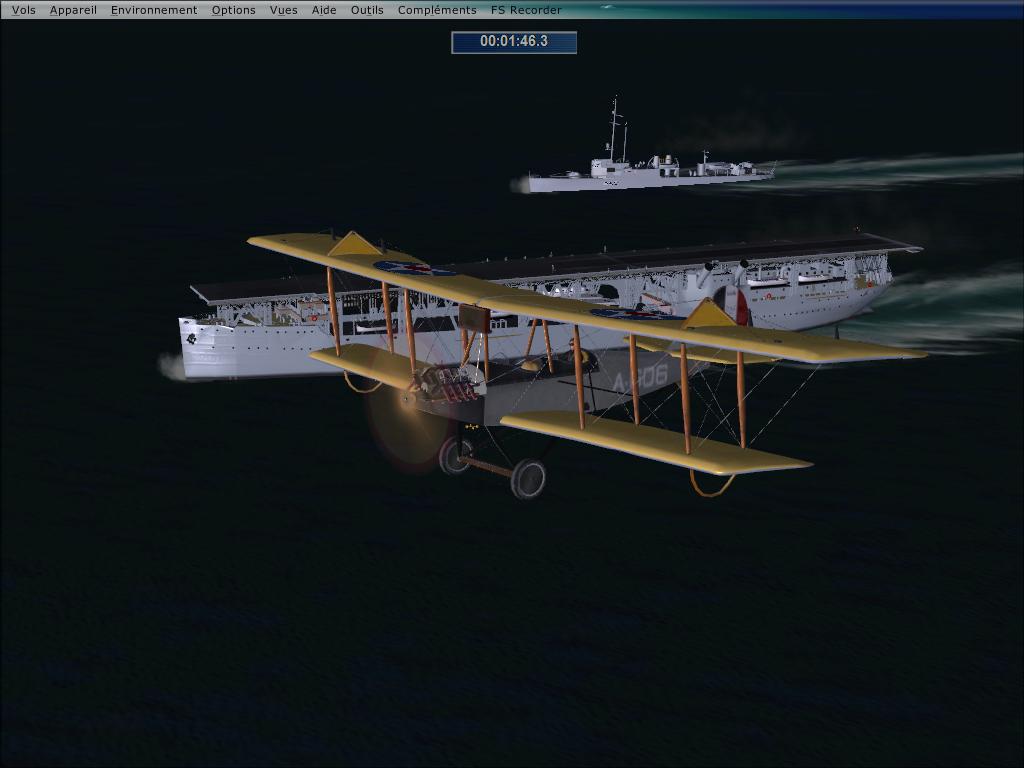
USS Langley CV1 aircraft carrier, Aeromarine 39B V3.20 and mission USS Langley CV1 released at simviation to day
http://simviation.com/1/browse-Missions ... 2911#42911Let the fun begin 8-)!
Good flight !
Re: USS Langley CV1 aircraft carrier, Aeromarine 39B V3.20 and USS Langley CV1 mission released
Posted:
Thu Jan 24, 2013 5:21 amby skybolt66

Yeah--this missions are recommanded to empathize in first Carrier-starts+
landings in 1922. Not easy to find the USS Langley at night whithout
any light. 8-)
Re: USS Langley CV1 aircraft carrier, Aeromarine 39B V3.20 and USS Langley CV1 mission released
Posted:
Thu Jan 24, 2013 10:10 amby pete
Looks really fun!
Re: USS Langley CV1 aircraft carrier, Aeromarine 39B V3.20 and USS Langley CV1 mission released
Posted:
Fri Jan 25, 2013 3:47 amby skybolt66
.......
and enjoyable---it's the 1st FSX-mission after long time !
Hope for more

Re: USS Langley CV1 aircraft carrier, Aeromarine 39B V3.20 and USS Langley CV1 mission released
Posted:
Fri Jan 25, 2013 7:49 amby Formula_1
Thanks
There just aren't enough missions being made.
Some that are out were really a lot of fun. I'd love to see a lot more coming in the future.
Re: USS Langley CV1 aircraft carrier, Aeromarine 39B V3.20 and USS Langley CV1 mission released
Posted:
Sun Jan 27, 2013 3:28 pmby technogeo
I have downloaded, unzipped and installed the three files. The two planes work perfectly in FSX but I can't find the USS Langley mission. Did I miss a step?
Re: USS Langley CV1 aircraft carrier, Aeromarine 39B V3.20 and USS Langley CV1 mission released
Posted:
Mon Jan 28, 2013 5:40 amby skybolt66
The mission-name is "USS Langley"---3 or 4 steps to folders in folders---
look for the correct one, it must appear in FSX-missionslist after copy.
If a mission only starts as freeflight, mostly FSX needs any addon.
Re: USS Langley CV1 aircraft carrier, Aeromarine 39B V3.20 and USS Langley CV1 mission released
Posted:
Mon Jan 28, 2013 8:30 amby technogeo
Thanks, skybolt66, but I'm still lost at sea (blasted newbies!) Can you tell me where to install the folder "Pilotable-Carrier-Langley" (which contains a folder called "USS Langley")? Does it go in the Missions folder or SimObjects>Misc or SimObjects>Boats? or somewhere else? I've tried just about every combination. Thanks in advance for your help!
Re: USS Langley CV1 aircraft carrier, Aeromarine 39B V3.20 and USS Langley CV1 mission released
Posted:
Tue Jan 29, 2013 10:13 amby Twohundredweight
Good day to one and all
I can not get the mission.exe to work on any of the USS Langley files to work. Always get a request to make sure I am the administrator of the PC (I am).Never had this problem before with other exe files.
Using Windows7.
Is it possible to get the files in a manual load format?
Am I missing a trick somewhere? [smiley=embarassed.gif]
Re: USS Langley CV1 aircraft carrier, Aeromarine 39B V3.20 and USS Langley CV1 mission released
Posted:
Wed Jan 30, 2013 3:52 amby skybolt66
Easyest way is running the installer---ALL goes to right places. Manuell install
needs giving different path--not FSX (maybe "store" or so). Sev. folders appear---so mission=> FSX-missions, RWD=> rewards,
USS langley (separate DLD)=> ships...aso.
Re: USS Langley CV1 aircraft carrier, Aeromarine 39B V3.20 and USS Langley CV1 mission released
Posted:
Wed Jan 30, 2013 9:04 amby technogeo
Twohundredweight - I got the same administrator message with Windows 7. You can bypass it if you left-click and choose "run as administrator." It installs, but it still doesn't show up under "missions."
Re: USS Langley CV1 aircraft carrier, Aeromarine 39B V3.20 and USS Langley CV1 mission released
Posted:
Wed Jan 30, 2013 9:07 amby technogeo
Quick question: the installation instructions for the Langley mission say: 1. Install my folder "Pilotable-Carrier-Langley" with my panel, sound, aircraft.cfg and airfile first. WHERE do we install this folder? Under SimObjects>Airplanes?