Chrome Spin Prop Texture problem ???

FSX including FSX Steam version.

Chrome Spin Prop Texture problem ???

Postby Jetranger » Fri Jun 08, 2012 1:07 am

I use FSX Gold Acceleration - I notice lately on most ALL my Default props , those being the Cessna, the Beechcraft, and the Grumman Goose, that the Spin prop nose cone - no longer appears Chrome, reflective, but sheer White or Almond in color.  WHY ?? Evidently IA've downloaded a file or somehow deleted a file that these aircraft read off of,, and I can't for the life of me figure out what file that would be ?? I have downloaded some new paint textures for the aircraft above mentioned, but even after I went in a Dug thru the files 1 by 1, and analazed them,, I see nothing wrong in the Aircrafts Texture folder / file , does anybody have any idea why or what I'm missing ??  NOT all my Aircraft do this, my Payware Carenado's Cessna's display just fine all 30 of them,, as well as some of the Just Flight Prop aircraft , but the Default aircraft props,, seem to have went on a picnic with the chrome spinner prop texture !  How bout you Fozzer, you really knowledgeable about a lot of this,, any ideas ???  I'll try to post a screen shot later or see this Grumman Goose video,, see the nose cone how its NOT chrome , but like an almond white !  Video ----} http://www.youtube.com/watch?v=uFrorWW0n_U

Image
User avatar
Jetranger
Major
Major
 
Posts: 3232
Joined: Fri Sep 30, 2011 2:49 am
Location: Kansas City Missouri USA / KMKC

Re: Chrome Spin Prop Texture problem ???

Postby alrot » Fri Jun 08, 2012 11:03 am

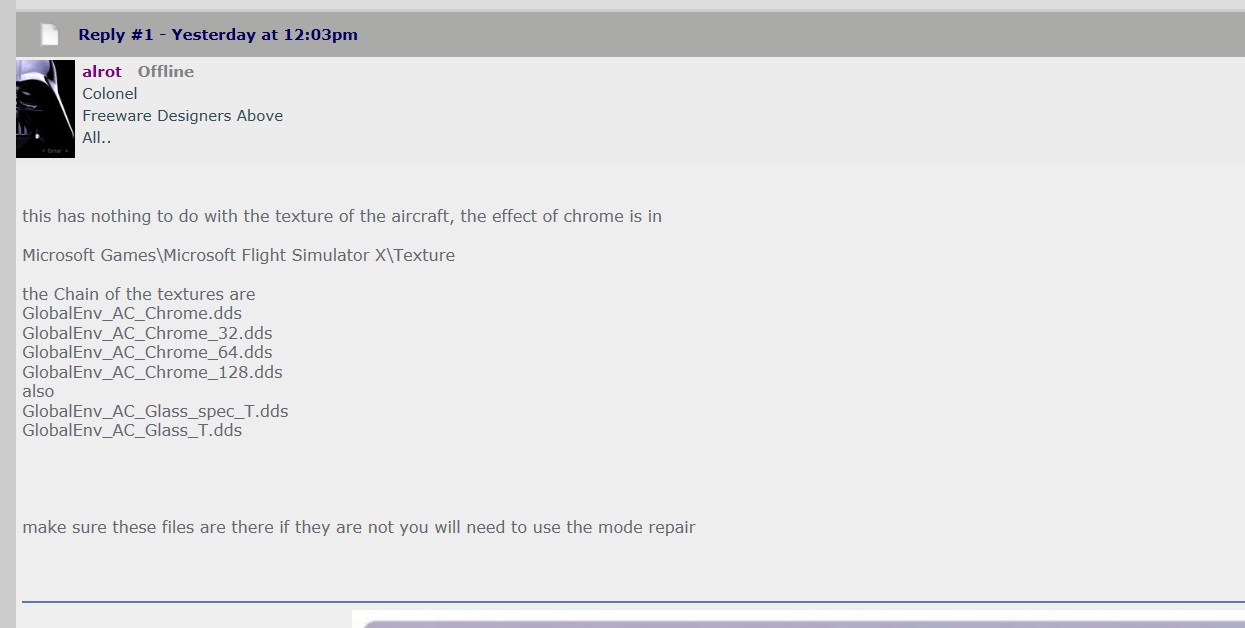
this has nothing to do with the texture of the aircraft, the effect of chrome is in

Microsoft Games\Microsoft Flight Simulator X\Texture

the Chain of the textures are
GlobalEnv_AC_Chrome.dds
GlobalEnv_AC_Chrome_32.dds
GlobalEnv_AC_Chrome_64.dds
GlobalEnv_AC_Chrome_128.dds
also
GlobalEnv_AC_Glass_spec_T.dds
GlobalEnv_AC_Glass_T.dds


make sure these files are there if they are not you will need to use the mode repair
Image

Venezuela
User avatar
alrot
Lieutenant Colonel
Lieutenant Colonel
 
Posts: 8961
Joined: Wed Oct 08, 2003 10:47 am

Re: Chrome Spin Prop Texture problem ???

Postby Fozzer » Fri Jun 08, 2012 11:31 am

Quote:
"How bout you Fozzer, you really knowledgeable about a lot of this,, any ideas ???".
End quote.

Sorry Jet... :-[...

....when it comes to textures, I had a peek at my nose cone in the mirror, and all I could see were a few spots and pimples, and a few nose hairs which require clipping, but that's about the lot!

Alex is definitely the Bloke you need, when it comes to shiny aircraft nose cone textures!... ;)...!

Paul... ;D... ;D...!
Win 8.1 64-bit. DX11. Advent Tower. Intel i7-3770 3.9 GHz 8-core. 8 GB System RAM. AMD Radeon HD 7700 1GB RAM. DVD ROM. 2 Terra Byte SATA Hard Drive. Philips 17" LCD Monitor. Saitek Cyborg X Fly-5 Joystick. ...and a Briggs and Stratton Petrol Lawn Mower.
User avatar
Fozzer
Colonel
Colonel
 
Posts: 27369
Joined: Thu Jan 31, 2002 3:11 pm
Location: Hereford. England. EGBS.

Re: Chrome Spin Prop Texture problem ???

Postby Jetranger » Sat Jun 09, 2012 1:43 am

Alright you guys - Thanks for the help & tips, I'll look into this see if I can remedy the problem,, I'll let ya know !!!  Jet.
Image
User avatar
Jetranger
Major
Major
 
Posts: 3232
Joined: Fri Sep 30, 2011 2:49 am
Location: Kansas City Missouri USA / KMKC

Re: Chrome Spin Prop Texture problem ???

Postby Jetranger » Sat Jun 09, 2012 10:36 am
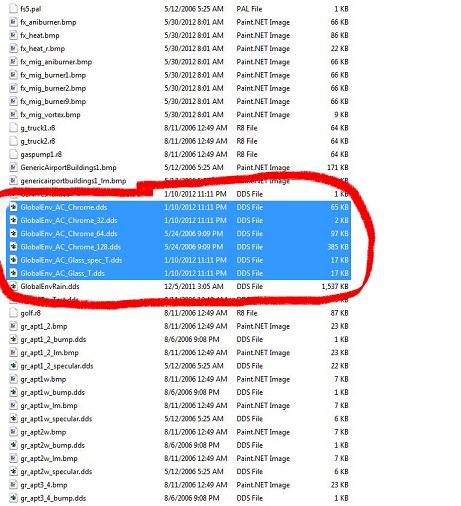
ALROT - I looked and their all there,,, heres a screen shot,,,, guess I'll just have to slip in the repair disks and let it fix it,,, kinda sucks, something changed something , somehow, without my knowledge !  let ya know,, Jet.Image
Image
User avatar
Jetranger
Major
Major
 
Posts: 3232
Joined: Fri Sep 30, 2011 2:49 am
Location: Kansas City Missouri USA / KMKC

Re: Chrome Spin Prop Texture problem ???

Postby Jetranger » Thu Jun 21, 2012 8:03 am
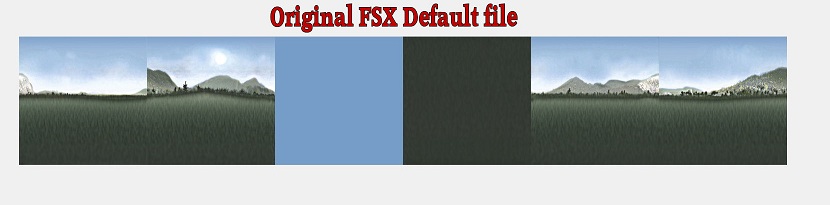
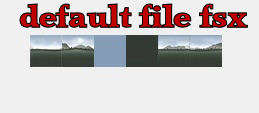
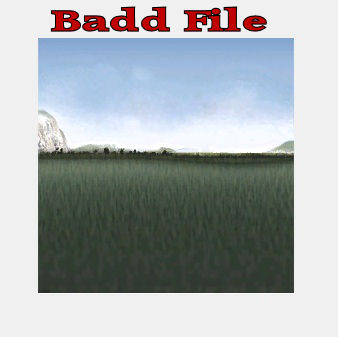
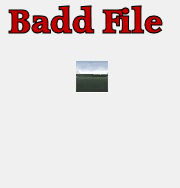
NOTICE to All Flight Sim Pilots / Read this carefully !!! Thanks to Alrot for the Valuable Information too !!   I found the problem as to why my "Chrome" Spinner Prop Textures Quit displaying the Chrome on my prop planes, on the nose cones. Upon carefull examination, even tho I had everything Alrot said in my folder ( see screen shot above) , I found out that the Textures got "Changed", not by me, but by a Download by somebody, most likely a Scenery Add On' I've downloaded , that somebody took upon themselves to change the File Texture, yet leave the same file name , and if you don't know what every singe texture was before , you'd assume everything appears to be alright / normal. I ended up installing the entire FSX Gold edition on my other computer, just to double check textures against my main FSX flight computer, and after doing so, this is what I found, Major "Texture File Change" - see the Difference !!!   files that got inadvertenly changed were ( GlobalEnv_AC_ Chrome) and (GlobalEnv_AC_Chrome_32). ImageImageImageImageImage
Image
User avatar
Jetranger
Major
Major
 
Posts: 3232
Joined: Fri Sep 30, 2011 2:49 am
Location: Kansas City Missouri USA / KMKC


Return to Flight Simulator X (FSX) and Steam

Who is online

Users browsing this forum: No registered users and 1065 guests