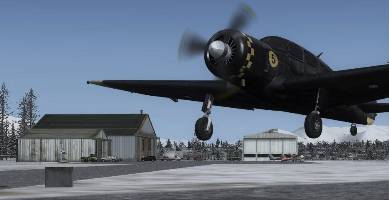
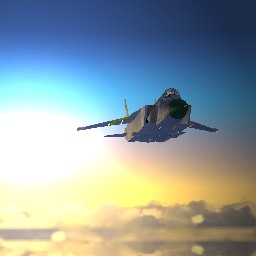
Screen shots. . . .

FSX including FSX Steam version.

Screen shots. . . .

Postby fourbee » Tue Dec 07, 2010 6:04 pm

Simple question but how do you get your screen shots 'crisp' and not jagged edged?
Image
fourbee
2nd Lieutenant
2nd Lieutenant
 
Posts: 164
Joined: Sat Nov 20, 2010 6:35 am
Location: Ireland

Re: Screen shots. . . .

Postby Cessnaporsche01 » Tue Dec 07, 2010 7:59 pm

You can either turn up the graphics settings (if your computer doesn't run FSX with high graphics, just pause the simulation and turn them up in the Alt menu) and/or use image editing software on the shot.

Nice, simple answer to a nice, simple question.  ;)
User avatar
Cessnaporsche01
2nd Lieutenant
2nd Lieutenant
 
Posts: 69
Joined: Sun Aug 02, 2009 1:13 pm
Location: Northwest Ohio

Re: Screen shots. . . .

Postby BAW0343 » Tue Dec 07, 2010 10:46 pm

Editing software wont be able to smooth out the image except by blurring the entire picture. So I would avoid that route.

Just turn up "anti-Aliasing" in your graphics settings, as mentioned, in game and you should be good to go!
Last edited by BAW0343 on Tue Dec 07, 2010 10:47 pm, edited 1 time in total.
Image Image
User avatar
BAW0343
Major
Major
 
Posts: 3011
Joined: Wed Oct 12, 2005 4:26 am
Location: Mesa, AZ

Re: Screen shots. . . .

Postby fourbee » Wed Dec 08, 2010 5:28 am

Ok thanks a mil guys!
Image
fourbee
2nd Lieutenant
2nd Lieutenant
 
Posts: 164
Joined: Sat Nov 20, 2010 6:35 am
Location: Ireland


Return to Flight Simulator X (FSX) and Steam

Who is online

Users browsing this forum: No registered users and 232 guests