Page 1 of 1
Re: Scenery anomalies

Posted:
Wed Aug 25, 2010 4:26 amby ShaneG_old
That's not a mesh problem.
It's one of two things:
If you're using the Bufferpools entry in the cfg try lowering the "bufferpools" setting. Too high of a setting will cause that.
Other cause is, you are pushing your settings too high, and your system is choking on the information.
Nick mentions this in one of the stickies at the top of this board. I'll try to find them.

Re: Scenery anomalies
Posted:
Wed Aug 25, 2010 11:09 amby Gypsy_Baron
If it is repeatable, than it is a bad mesh file. At least that has been my experience.
By repeatable I mean that each time you leave and re-enter the area
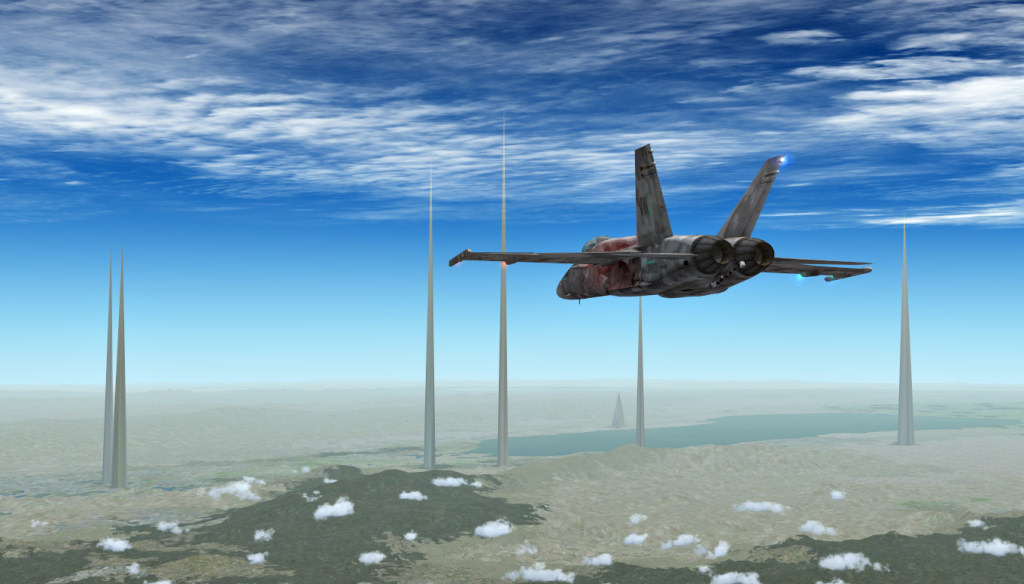
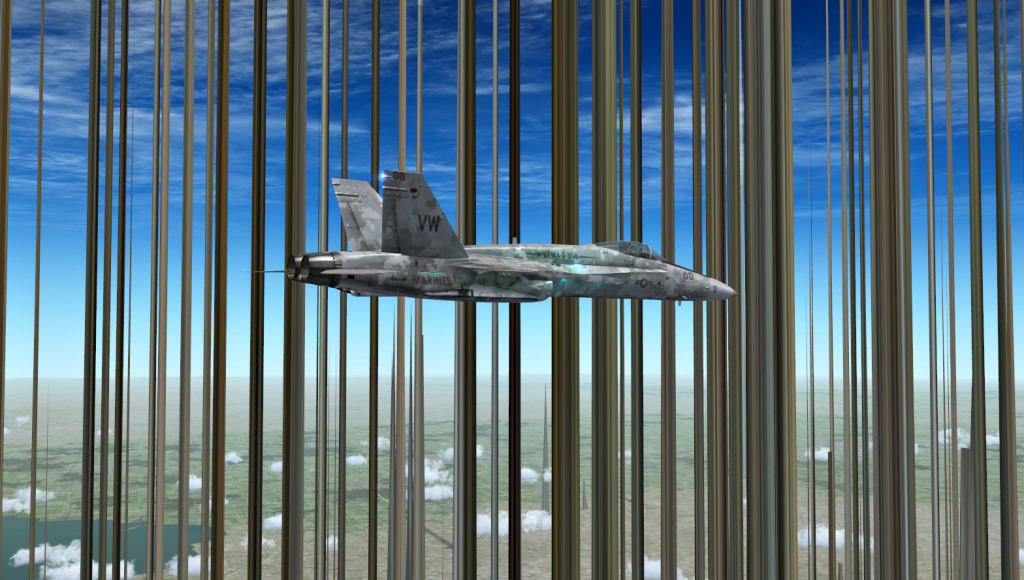
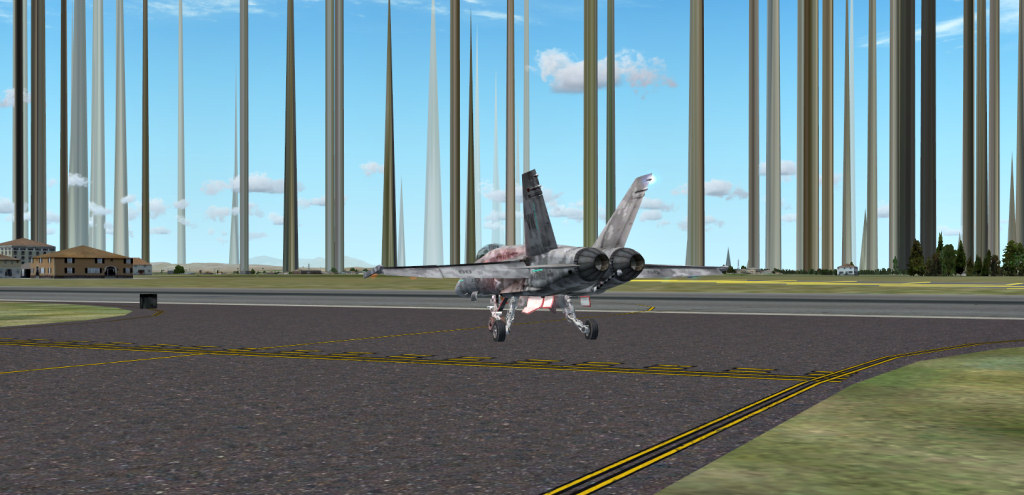
the spikes occur at precisely the same place.
Paul
Re: Scenery anomalies
Posted:
Wed Aug 25, 2010 11:48 amby patchz
[quote]That's not a mesh problem.
It's one of two things:
If you're using the Bufferpools entry in the cfg try lowering the "bufferpools" setting. Too high of a setting will cause that.
Other cause is, you are pushing your settings too high, and your system is choking on the information.
Nick mentions this in one of the stickies at the top of this board. I'll try to find them.
Re: Scenery anomalies
Posted:
Wed Aug 25, 2010 11:49 amby patchz
[quote]If it is repeatable, than it is a bad mesh file. At least that has been my experience.
By repeatable I mean that each time you leave and re-enter the area
the spikes occur at precisely the same place.
Re: Scenery anomalies
Posted:
Wed Aug 25, 2010 6:24 pmby Gypsy_Baron
[quote][quote]If it is repeatable, than it is a bad mesh file. At least that has been my experience.
By repeatable I mean that each time you leave and re-enter the area
the spikes occur at precisely the same place.
Re: Scenery anomalies
Posted:
Wed Aug 25, 2010 9:08 pmby patchz
[quote][quote][quote]If it is repeatable, than it is a bad mesh file. At least that has been my experience.
By repeatable I mean that each time you leave and re-enter the area
the spikes occur at precisely the same place.
Re: Scenery anomalies
Posted:
Mon Aug 30, 2010 8:21 amby patchz
[color=#000000]The spikes have now shown up in Connecticut. I've spent hours disabling scenery. I got the spikes to go away in Connecticut but they still exist in California. The only way I was able to get rid of them in California was do disable addon scenery. But the only thing in addon scenery/scenery is the USA mesh I added and had already disabled and a few others that were also already disabled. I deleted the entire group and turned addon scenery back on and the spikes are back in California. About the only scenery I have not disabled, is the default stuff in the bottom 25-30% of the list. And now, I need a hair transplant. All mine is on the floor.