Page 1 of 1

In game menu problem

PostPosted: Wed Jul 28, 2010 4:39 pm
by XxRazgrizxX
let me start off first by saying, well at least my opinion, DO NOT BUY THE AEROSIM FIRST STEP 777 cuz it gave me nothing but problems.

1. After installing i got a bunch of scenery errors and my in game menu dissapeared.

2. I uninstalled it and was able to fix my scenery errors but now my in game menu wont come up which is very frustrating because not i cant use addons like PMDG, FSpX, ConcordeX, etc...

this is what i mean

i open up a flight in fsx:
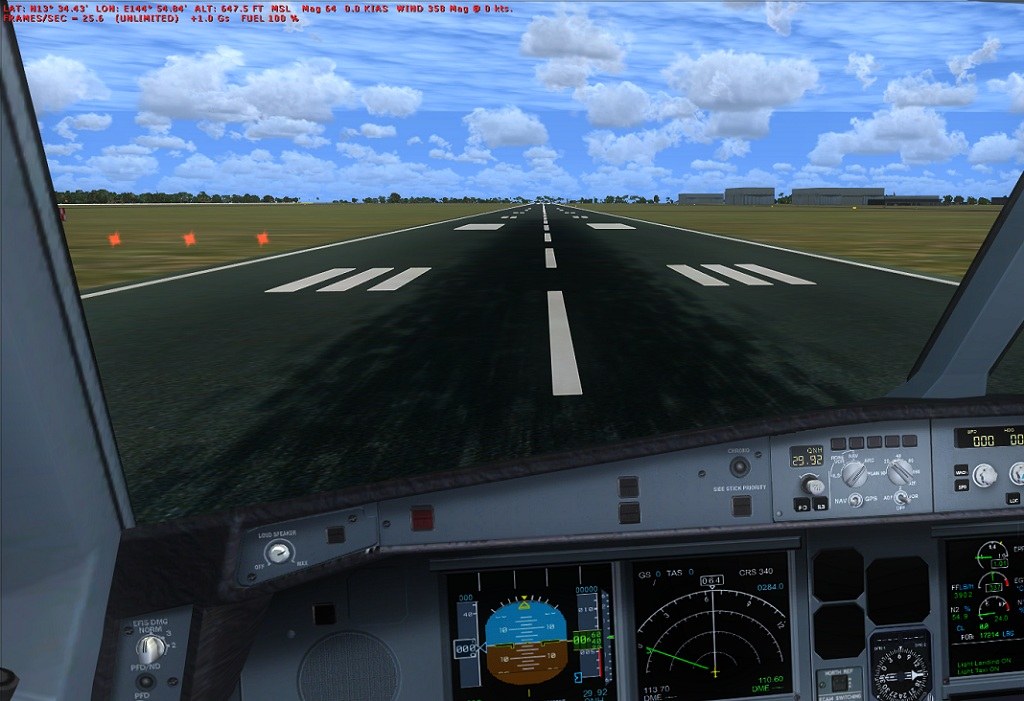
Image


BUT WHEN I GO AND HIT 'Alt' TO OPEN THE MENUS
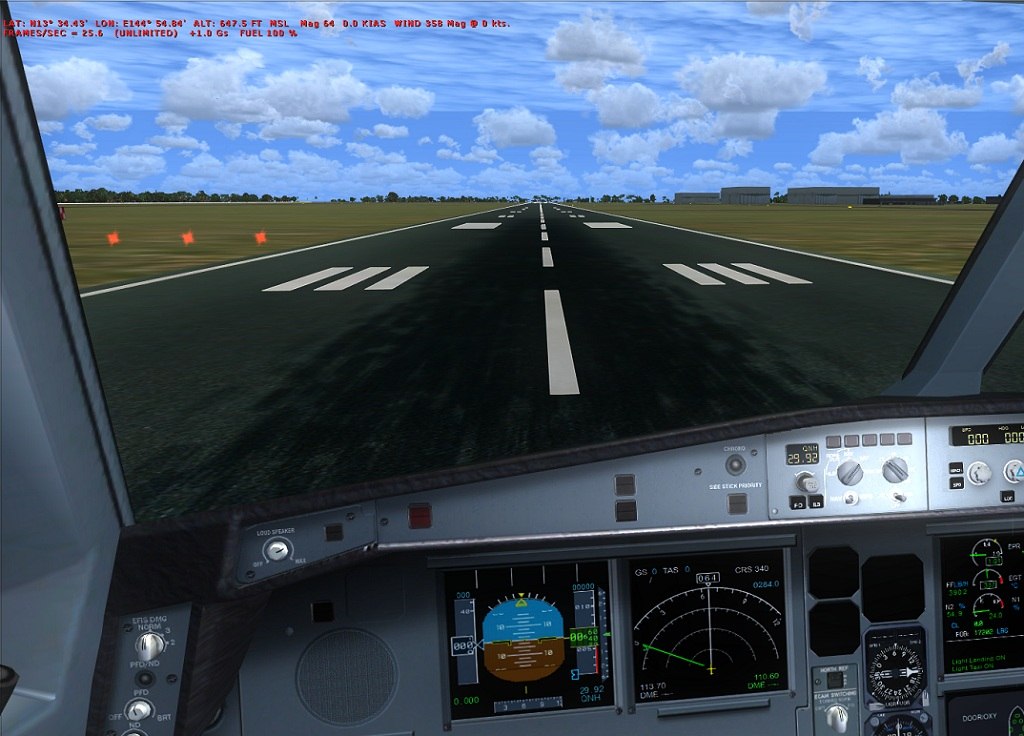
Image


see how the text has moved down to make room but its completely invisable and i cant get it back...

anyone have a fix for this?

Re: In game menu problem

PostPosted: Wed Jul 28, 2010 4:57 pm
by FuturePilot
Can you click on the menu? Or is it totally gone?

Re: In game menu problem

PostPosted: Wed Jul 28, 2010 5:14 pm
by XxRazgrizxX
Can you click on the menu? Or is it totally gone?


Nope, completely gone, like i said, the text moves down but theres nothing to click on

Re: In game menu problem

PostPosted: Wed Jul 28, 2010 9:12 pm
by XxRazgrizxX
ohh and i cant right click in game either, like to change views or anything

Re: In game menu problem

PostPosted: Wed Jul 28, 2010 9:51 pm
by Boikat
Try renaming your FSX.cfg (Which effectively removes the FSX.cfg), then restarting FSX.

Re: In game menu problem

PostPosted: Thu Jul 29, 2010 12:10 am
by XxRazgrizxX
Try renaming your FSX.cfg (Which effectively removes the FSX.cfg), then restarting FSX.


ok that worked TY!!

Re: In game menu problem

PostPosted: Thu Jul 29, 2010 9:40 am
by Boikat
Coolness!  :)

Re: In game menu problem

PostPosted: Thu Jul 29, 2010 12:21 pm
by Fr. Bill
In the future, before deleting fsx.cfg file, simply open it in Notepad and remove the entry following the Situation= parameter...

What this records is the last loaded "situation." Whenever you delete the last aircraft you had loaded, this entry remains and the sim try's to load a non-existent "situation," which confuses the heck out of it!!!
:D

Re: In game menu problem

PostPosted: Sun Aug 01, 2010 3:40 pm
by Andy7212
I'm having the same problem, but I guess I'm a real noob, and don't know where to find the fsx.cfg (Windows 7). If anyone could direct/help, that would be great ;)

Re: In game menu problem

PostPosted: Sun Aug 01, 2010 4:42 pm
by XxRazgrizxX
I'm having the same problem, but I guess I'm a real noob, and don't know where to find the fsx.cfg (Windows 7). If anyone could direct/help, that would be great ;)


C:\Users\ ("USERNAME") \AppData\Roaming\Microsoft\FSX

Re: In game menu problem

PostPosted: Sun Aug 01, 2010 5:45 pm
by Andy7212
I'm having the same problem, but I guess I'm a real noob, and don't know where to find the fsx.cfg (Windows 7). If anyone could direct/help, that would be great ;)


C:\Users\ ("USERNAME") \AppData\Roaming\Microsoft\FSX


Don't think I have a fsx.cfg file there. CFG files in that location: airlines, camera, display, Elumens, Kiosksettings, scenery, suneffect, terrain.

Not sure if I'm looking in the right place though :/

Re: In game menu problem

PostPosted: Mon Aug 02, 2010 6:55 am
by EVVFCX
Hi all,
I have menu problem of the oposite kind, I press Alt key, do whatever i want and then the menu titles stay displayed, doesnt do this on FS9.

Is this another fsx.cfg problem, it's always done it since I installed the fsx gold a few months ago.

Steve

Re: In game menu problem

PostPosted: Mon Aug 02, 2010 8:40 am
by Boikat
I'm having the same problem, but I guess I'm a real noob, and don't know where to find the fsx.cfg (Windows 7). If anyone could direct/help, that would be great ;)


C:\Users\ ("USERNAME") \AppData\Roaming\Microsoft\FSX


Don't think I have a fsx.cfg file there. CFG files in that location: airlines, camera, display, Elumens, Kiosksettings, scenery, suneffect, terrain.

Not sure if I'm looking in the right place though :/


You should be able to find it by doing a windows explorer "search", unless win-7 is radically different from Vista.

Re: In game menu problem

PostPosted: Mon Aug 02, 2010 8:42 am
by Boikat
Hi all,
I have menu problem of the oposite kind, I press Alt key, do whatever i want and then the menu titles stay displayed, doesnt do this on FS9.

Is this another fsx.cfg problem, it's always done it since I installed the fsx gold a few months ago.

Steve


THe menu stays after you hold the "Alt" key down for a second or so?

Re: In game menu problem

PostPosted: Mon Aug 02, 2010 11:54 am
by Andy7212
I'm having the same problem, but I guess I'm a real noob, and don't know where to find the fsx.cfg (Windows 7). If anyone could direct/help, that would be great ;)


C:\Users\ ("USERNAME") \AppData\Roaming\Microsoft\FSX


Don't think I have a fsx.cfg file there. CFG files in that location: airlines, camera, display, Elumens, Kiosksettings, scenery, suneffect, terrain.

Not sure if I'm looking in the right place though :/


You should be able to find it by doing a windows explorer "search", unless win-7 is radically different from Vista.


Marvelous! Thanks a lot. I was looking in the wrong place ;)