Page 1 of 1
Cannot uninstall FSX

Posted:
Wed Jul 28, 2010 4:09 pmby Jim B
I have a problem with FSX not showing text in drop-down menus or on the ATC window.
Re: Cannot uninstall FSX
Posted:
Wed Jul 28, 2010 4:56 pmby jlab58
i always get frustrated when i have to uninstall fsx. i personally have fsx and acceleration and in the remove program application acceleration appear and not fsx, like acceleration have been install over fsx regular. i come to your problem i remove accel then appear fsx and can remove it. but it take a long time half an hour maybe one hour. everything seems stop but still running. i can still see the name in the panel.after what seems eternity it finally desappear. in short give your pc time to do the job.
Re: Cannot uninstall FSX
Posted:
Wed Jul 28, 2010 4:58 pmby FuturePilot
[quote]I have a problem with FSX not showing text in drop-down menus or on the ATC window.
Re: Cannot uninstall FSX
Posted:
Thu Jul 29, 2010 7:41 amby Jim B
jlab58
Thanks for getting back to me.
Re: Cannot uninstall FSX
Posted:
Thu Jul 29, 2010 8:03 amby FuturePilot
[quote]jlab58
Thanks for getting back to me.
Re: Cannot uninstall FSX
Posted:
Thu Jul 29, 2010 8:16 amby Mitch.
Jim B, does the text problem look like anything similar to this:
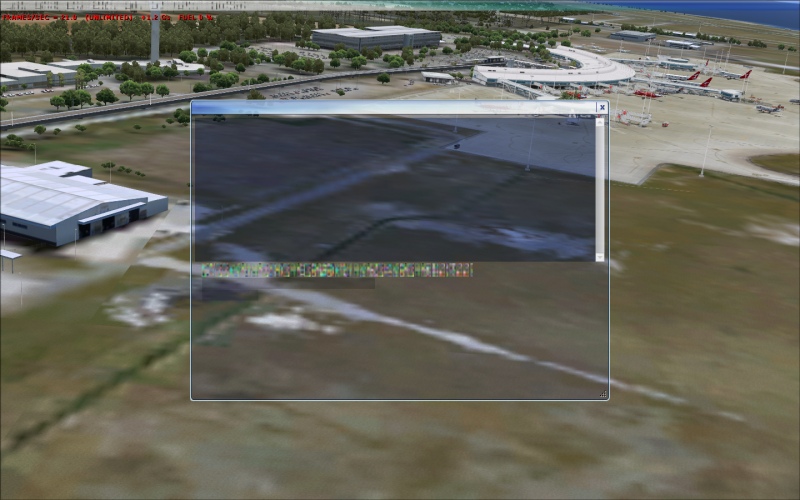
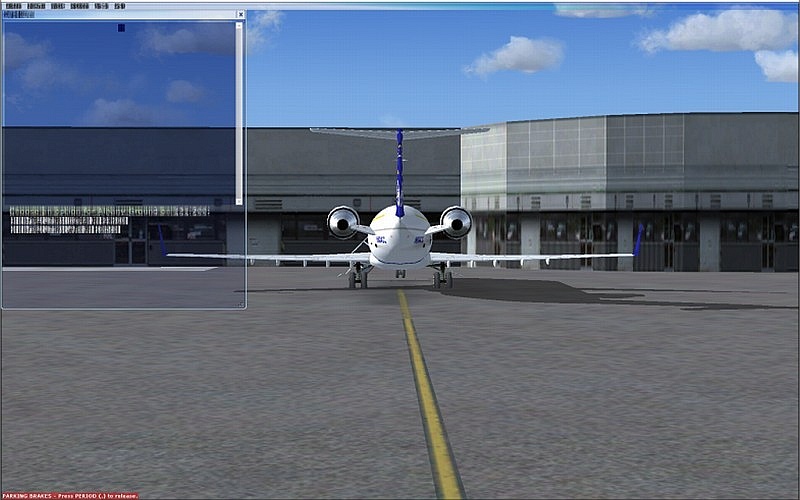
If not, perhaps you should take a screenshot to show us the problem?
Re: Cannot uninstall FSX
Posted:
Thu Jul 29, 2010 11:58 amby Jim B
BINGO!!
Re: Cannot uninstall FSX
Posted:
Fri Jul 30, 2010 6:22 amby Mitch.
And here comes the bad news Jim, I've yet to find a solution but the problem may be down to a lack of uprated harware. For me, the problem only occurs around highly detailed sceneries with Global Texture Resolution on 'very high'.
You can read the whole thread
here. Sorry I couldn't have been more helpful on the matter.
Re: Cannot uninstall FSX
Posted:
Fri Jul 30, 2010 7:04 amby Daube
What are your current settings for Antialiasing and Texture filtering ?
Re: Cannot uninstall FSX
Posted:
Fri Jul 30, 2010 8:12 amby Jim B
I will poke around and see if I can (1) Find the settings -- I'm shooting in the dark here -- and (2) change them to lower settings. I will let you know if it makes a difference.
Jim