How to get your Posky 777 VC gauges working
 Posted: Sat Aug 09, 2008 11:10 pm
**ADDITIONAL NOTE**
Look in your FSX root directory folder for a module named msvcr70.dll. You might need it for some FS9 default gauges to display properly. A quick search on Google should find it if you need it. - Courtesy of Hagar
**NOTE**
The Posky 777 if downloaded from SimV, not all of them include the files necessary to get the VC working. While it does include the entire aircraft package, you will still need to go to the Posky website to get all the necessary VC files. Once you have those, then follow the instructions below.
Also note, I have tested these instructions over and over again with FSX SP2/Acceleration on an XP based machine and a DX9 graphics card.
**UPDATE AGAIN**
Got an easier way to set this all up to get your vc gauges working. Quite simple actually. First, go here;
http://www.simviation.com/simviation/st ... 60&page=24
Download the 777 package (2nd from the top). This is the default FS9 777. Once downloaded, open the panel folder. You will see a single gauge file titled, "Boeing 777-300.gau". Take that and put it in your main FSX gauge folder. And thats it! Your vc should have all the gauges and buttons working. You wont need anything else from the download, so do what you'd like with it. You can then modify the config if you'd like to... but keep in mind, its not at all necessary. I just made my own changes to spice things up a bit. Only real necessity is the "//" in front of "gauge00=Pky_glassdirt!Pky_glassdirt" below the Vcockpit03 section of the panel.cfg
This is what you will get
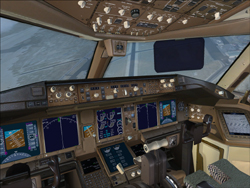
Only real change I made in the config from before is to keep one of the eicas panels as the default 777, and had the other one from the 737-800, as well as changed back the pfd screen to the 777.
I have posted my latest panel.cfg below. This reflects the latest panel on Posky's site, and a few changes I have made. All changes are in red text.
--------------------------------------------------------------------------------
Alot of people have the Posky 777, but cant get their gauges for the vc working. This is how I got mine to work.
Click on pictures for larger view;
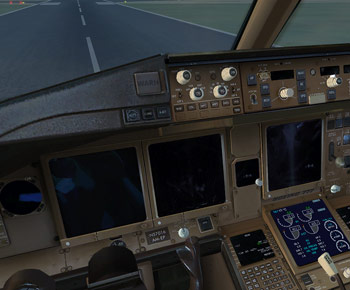
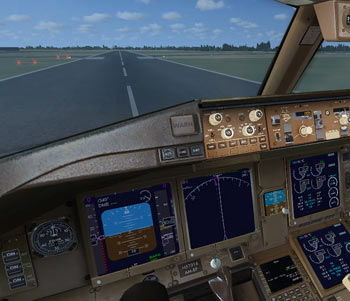
Basically I just used the gauges from the default 737-800. Much of the credit goes to Daube for figuring that out. I just chose a few different gauges to look more realistic. And looking at an actual 777 cockpit, this is pretty close. Here is the panel.cfg that I use. You can either make any changes accordingly, or just copy mine. Make sure to have a backup of the original just in case! Keep in mind, this is only for the vc, and not the 2d panel view.
//Project Opensky 777v2 Virtual Cockpit Panel cfg
//Built Friday, June 27, 2008 at 16:09 Jacob Kubique
//Fix by H.Igami 16AUG 2008
[Window Titles]
Window00=Main Panel
Window01=Radio Stack
Window02=GPS
Window03=Throttle Quadrant
Window04=Compass
Window05=Mini Panel
Window06=Posky_Debug
Window07=Posky_Util
//--------------------------------------------------------
[Window00]
file=Forward_640.bmp
file_1024=Forward_1024.bmp
size_mm=640
position=7
visible=1
ident=MAIN_PANEL
gauge00=Boeing777-300!Anti_Ice_Switch,
Look in your FSX root directory folder for a module named msvcr70.dll. You might need it for some FS9 default gauges to display properly. A quick search on Google should find it if you need it. - Courtesy of Hagar
**NOTE**
The Posky 777 if downloaded from SimV, not all of them include the files necessary to get the VC working. While it does include the entire aircraft package, you will still need to go to the Posky website to get all the necessary VC files. Once you have those, then follow the instructions below.
Also note, I have tested these instructions over and over again with FSX SP2/Acceleration on an XP based machine and a DX9 graphics card.
**UPDATE AGAIN**
Got an easier way to set this all up to get your vc gauges working. Quite simple actually. First, go here;
http://www.simviation.com/simviation/st ... 60&page=24
Download the 777 package (2nd from the top). This is the default FS9 777. Once downloaded, open the panel folder. You will see a single gauge file titled, "Boeing 777-300.gau". Take that and put it in your main FSX gauge folder. And thats it! Your vc should have all the gauges and buttons working. You wont need anything else from the download, so do what you'd like with it. You can then modify the config if you'd like to... but keep in mind, its not at all necessary. I just made my own changes to spice things up a bit. Only real necessity is the "//" in front of "gauge00=Pky_glassdirt!Pky_glassdirt" below the Vcockpit03 section of the panel.cfg
This is what you will get

Only real change I made in the config from before is to keep one of the eicas panels as the default 777, and had the other one from the 737-800, as well as changed back the pfd screen to the 777.
I have posted my latest panel.cfg below. This reflects the latest panel on Posky's site, and a few changes I have made. All changes are in red text.
--------------------------------------------------------------------------------
Alot of people have the Posky 777, but cant get their gauges for the vc working. This is how I got mine to work.
Click on pictures for larger view;
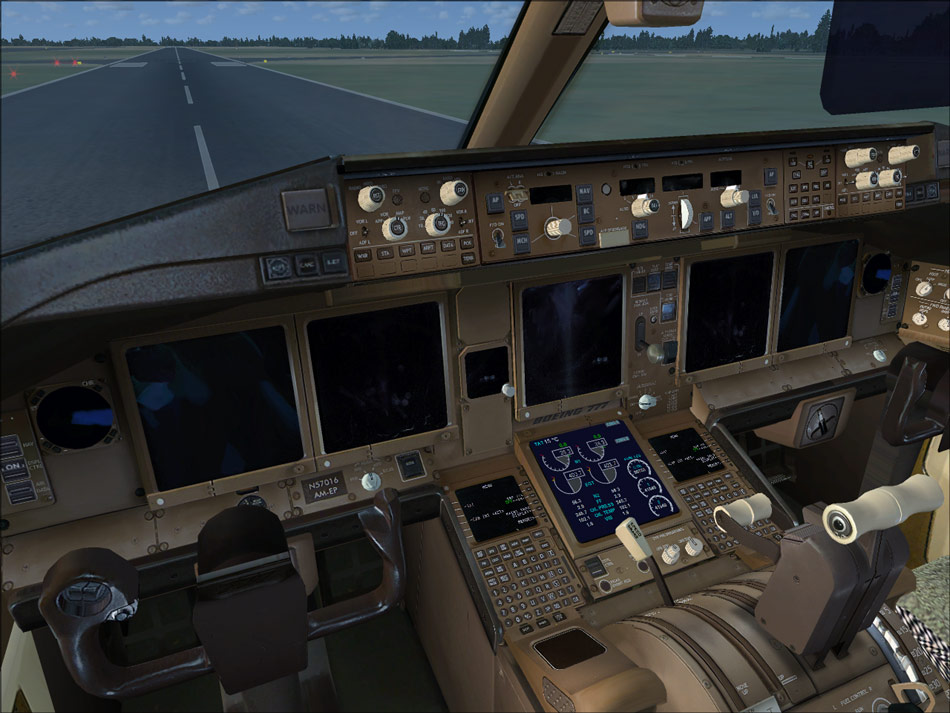
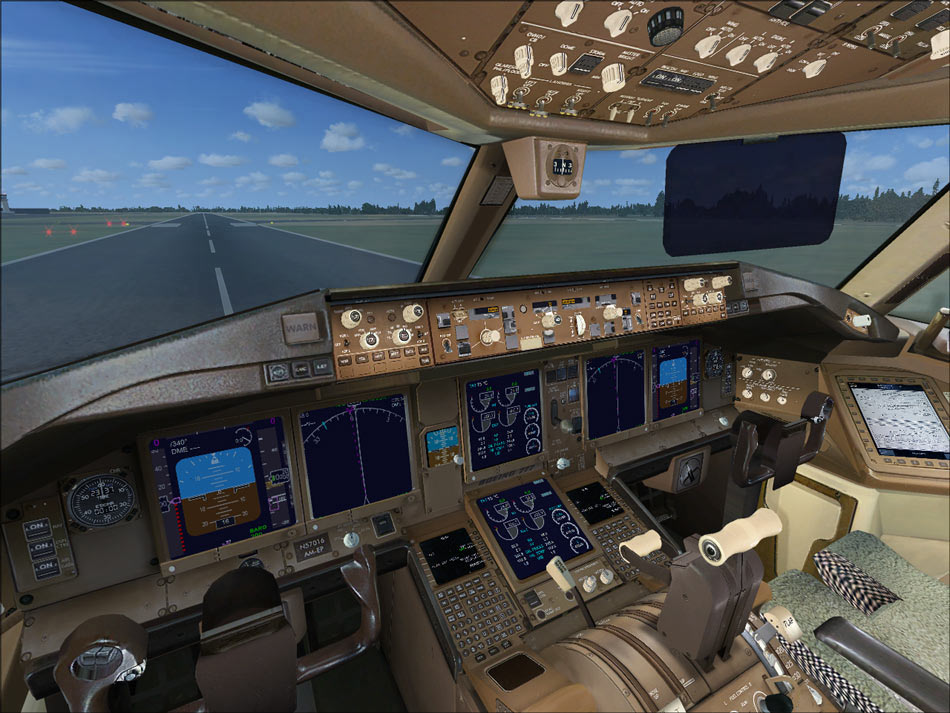
Basically I just used the gauges from the default 737-800. Much of the credit goes to Daube for figuring that out. I just chose a few different gauges to look more realistic. And looking at an actual 777 cockpit, this is pretty close. Here is the panel.cfg that I use. You can either make any changes accordingly, or just copy mine. Make sure to have a backup of the original just in case! Keep in mind, this is only for the vc, and not the 2d panel view.
//Project Opensky 777v2 Virtual Cockpit Panel cfg
//Built Friday, June 27, 2008 at 16:09 Jacob Kubique
//Fix by H.Igami 16AUG 2008
[Window Titles]
Window00=Main Panel
Window01=Radio Stack
Window02=GPS
Window03=Throttle Quadrant
Window04=Compass
Window05=Mini Panel
Window06=Posky_Debug
Window07=Posky_Util
//--------------------------------------------------------
[Window00]
file=Forward_640.bmp
file_1024=Forward_1024.bmp
size_mm=640
position=7
visible=1
ident=MAIN_PANEL
gauge00=Boeing777-300!Anti_Ice_Switch,

 )
)
 )
)