Page 1 of 2

Silly question.

PostPosted: Thu Apr 01, 2010 4:54 pm
by eno
How do you install scenery into FSX?

I am assuming it is more or less the same as FS9 although when I click on add area in the scenery library and navigate to the scenery I want to add ...... I click OK and nothing happens. The dialog box with the scenery in refuses to disappear unless you shut the window ...... therefore not adding anything.

Any help will be most appreciated ..........

A rather frustrated
eno
Re: Silly question.

PostPosted: Thu Apr 01, 2010 5:08 pm
by Tai-2
How I install it is.
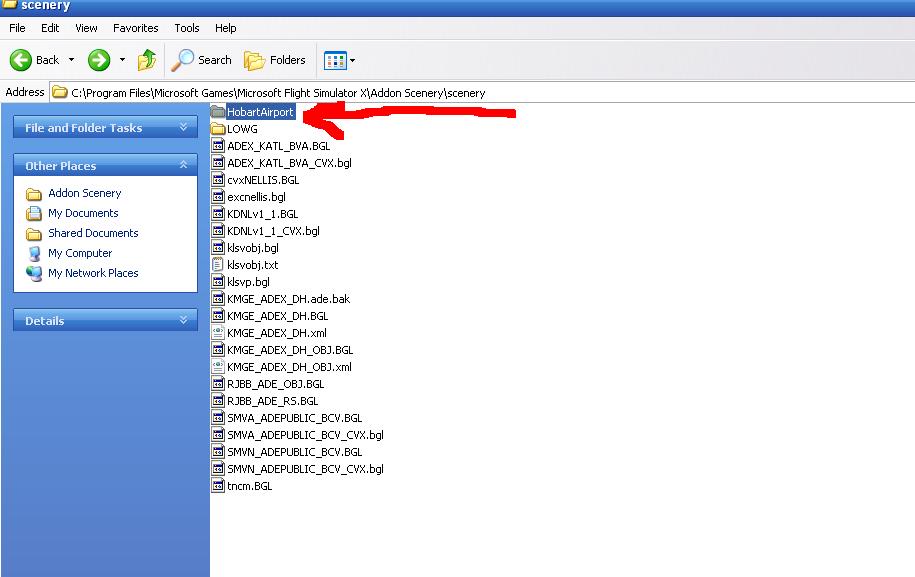
I put the scenery folder into C:\program files\Microsoft  Games\FSX\Addon Scenery\Scenery.
Load up FSX
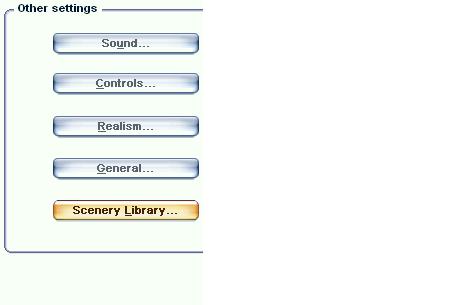
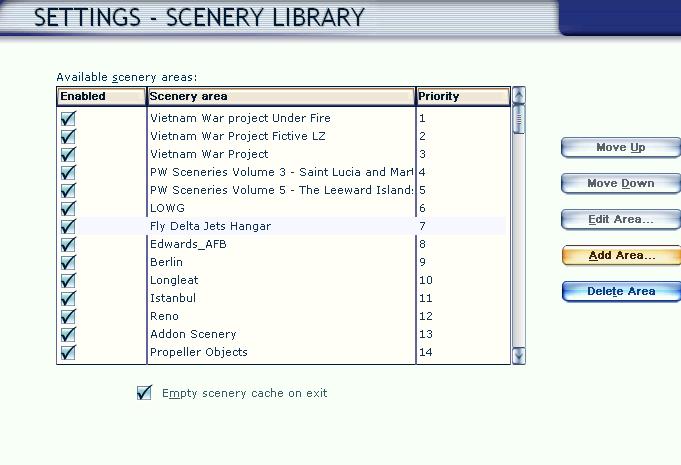
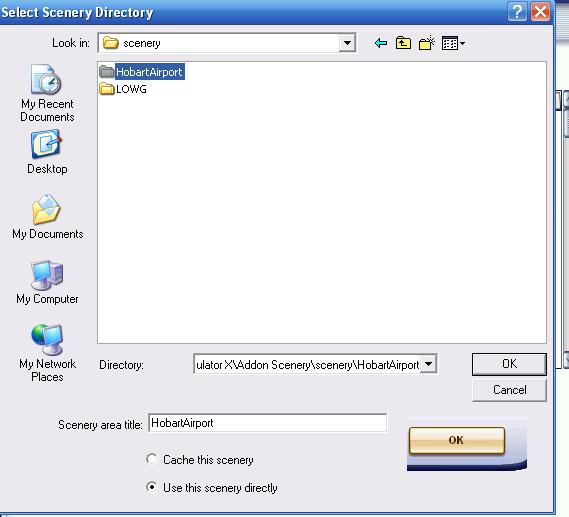
Go to options, then scenery library, the Add, go to where you installed it(that location above of course) And there ya go
Now some only require putting the .BGL files.
I would read the readmes first, they are pretty useful

edit: will try to get some SS up of it


Edit
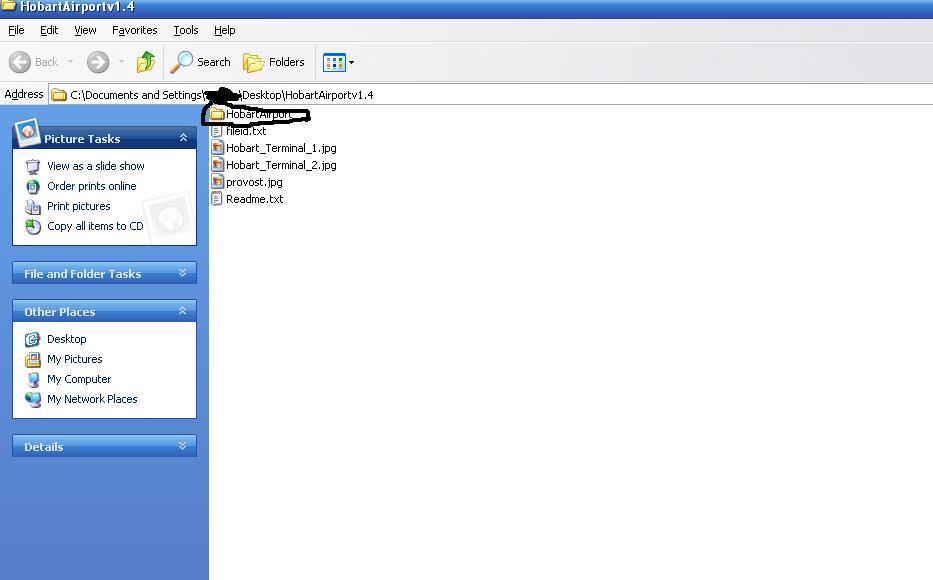
here are the SS
I used Hobart as an example

Image


Image


Image


Image

of course be sure to use the c:\program files\Microsoftgames\Microsoft Flight Simulator X\Addon Scenery\Scenery
Then click ok, the click ok again and there ya go.
Image

Re: Silly question.

PostPosted: Fri Apr 02, 2010 2:25 am
by eno
That is as far as I'm getting ............. the final dialog box does not disappear when you click OK ......... and nothing shows in the scenery library afterwards.

Re: Silly question.

PostPosted: Fri Apr 02, 2010 2:32 am
by Hagar
If you're using Windows 7 read this. http://aussiex.org/forum/index.php?showtopic=4426

Re: Silly question.

PostPosted: Fri Apr 02, 2010 3:30 am
by eno
If you're using Windows 7 read this. http://aussiex.org/forum/index.php?showtopic=4426

That didn't help either ....... and I am using windows 7

Re: Silly question.

PostPosted: Fri Apr 02, 2010 3:35 am
by Hagar
If you're using Windows 7 read this. http://aussiex.org/forum/index.php?showtopic=4426

That didn't help either ....... and I am using windows 7

Adding scenery to FSX is basically the same as in FS9. Windows 7 would seem to be the cause of the problem. Which scenery are you trying to install? Has it got a Texture sub-folder? patchz is having similar problems in FS9. http://205.252.250.26/cgi-bin/yabb2/YaBB.pl?num=1270177645

Re: Silly question.

PostPosted: Fri Apr 02, 2010 3:38 am
by eno
Its actually some of the OZx stuff ....... and one or two other bits. I managed to get the Everest HD to work but that was by pure fluke.

Re: Silly question.

PostPosted: Fri Apr 02, 2010 3:42 am
by Hagar
Some of that OZx scenery looks like mesh which won't have a Texture sub-folder. In that case you could try adding one.

Unfortunately I have even less knowledge of Windows 7 than I have of Vista so this is my best suggestion.

Re: Silly question.

PostPosted: Fri Apr 02, 2010 3:43 am
by eno
Just put the BGLs straight into the Addon scenery/scenery folder ........ that worked almost ........ NO TEXTURES SHOWING so now going to add the textures to the textures folder and see what happenes.

Re: Silly question.

PostPosted: Fri Apr 02, 2010 3:45 am
by Hagar
That should work Andy but it's not the ideal solution.

Re: Silly question.

PostPosted: Fri Apr 02, 2010 3:47 am
by eno
YAY........ that worked !!!!

Not ideal ...... but unless someone can come up with a better solution I'll advocate it for now  ;D ;D

Re: Silly question.

PostPosted: Fri Apr 02, 2010 4:01 am
by Hagar
I'm not surprised that worked but I'd rather find a proper solution to this problem.

Re: Silly question.

PostPosted: Fri Apr 02, 2010 12:11 pm
by Bumkin
I had the same issue.  Follow the instructions in the link Hagar provided but in the next to the last step where it says click in the blank area - right click.  It has worked for me (Acceleration + Windows 7).

Re: Silly question.

PostPosted: Fri Apr 02, 2010 12:52 pm
by Hagar
[quote]I had the same issue.

Re: Silly question.

PostPosted: Fri Apr 02, 2010 2:31 pm
by Fr. Bill
[quote]I had the same issue.