I don't know any way to do that in the game straight from the go, but I do know of ways to achieve that effect by other means.
If you get
FSRecorder then you can record the aircraft you are trying to screenshot (record it for say, 1 minute in slew mode so that it is static). Then load up another aircraft such as the Piper Cub and use Slew controls (such as Num7, Num 9, Num 1 and Num 3. Num Lock has to be off, I think) to rotate the aircraft. Then, through FSRecorder simply 'Play as traffic' and load up the original aircraft you recorded. Make minor adjustments to the angle of the aircraft (you could even unslew and fly around and pitch/roll to get the right angle, then slew back to get into the right place) and screenshot it like that.
For a lot of my screenshots I do it this way.
The result is like this:
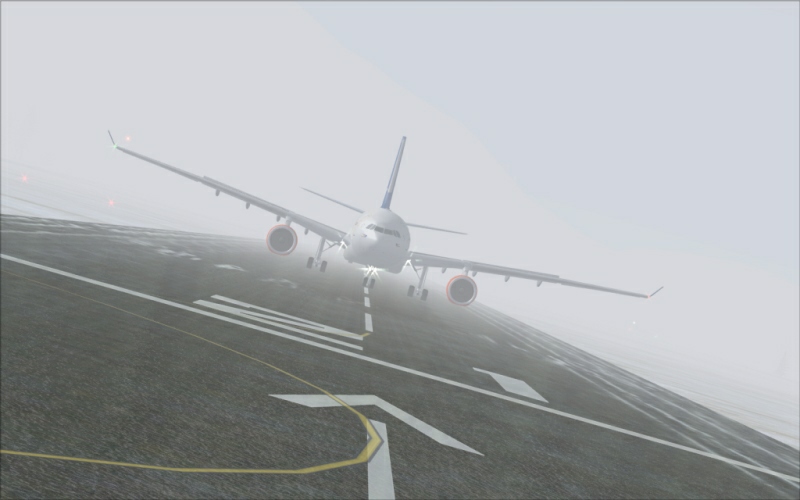
And it can be done in mid air or on the ground. To get the view outside of the aircraft, go to the 3D cockpit and use combinations of Ctrl, Shift (or Ctrl and Shift) as well as Enter or Backspace to control the camera going left/right, up/down in/out. Rotate the view using the hat switch on your joystick or hold the space bar and move your mouse to move the view too.

 by Thud » Fri Jan 15, 2010 7:07 pm