Page 1 of 2

Cool burners for Dino's Tomcat, but...

PostPosted: Mon Jun 29, 2009 5:31 pm
by Daube
Hi all,

I don't remember who it was, but somebody told that the afterburners on Dino's Tomcat were much too short, and showed an actual picture or a movie of a Tomcat full AB to prove it.

He was right.

So I thought that maybe those burners could be replaced without bothering Dino for a yet a new update. Having myself quite a limited knowledge basis on how the effecs work and how to edit config files, I started looking for the various freeware plane to find a better burner.

And I found the coolest ever: the afterburner from the CORAL F15. What's so cool ? Simple:
- they have the correct length
- they have a realistic look
- they change color with altitude !!!   8-)

So I integrated them to the Tomcat.

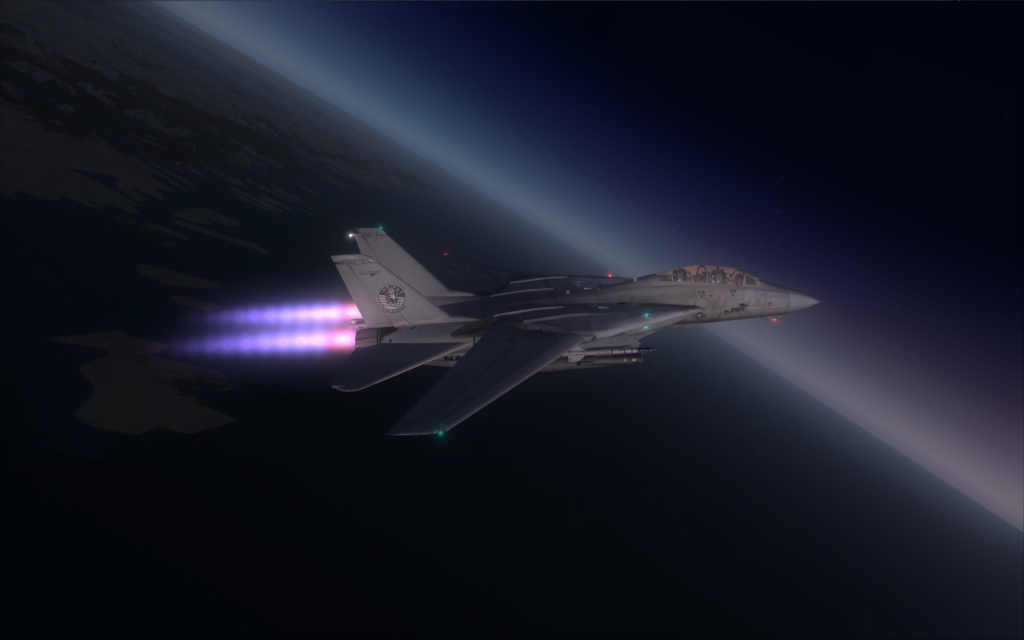
Below 20.000 feet:
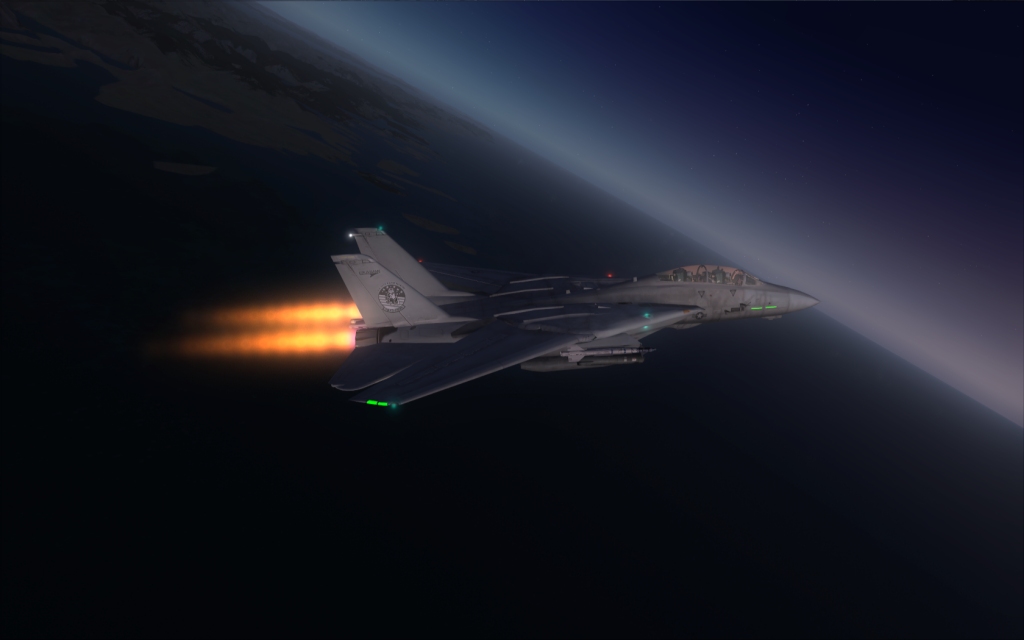
Image


Between 20.000 and 30.000 feet (more or less, I don't recall the exact numbers...:
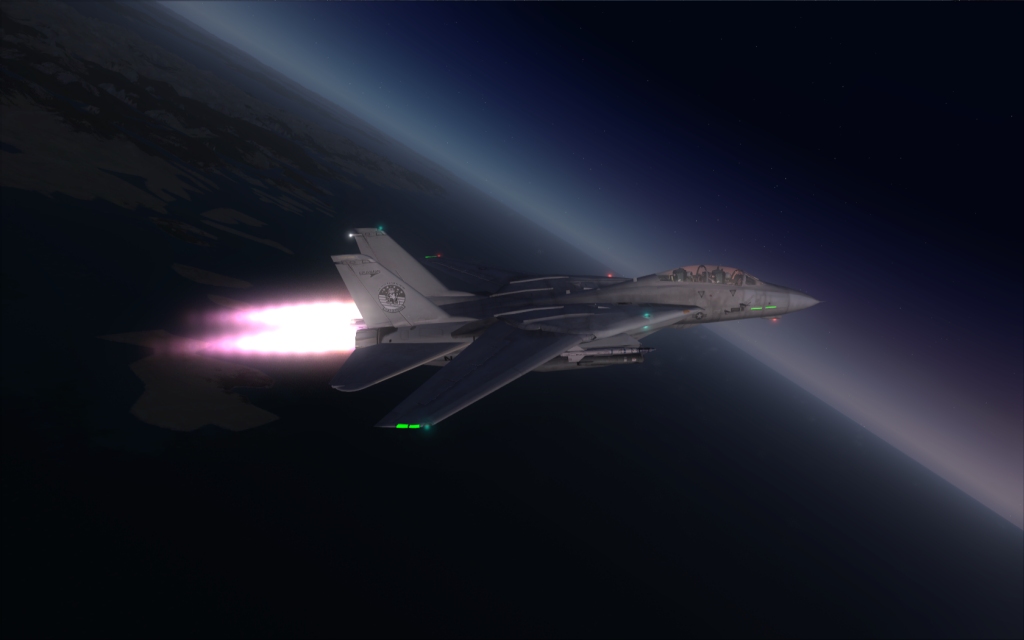
Image


Above 30.000 feet:
Image


The only problem is that the gauge that controls the AB control in fact some of the light types. So the activation/inactivation of the AB also acts on the aircaft lights.

What would be needed is that somebody make a gauge that acts on some other system to allow those two effects (yellow burner and blue burner) to work with no influence on the other light systems...

What do you think ?

Re: Cool burners for Dino's Tomcat, but...

PostPosted: Mon Jun 29, 2009 5:46 pm
by ShaneS.
Good Find Daube 8-) BTW I see your missing some formation lights on your bird. Make sure you update to v0.94 which you can find at http://shanesflightsimming.blogspot.com/2009/06/f-14d-update-v094.html

Re: Cool burners for Dino's Tomcat, but...

PostPosted: Mon Jun 29, 2009 5:50 pm
by SubZer0
Nice work Daube. I actually like the look of the AB Dino put in, but I agree it is too short. If someone makes a gauge for this to work right, let me know cus I'll definitely get it :)

Re: Cool burners for Dino's Tomcat, but...

PostPosted: Mon Jun 29, 2009 5:52 pm
by gtirob01
Yup, that was me Daube... and that does look great! Try this and see what happens;

In the vc, on the right side console there are the light switches. Turn them on that way and see if the burners come on at full throttle, then back off when throttle is pulled back.

I was playing with the AB from the last Tomcat version, and while I can get the burner to show, its completely in the wrong spot. Could you possibly pm me the details of where you placed the burner in the cfg?

Re: Cool burners for Dino's Tomcat, but...

PostPosted: Mon Jun 29, 2009 5:54 pm
by Daube
Thanks guys :)
As silly as it may sound, it took me at least three hours to fully understand how to remove the original burner effect, and how to make the CORAL burner work properly.

ShaneS, I know for the existing updates, I just didn't find the time to download the newest version yet, I still have the 0.91 or something ;)

Re: Cool burners for Dino's Tomcat, but...

PostPosted: Mon Jun 29, 2009 6:08 pm
by ShaneS.
ShaneS, I know for the existing updates, I just didn't find the time to download the newest version yet, I still have the 0.91 or something ;)


OK cool just want to make sure the latest build of this awesome aircraft is availiable to everyone. 8-)

Re: Cool burners for Dino's Tomcat, but...

PostPosted: Mon Jun 29, 2009 6:10 pm
by gtirob01
Thanks guys :)
As silly as it may sound, it took me at least three hours to fully understand how to remove the original burner effect, and how to make the CORAL burner work properly.

ShaneS, I know for the existing updates, I just didn't find the time to download the newest version yet, I still have the 0.91 or something ;)


I was having the same problem, but have not yet figured it out. Then again I've been quite busy and have not had much time the last few days to play with it. I figured I could just put "//" in front of the burner line, but that didnt work.

Re: Cool burners for Dino's Tomcat, but...

PostPosted: Mon Jun 29, 2009 6:20 pm
by Daube
Yup, that was me Daube... and that does look great! Try this and see what happens;

In the vc, on the right side console there are the light switches. Turn them on that way and see if the burners come on at full throttle, then back off when throttle is pulled back.

I was playing with the AB from the last Tomcat version, and while I can get the burner to show, its completely in the wrong spot. Could you possibly pm me the details of where you placed the burner in the cfg?


OOoops sorry Gtirob01, I haven't seen your answer when I posted.
The Afterburners (AB) are working properly, they are not controlled by the light switches, but by a gauge from the F-15. The only problem is that this gauges also takes control of some of the default lights of the plane.

Here is some more information, based on the Coral F-15 gauges:

1 - I had to copy the f-15coral_v2.cab into the gauges folder of FSX so that any plane can use it.

2 - to remove the original Tomcat AB, I simply had to remove all the fx_f14_afterburner*.fx from the effect folder (I still have the original archive as a backup).

3 - I had to modify the Tomcat panel.cfg to include the gauge that controls the AB:
[code]
//--------------------------------------------------------
[Vcockpit01]
Background_color=1,1,1
size_mm=512,512

visible=1
pixel_size=512,512
texture=$vc

;1 = left DDI
;2 = right DDI
;3 = center DDI

gauge00=fa-18!MFD, 36,36,440,440, 4 NOSCANLINES
gauge01=f-15coral_v2!augmentor,

Re: Cool burners for Dino's Tomcat, but...

PostPosted: Mon Jun 29, 2009 6:29 pm
by lunitic_8
if you get this uploaded i would love a link!!  8-)

Re: Cool burners for Dino's Tomcat, but...

PostPosted: Mon Jun 29, 2009 6:36 pm
by Daube
[quote]if you get this uploaded i would love a link!!

Re: Cool burners for Dino's Tomcat, but...

PostPosted: Mon Jun 29, 2009 6:46 pm
by lunitic_8
[quote][quote]if you get this uploaded i would love a link!!

Re: Cool burners for Dino's Tomcat, but...

PostPosted: Mon Jun 29, 2009 6:53 pm
by Daube
Well, if you apply the instructions that I have already given above, you will already get the burners working on the Tomcat. You just need to download the coral F-15 that is on the beginning of the FSX Military section here at Simviation, and then proceed with the modifications that I have explained.

Re: Cool burners for Dino's Tomcat, but...

PostPosted: Mon Jun 29, 2009 7:21 pm
by Brando14100
Very cool Daube. I was just noticing the F-15's afterburner effects on a flight yesterday.

8-)

Re: Cool burners for Dino's Tomcat, but...

PostPosted: Tue Jun 30, 2009 11:52 am
by ShaneS.
btw Just an update Tomcat v.0.95 was just released you can find it on my blog(click my signature below or you can find it on Dinos blog.) He hasnt released it to SimV or any other site yet because hes not quite finished with it yet but Im sure it will be uploaded to the site soon.

Im going to give the F-15 AB a shot later on this evening. I kinda like whats already there but nothing wrong with trying something different. 8-)

Re: Cool burners for Dino's Tomcat, but...

PostPosted: Tue Jun 30, 2009 1:44 pm
by gtirob01
btw Just an update Tomcat v.0.95 was just released you can find it on my blog(click my signature below or you can find it on Dinos blog.) He hasnt released it to SimV or any other site yet because hes not quite finished with it yet but Im sure it will be uploaded to the site soon.

Im going to give the F-15 AB a shot later on this evening. I kinda like whats already there but nothing wrong with trying something different. 8-)


Nice, gonna get the update.

As for the burners, They just dont say "Tomcat" to me. It may look good, but certainly is not long enough. The Coral F-15 burner does look great in place of the burner that came with the cat.

See this video for an example of the real thing;

http://www.youtube.com/watch?v=ZAUwUtJVnOI

Thats how I want my burner to look! Which brings up another thing. The burner that comes with the cat goes away when I pause the sim. Some people may not care about this, but when I take screenshots, I pause the sim, find the angle I want, and take the shot. And with the cat, I want to see that glorious burner!