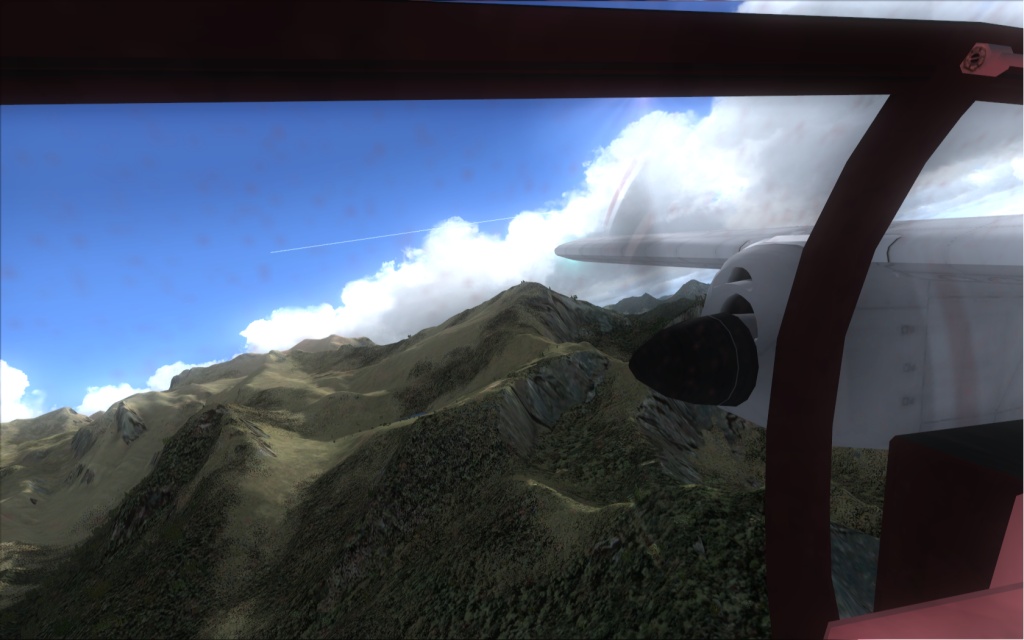
FS Skyworld 2004 clouds in FSX. Thank you ShaneG !
 Posted: Fri May 22, 2009 8:00 am
Hi all,
Thanks to the "explanations" from ShaneG if I remember correctly, my FSX has nice cloulds again ! Thank you very much, mister !
FS Skyworld 2004 is one of the most famous freeware addons for FS9, it was providing great cloud textures, as well as new sky colors and lights. I thought the clouds were not compatible with FSX anymore, but ShaneG helped me understand what I was doing wrong.
I was trying to transfer the cloud textures directly from the SkyWorld folder to my FSX folder... and this is wrong, because the textures there are NOT in a correct format yet !! You MUST use the FS Skyworld interface to select a clouds set a install it to a dummy folder. Only then you can transfer those textures from the dummy folder to the texture folder of FSX. And it works beautifully as you can see below
[glow=yellow,2,300]WARNING:
- make a backup archive of you FSX\texture folder first (I created a rar file)
- install ONLY the cloud textures. The sky textures seem to be incompatible, they do not show[/glow]
Thanks to the "explanations" from ShaneG if I remember correctly, my FSX has nice cloulds again ! Thank you very much, mister !
FS Skyworld 2004 is one of the most famous freeware addons for FS9, it was providing great cloud textures, as well as new sky colors and lights. I thought the clouds were not compatible with FSX anymore, but ShaneG helped me understand what I was doing wrong.
I was trying to transfer the cloud textures directly from the SkyWorld folder to my FSX folder... and this is wrong, because the textures there are NOT in a correct format yet !! You MUST use the FS Skyworld interface to select a clouds set a install it to a dummy folder. Only then you can transfer those textures from the dummy folder to the texture folder of FSX. And it works beautifully as you can see below
[glow=yellow,2,300]WARNING:
- make a backup archive of you FSX\texture folder first (I created a rar file)
- install ONLY the cloud textures. The sky textures seem to be incompatible, they do not show[/glow]

 But the clouds sure are nice.