Page 1 of 1

Questions about the Iris T-6 Texan II

PostPosted: Fri Sep 15, 2017 5:01 pm
by Gringo6
I've installed the Iris T-6 Texan II on my computer along with
Acceleration. I'm still on Windows 8.2

The instruction manual says that there is an Autopilot controller
in the back seat area but I can't find it. Where is it ? I have
made the 2D panel installation so maybe it got wiped out.
Can anybody tell me ?

Also the down load shows a whole bunch of Textures that don't'
seem to be in my downloaded files. I am looking for the Navy
red and white texture which may be included over there.

Help is requested.

Bill A. (aka Gringo 6)

Re: Questions about the Iris T-6 Texan II

PostPosted: Sun Sep 17, 2017 7:15 am
by Hagar
Gringo6 wrote:I've installed the Iris T-6 Texan II on my computer along with
Acceleration. I'm still on Windows 8.2

The instruction manual says that there is an Autopilot controller
in the back seat area but I can't find it. Where is it ? I have
made the 2D panel installation so maybe it got wiped out.
Can anybody tell me ?

As nobody else has answered I'll have a go. :think:

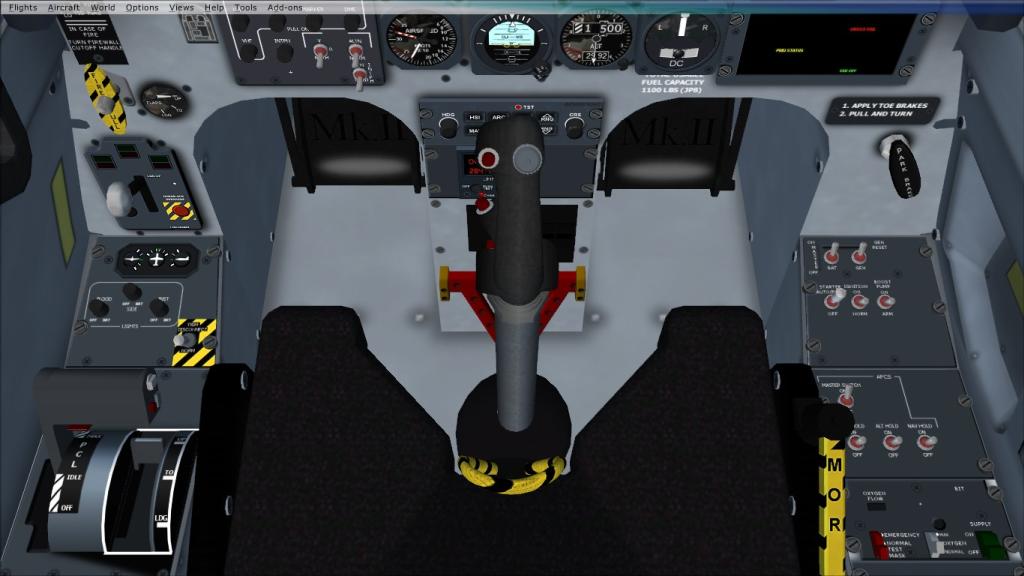
Did you navigate to the rear seat? (Ctrl + Enter/Backspace in VC mode.) This fooled me at first.
Image

Also the down load shows a whole bunch of Textures that don't'
seem to be in my downloaded files. I am looking for the Navy
red and white texture which may be included over there.

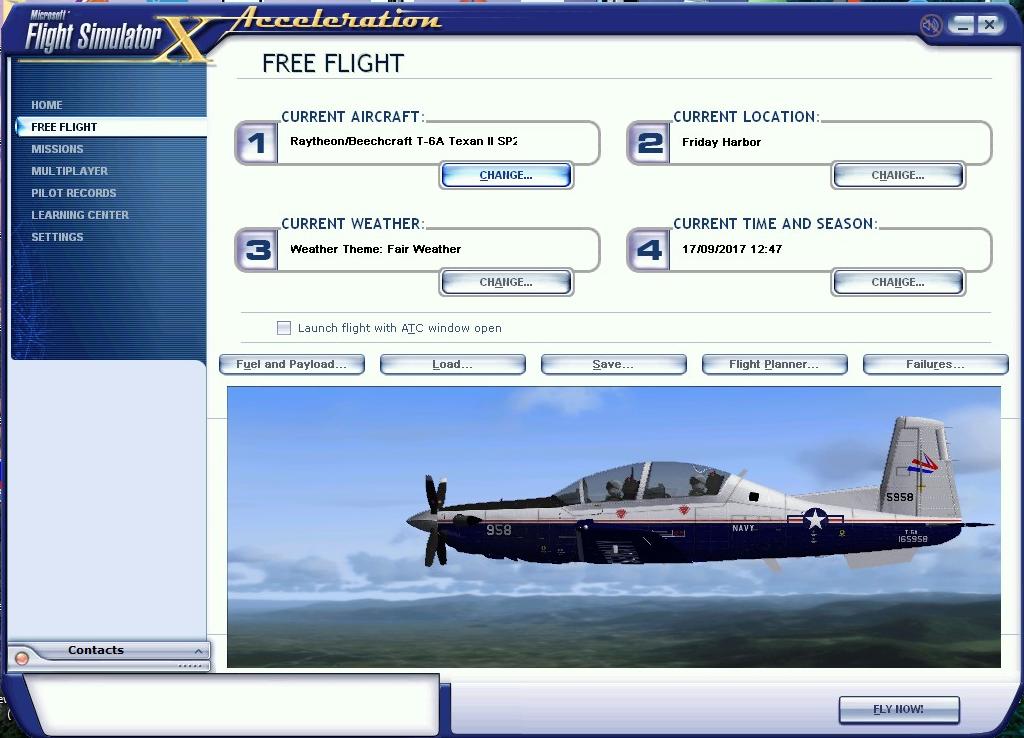
Is this the one?
Image

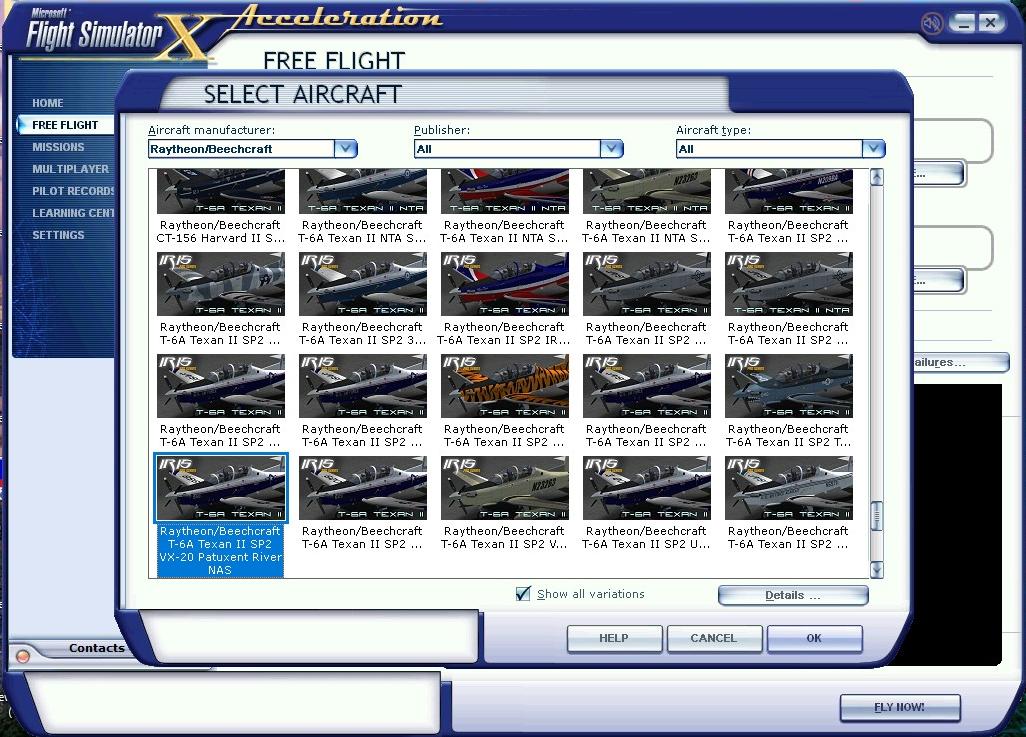
Make sure the Show all variations box is checked.
Image

Hope this is some help.

Re: Questions about the Iris T-6 Texan II

PostPosted: Sun Sep 17, 2017 6:59 pm
by Gringo6
OK, Hagar. I think you're talking about the instrumentation just behind the
joystick in the VC view you sent. Yes, at first it does look like it could be an
autopilot control panel, but it is the EFIS (Electronic Flight Information System)
control panel. and not an autopilot.

I think that when I made the install of the optional 2D panel the autopilot
controller got wiped out.

I would like to know the name of the files you found that had the other texture
files in them. It doesn't look like they include a Navy Red & White texture
in them but it would be nice to have the texture files since the aircfaft .cfg
file already includes reference to them.

Thanks for the help though !

Re: Questions about the Iris T-6 Texan II

PostPosted: Sun Sep 17, 2017 9:25 pm
by Victory103
Sorry only fly the model in VC mode, and do use the AP panel in the backseat. Since the AP is in the aircraft.cfg, maybe adding the 2D Bendix King radio stack with AP might work.

As far as USN paints, I have T-6"B" paints in red/white, one is fictional based off the T-34C scheme and one is TAW-5 (NAS Whiting Fld) 6010. There are also CoNA Corsair scheme and "Yellow Peril" for FS9, but seem to work on the FSX model.

Re: Questions about the Iris T-6 Texan II

PostPosted: Mon Sep 18, 2017 4:30 am
by Hagar
Gringo6 wrote:OK, Hagar. I think you're talking about the instrumentation just behind the
joystick in the VC view you sent. Yes, at first it does look like it could be an
autopilot control panel, but it is the EFIS (Electronic Flight Information System)
control panel. and not an autopilot.

I think that when I made the install of the optional 2D panel the autopilot
controller got wiped out.

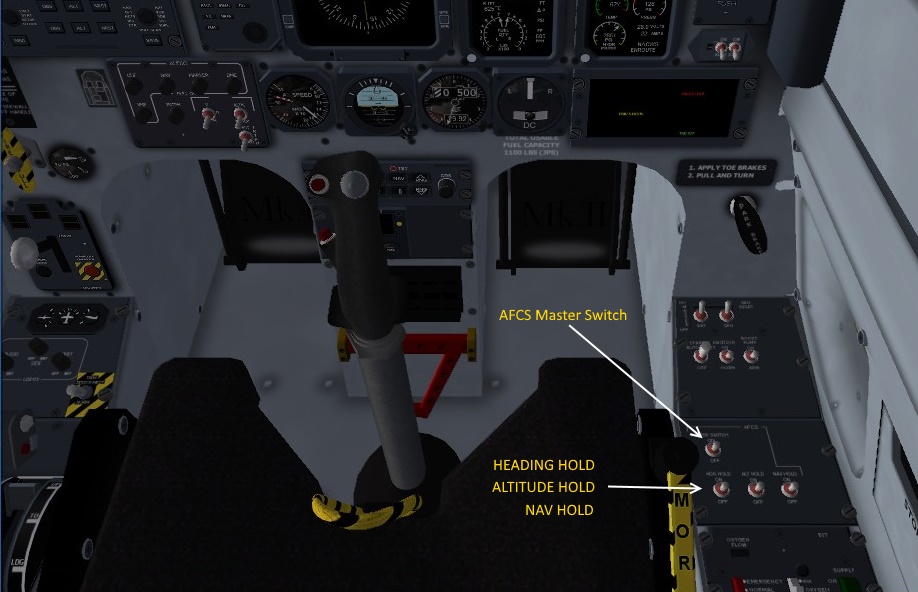
Sorry, I should have been more specific. The AP controls are 4 switches shown in my shot on the right-hand side panel of the rear seat.
You have to use the Ctrl + Enter command to move from the front to the rear cockpit (in VC mode). The switches are shown in my shot.

I don't think installing the 2D panel would affect anything. There is an option from the Panel Swapper to uninstall it.

I would like to know the name of the files you found that had the other texture
files in them. It doesn't look like they include a Navy Red & White texture
in them but it would be nice to have the texture files since the aircfaft .cfg
file already includes reference to them.

Thanks for the help though !

This is the file I used. https://simviation.com/1/search?submit=1&keywords=irisclassicst6.zip&categoryId=
The auto-installer should automatically give you all the variations shown in my shot.

Re: Questions about the Iris T-6 Texan II

PostPosted: Mon Sep 18, 2017 1:15 pm
by Hagar
Update. I've installed the 2D panel & can confirm that this doesn't affect the VC in any way.

From any Cockpit View you can toggle between the 2D Panel, VC front cockpit & VC rear cockpit by pressing the A key.

This shot shows the position of the AFCS (Automatic Flight Control System) switches in the VC rear cockpit only. Note: This is a basic Autopilot.

Image