Page 1 of 2

cirrus sr22

PostPosted: Sun Feb 08, 2015 7:41 am
by pyrogod316
i recently downloaded a cirrus sr-22. beautiful aircraft n all with one minor defect.....well 2 actually...it has no landing lights or panle lights so its virtually impossible to fly at night..can anyone suggest a fix for this and possibly provide instructions on install. much appreciated..

Re: cirrus sr22

PostPosted: Sun Feb 08, 2015 8:43 am
by OldAirmail
Welcome to SimV.

We all have to start somewhere, so lets start at the very beginning.


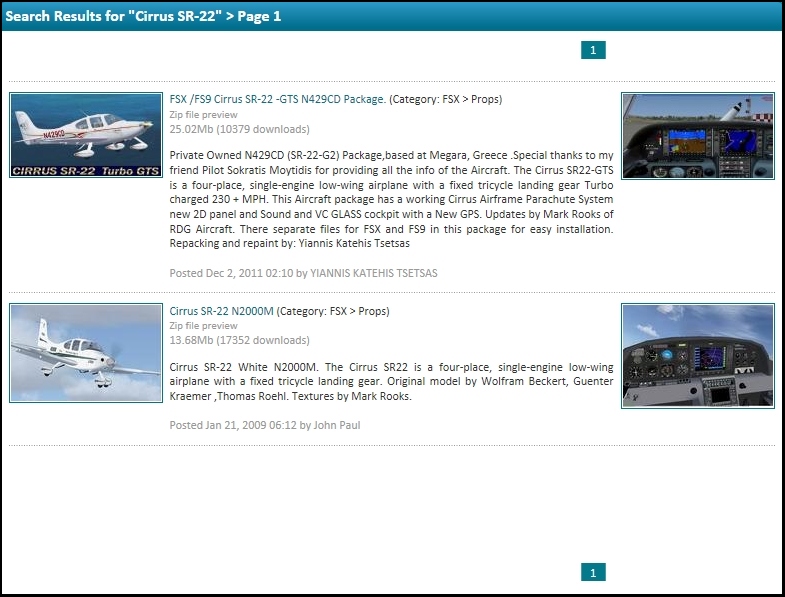
Are you talking about the 2 Cirrus SR-22 here on Simviation, or a Cirrus SR-22 downloaded from another site?

Image


If it's from another site, show us the link. There are many possible causes for the problem and that may help to pinpoint the problem.


Most people don't realize that there are different versions of Microsoft Flight Simulator X. There are also different service packs that can have a difference on aircraft/scenery.

AND, just to make it more fun, there are settings within FSX that could cause your problem, like whether or not DX10 is selected.

The more info you give us, the easier it'll be to help you.

Re: cirrus sr22

PostPosted: Mon Feb 09, 2015 8:50 am
by garymbuska
Unless I am mistaken Landing lights have to be modeled at the time of the aircraft design. As for panel lights you need a Bit Map of the panel for Night use.
But the problem with the landing lights and panel lights could be in the Aircraft CFG file. If you look at any of the default aircraft you will see what I am talking about. There is a section that deals with the lights.
But this will do you no good if the aircraft was not designed for lights. The only way to fix this problem would be to edit the aircraft and for that you will need the original files from the degigner.
Even scenery such as buildings will have two different textures one for day time and one for night.
<<s

Re: cirrus sr22

PostPosted: Mon Feb 09, 2015 11:55 am
by jcj78
you can add lights to just about any model. even landing lights. You just have to use the right effects, but most of the default ones will work with all models (in my experience). I have landng lights on most of David Rowberry's gliders.

Re: cirrus sr22

PostPosted: Mon Feb 09, 2015 12:32 pm
by Hagar
I downloaded the SR22 here to check it out --> http://simviation.com/1/search?submit=1&keywords=CirrusSR22.zip&categoryId=

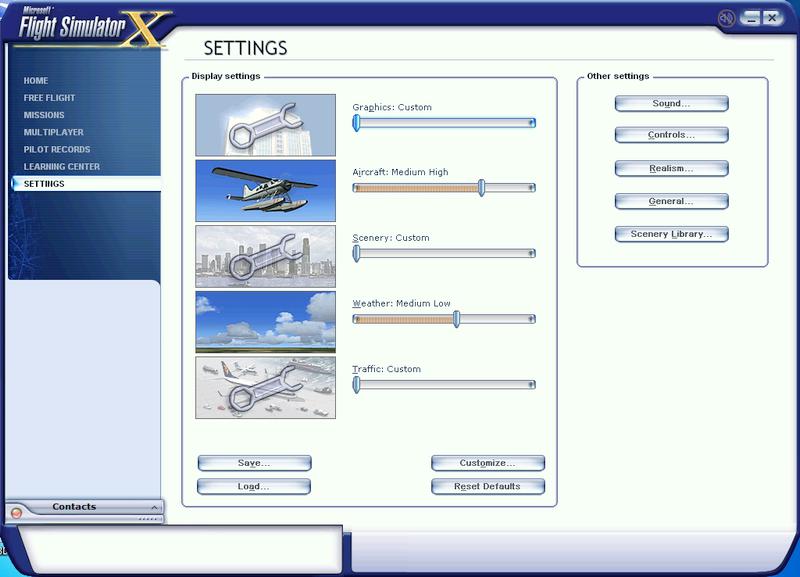
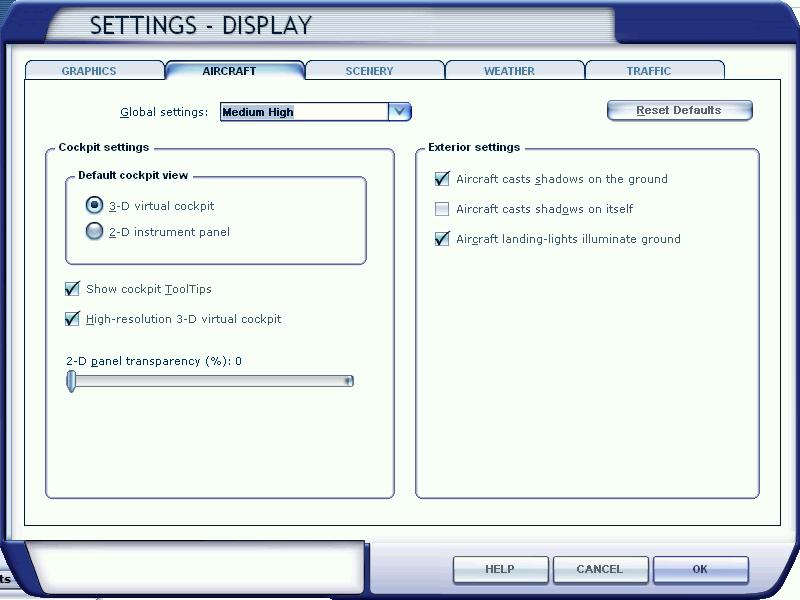
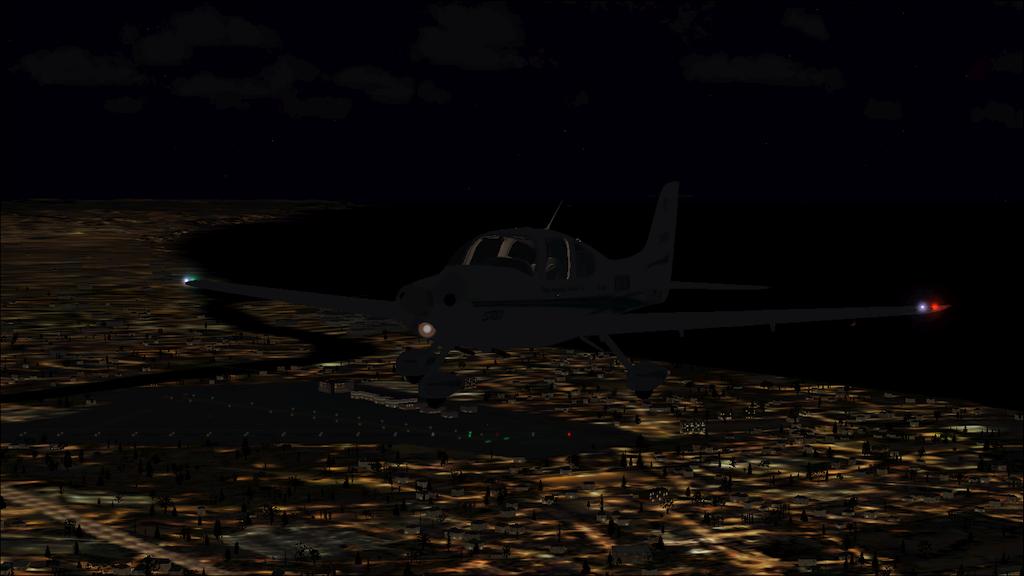
The landing light works for me but I had to enable the "Aircraft landing-lights illuminate ground" option from FS Settings > Advanced > Aircraft for it to display properly. (I don't usually fly at night.)

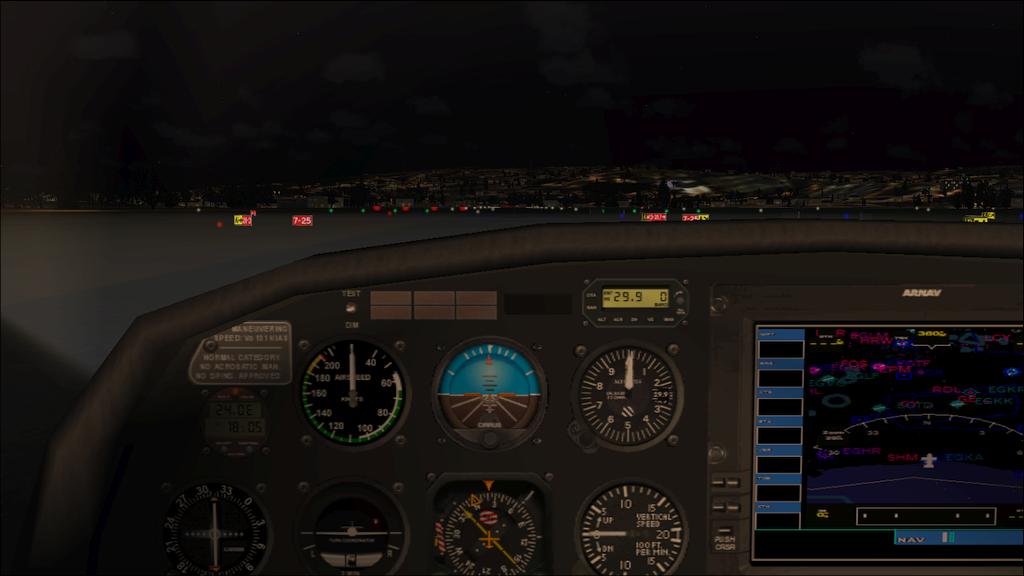
I noticed the cabin lighting was too far forward. This can be corrected in the [LIGHTS] section of Aicraft.cfg. I changed the bold entry in the red line.

[LIGHTS]
//SR20
//Types: 1=beacon, 2=strobe, 3=navigation, 4=cockpit
light.0=3, -4.496, -17.75, -0.163, fx_navred
light.1=3, -4.496, 17.75, -0.163, fx_navgre
light.2=2, -3.740, -17.50, -0.163, fx_strobe
light.3=2, -3.740, 17.50, -0.163, fx_strobe
// light.4=4, -0.31, 0.00, 1.26, fx_vclightgk
light.5=4, -4.84, 0.00, 2.15, fx_vclight

NOTE: The fx_vclightgk fx file is missing from the download so I remarked light.4 out. // All seems to work fine without it.
Image

Image

Re: cirrus sr22

PostPosted: Tue Feb 10, 2015 12:20 pm
by pyrogod316
@ oldairmail...the cirrus i downloaded was from <<pirate site link deleted>>. thats the link.

Re: cirrus sr22

PostPosted: Tue Feb 10, 2015 12:43 pm
by pyrogod316
i just downloaded both the cirrus sr22 u have displayed.both are missing panel lights..

Re: cirrus sr22

PostPosted: Tue Feb 10, 2015 12:46 pm
by Hagar
pyrogod316 wrote:i just downloaded both the cirrus sr22 u have displayed.both are missing panel lights..

Please try my Aircraft.cfg tweak.

Re: cirrus sr22

PostPosted: Tue Feb 10, 2015 2:22 pm
by fcerven
Thanks Hagar for the coordinates. I played with them a little myself but couldn't quite get them as bright as you did. The only thing I would suggest if they are still not quite bright enough is to add a "h" after vclight to get the brighter version of the light.

Thanks again,

Fred

Re: cirrus sr22

PostPosted: Wed Feb 18, 2015 10:25 am
by pyrogod316
hagar i did try your aircraft.cfg tweak.. to no avail.

Re: cirrus sr22

PostPosted: Thu Feb 19, 2015 3:29 pm
by pyrogod316
hagar.. exactly what are you talking about when you say fs settings ? do you mean in game or the folder its self cause i couldnt find this fs settings> advanced

Re: cirrus sr22

PostPosted: Thu Feb 19, 2015 3:44 pm
by pete
pyrogod316 wrote:@ oldairmail...the cirrus i downloaded was from (pirate link deleted).

Pirate site

Please see if it's the same as we have (they probably stole it from here or one of the legit sites if so)

Edit- it is the same and Mark Rooks doesn't upload there.

I am deleting the link as we don't promote sites such as that

Re: cirrus sr22

PostPosted: Thu Feb 19, 2015 6:28 pm
by Hagar
pyrogod316 wrote:hagar.. exactly what are you talking about when you say fs settings ? do you mean in game or the folder its self cause i couldnt find this fs settings> advanced

Sorry. I was going from memory. I should have said FSX Settings > Customize.

Image

Image

Re: cirrus sr22

PostPosted: Fri Feb 20, 2015 12:02 pm
by pyrogod316
hagar, i have that option selected.. only a few aircraft i downloaded do not have the landing lights as yall have shown..my a-10 for.ex. and the cirrus sr22. both of which i deleted cause i couldnt figure out how to insall the panel or landing lights.

Re: cirrus sr22

PostPosted: Fri Feb 20, 2015 12:17 pm
by Hagar
pyrogod316 wrote:hagar, i have that option selected.. only a few aircraft i downloaded do not have the landing lights as yall have shown..my a-10 for.ex. and the cirrus sr22. both of which i deleted cause i couldnt figure out how to insall the panel or landing lights.

The Cirrus already has a landing light so I don't understand your problem.

I can only say that my Aircraft.cfg tweak fixed the panel lighting for me. This was also confirmed by Fred (fcerven).
Are you sure you saved the changes successfully after editing Aircraft.cfg?