lancer24 wrote:I have Win 7 Home Ed 64-bit.
The same as the machine I tested this on. I really don't understand why you're having problems.
Upon trying Dxtmp again to see if the textures were saved, I found that they are and with the alpha being white.
That appears to confirm that your changes were saved. Which format were they saved in? The originals are Extended 32-bit 888-8.
Then I investigated your idea of Win 7 having a security feature in place that may of some how blocked the texture editing and I think that may be where the problem lies. I right clicked the texture file 562 VAQ-129Grey and then clicked properties then security. Under group or user names I had 3 groups...System, Richard (Richard-PC\Richard)-me, and Administrators (Richard-PC\Administrators) Two of the groups had all permissions but Richard-PC\Richard had only the read & execute and read permissions with check marks. I then edited it so it had all permissions, opened Dxtmp, tried the process again but the little locks still remained.
I found this on the padlocked file icons.
http://www.sevenforums.com/tutorials/320930-lock-icon-files-folders-remove-windows-7-a.htmlI'm not sure it would cause your problems. The fact that your edited textures were saved seems to indicate not.
I then went into FSX to see if the DX10 box was checked but it was not
DX10 Preview would cause the textures on some older aircraft (originally created for FS9 like the EA-18G) not to display at all.
This should not affect the 3D model as in your shot
EA-18 bad2.JPG.
 Posted: Thu Jan 08, 2015 3:43 pm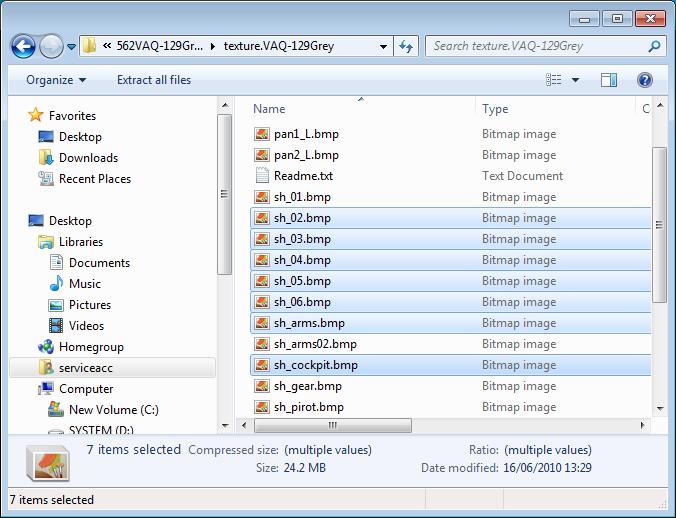

 Sorry for all the fuss and trouble...if I would of paid closer attention to the instructions it would of been fixed. I guess I was rushing through it or something. So, may I ask would you suggest I delete the 562 VAQ-129Grey file out of the airplanes folder, and delete its entry in the aircrafts config file and start over...this time doing it right,