FSX on SSD problem?
 Posted: Fri Sep 26, 2014 12:07 am
I think this is where this should go?...
I recently installed a new 250 GB Samsung 840 SSD, and noticed a problem. This is a clean and fresh install of FSX+Acceleration with the Orbx Iceland demo installed, but it did this before, and I don't have any ideas what would cause this graphical issue.
Before we point at drivers, I must say that I use an old one that I have stored locally, and it's the last known video card driver to not display weird artifacts in random places. I keep it on one of my other hard drives to install whenever I may need it. I've reset the GPUs clock and memory settings back to stock over this one, incase there was a clockspeed issue, or something.
I flew over the LA basin do demonstrate this unique issue. It looks somewhat like an artifact, but not quite. Like something is somewhat out of line, but I have no ideas.
I also have RAPID mode enabled on the SSD, which apparently uses DRAM as something of a buffer to speed read and write times. I don't really know how it works, but maybe that's the problem.
Anyone really know SSDs yet? Have they been around long enough for some all-knowing SSD oracle to exist yet? I'm going to have to sort this out before I can put in all the bonus eye-candy.
A normal, and planned cityscape. Seems like everything is OK here.
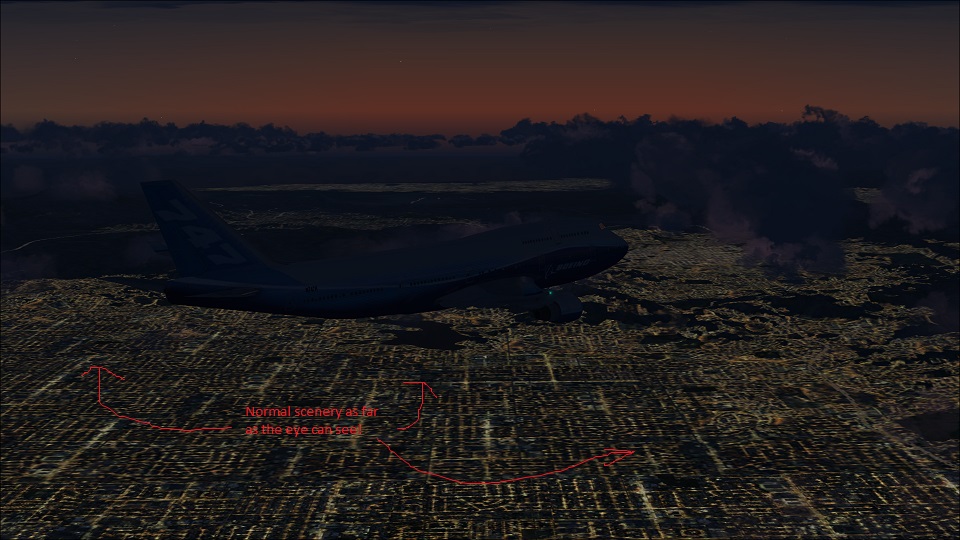
It seems fine here, also. Like around a city that FSX is drawing from a BGL or something, it's fine.
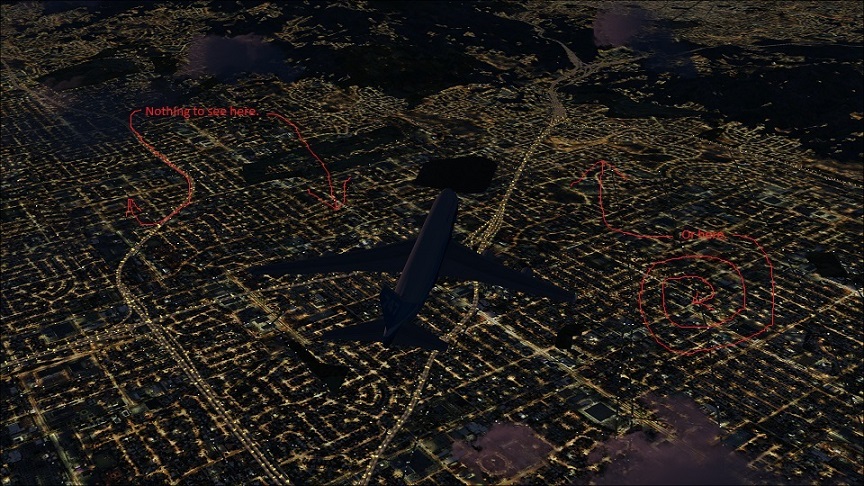
Yep...
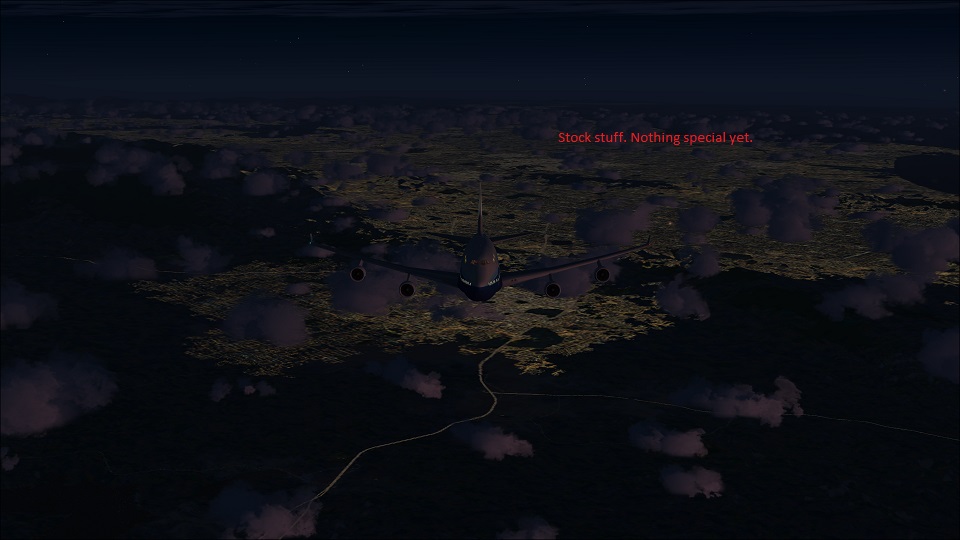
But 10 minutes north...
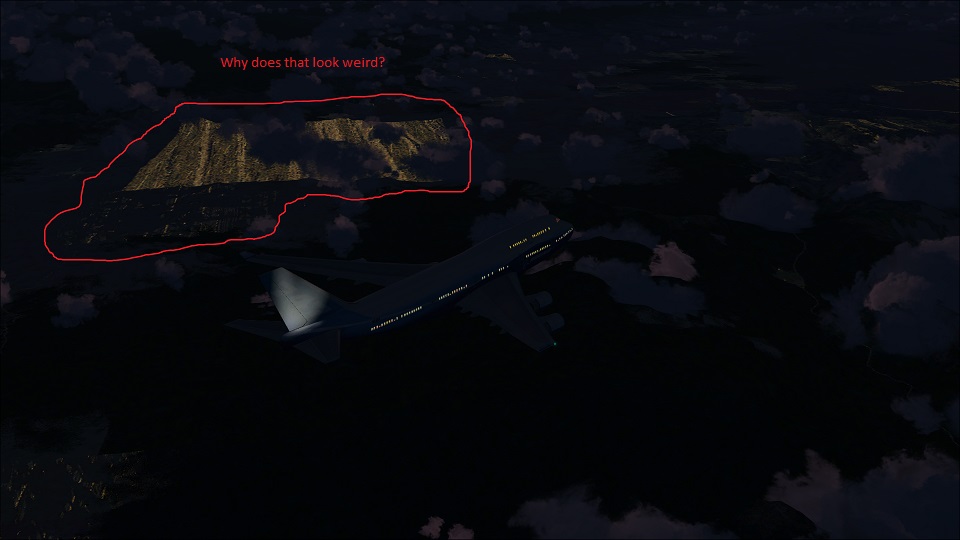
And what the...
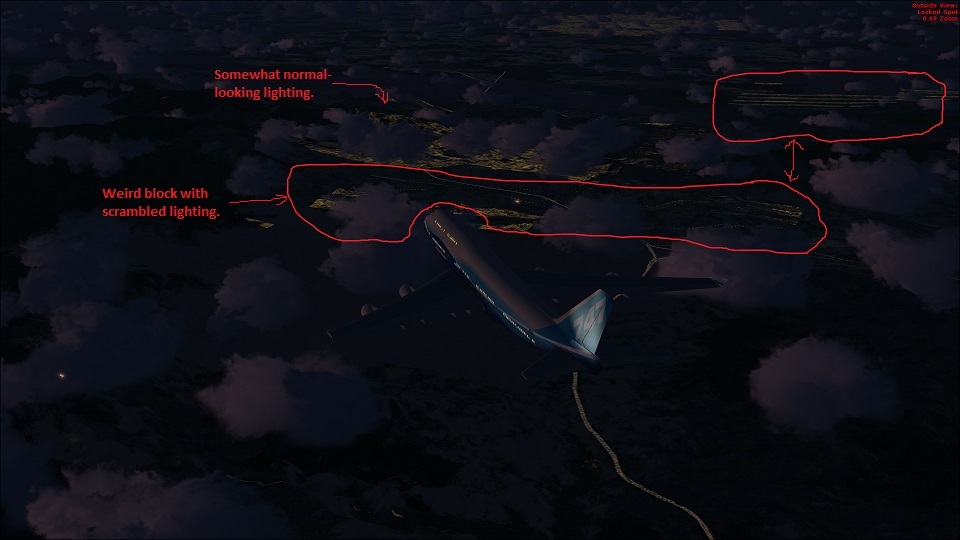
So, any ideas?
I don't know how RAPID mode on a Samsung SSD works. I've read as much as I could about it, and only know what they'll tell a regular consumer. Who knows?
I recently installed a new 250 GB Samsung 840 SSD, and noticed a problem. This is a clean and fresh install of FSX+Acceleration with the Orbx Iceland demo installed, but it did this before, and I don't have any ideas what would cause this graphical issue.
Before we point at drivers, I must say that I use an old one that I have stored locally, and it's the last known video card driver to not display weird artifacts in random places. I keep it on one of my other hard drives to install whenever I may need it. I've reset the GPUs clock and memory settings back to stock over this one, incase there was a clockspeed issue, or something.
I flew over the LA basin do demonstrate this unique issue. It looks somewhat like an artifact, but not quite. Like something is somewhat out of line, but I have no ideas.
I also have RAPID mode enabled on the SSD, which apparently uses DRAM as something of a buffer to speed read and write times. I don't really know how it works, but maybe that's the problem.
Anyone really know SSDs yet? Have they been around long enough for some all-knowing SSD oracle to exist yet? I'm going to have to sort this out before I can put in all the bonus eye-candy.
A normal, and planned cityscape. Seems like everything is OK here.
It seems fine here, also. Like around a city that FSX is drawing from a BGL or something, it's fine.
Yep...
But 10 minutes north...
And what the...
So, any ideas?
I don't know how RAPID mode on a Samsung SSD works. I've read as much as I could about it, and only know what they'll tell a regular consumer. Who knows?
