Page 1 of 2

Steve Parsons DX10 fix

PostPosted: Wed Jul 16, 2014 11:16 am
by CHUCK79
As many of you know, Steve Parsons (SteveFX) recently pulled his payware DX10 fix from retailers. I don't know the details , but it would appear that he has made
it available for free: http://simviation.com/1/search?submit=1 ... &x=12&y=13

Re: Steve Parsons DX10 fix

PostPosted: Wed Jul 16, 2014 2:04 pm
by Visitor66
Thanks for the heads-up on this Chuck, I was recently looking to buy the DX10 fixer and when I couldn't find it, I thought "Oh well that's that".

Thank you to the two Steve's also for working on and making this available.

I'll give it a try.

Cheers, For Danglia. :clap:

Re: Steve Parsons DX10 fix

PostPosted: Wed Jul 16, 2014 2:08 pm
by CHUCK79
I've never had any luck with DX10.......this may change things 8-) 8-)

Thanks Steve & Steve O0 O0

Re: Steve Parsons DX10 fix

PostPosted: Wed Jul 16, 2014 4:26 pm
by boromir125
Even the small things that it fixes makes DX10 tolerable. Thank you Steve Parsons for your work.

Re: Steve Parsons DX10 fix

PostPosted: Thu Jul 17, 2014 9:37 am
by Bass
Been working on it for some days. Improvements to his last freeware, yes. Some old ac's showing up gray, they will now sleep in my hanger :think:

Now i really need ENB to work with dx10 :pray:

Re: Steve Parsons DX10 fix

PostPosted: Thu Jul 17, 2014 11:00 am
by CHUCK79
Bass wrote:Been working on it for some days. Improvements to his last freeware, yes. Some old ac's showing up gray, they will now sleep in my hanger :think:

Now i really need ENB to work with dx10 :pray:


ENB doesn't work with DX10. You'll have to use default bloom :snooty:

Re: Steve Parsons DX10 fix

PostPosted: Thu Jul 17, 2014 12:25 pm
by Modlerbob
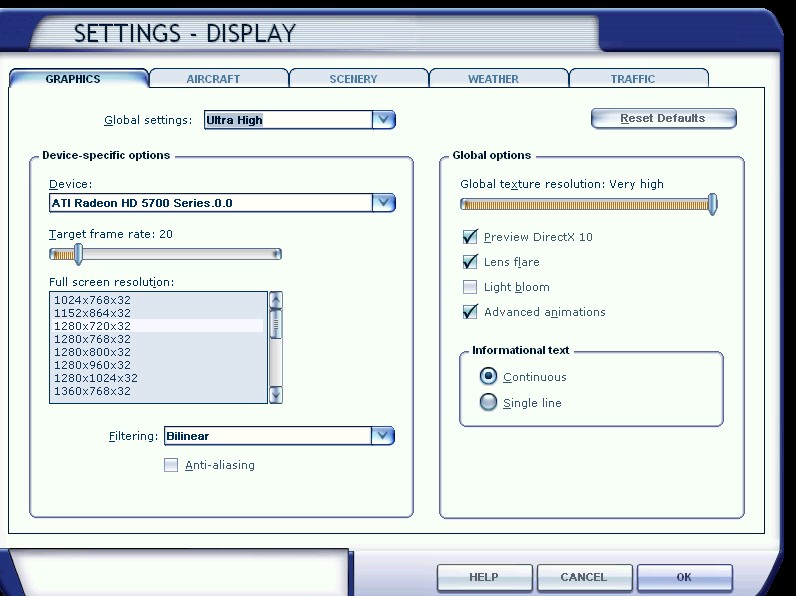
I downloaded the files and followed the instructions and on my system I still get a blank aircraft when I check the preview DX10 box. Oh well.

Re: Steve Parsons DX10 fix

PostPosted: Thu Jul 17, 2014 12:28 pm
by Hagar
Modlerbob wrote:I downloaded the files and followed the instructions and on my system I still get a blank aircraft when I check the preview DX10 box. Oh well.

I suspect these are FS9 aircraft. Genuine FSX native aircraft should display correctly in DX10 Preview.

Re: Steve Parsons DX10 fix

PostPosted: Thu Jul 17, 2014 9:42 pm
by Modlerbob
I'll check and see. Hard to remember which planes came with FSX.

Re: Steve Parsons DX10 fix

PostPosted: Fri Jul 18, 2014 12:07 am
by Modlerbob
When using a plane designed for FSX the DirectX 10 preview worked fine and it seemed that all the detail from plane to scenery was sharper but it also disabled my mouse buttons and changed the cursor from an arrowhead to a cross hair. Nothing on the instrument panel was clickable. I was using a microsoft 2 button wireless mouse. After I unselected the directx 10 preview everything went back to normal.

Re: Steve Parsons DX10 fix

PostPosted: Fri Jul 18, 2014 3:02 am
by Hagar
Modlerbob wrote:I'll check and see. Hard to remember which planes came with FSX.

Just to clarify what I mean by "FSX native" aircraft. These are not necessarily default aircraft but include addons specifically created for FSX + SP2 using the FSX Modeling SDK. They will have DDS textures instead of the BMPs used in previous versions of FS.

For example: all the aircraft you had without a thumbnail.jpg will be FS9 models which will not be fully compatible with FSX. This includes FS9 aircraft that have been "updated" for FSX by a third party. Sometimes these so-called updates will simply add a thumbnail.jpg to the texture folder(s). These will be the aircraft that have blank textures when enabling DirectX10 Preview. Hope that explains it.

Re: Steve Parsons DX10 fix

PostPosted: Fri Jul 18, 2014 5:26 am
by pete
And just to add- - BMP textures will display fine in many aircraft with DX10 enabled as long as it is a FSX native model (many FSX natives have BMP textures)

You can see if the model is FSX native by looking at the 1st line of the .MDL file inside the model folder

On the 1st line you will see MDLXMDLH (if it says MDL8MDLH it is a FS9 model)

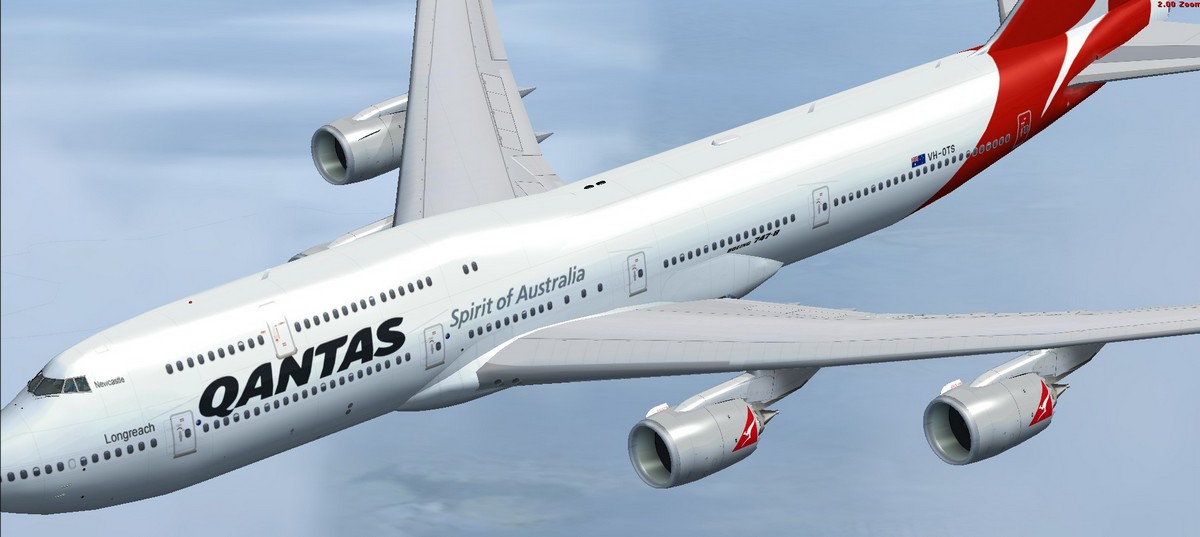
This is a posky 747 FSX native model and it has bmp textures and shown here with DX10 enabled


Image

Image

Re: Steve Parsons DX10 fix

PostPosted: Fri Jul 18, 2014 6:20 am
by Bass
CHUCK79 wrote:
Bass wrote:Been working on it for some days. Improvements to his last freeware, yes. Some old ac's showing up gray, they will now sleep in my hanger :think:

Now i really need ENB to work with dx10 :pray:


ENB doesn't work with DX10. You'll have to use default bloom :snooty:


I know Chuck, thats why i'm praying ;)

Re: Steve Parsons DX10 fix

PostPosted: Fri Jul 18, 2014 7:07 am
by Modlerbob
Is there anything I can do to fix the mouse problem with DX10 enabled?

Re: Steve Parsons DX10 fix

PostPosted: Fri Jul 18, 2014 9:16 am
by Bass
Modlerbob wrote:Is there anything I can do to fix the mouse problem with DX10 enabled?


Well Bob, i cant help you! I never use anything wireless, or anything with batteries, when flying :think: