Page 1 of 1

How to take picture of FSX scenery and download to Simviatio

PostPosted: Wed Jul 09, 2014 6:59 pm
by blackgranada77
How do I take a picture of FSX scenery or aircraft and then move it to Simviation Forum if I need to show a certain problem.

Re: How to take picture of FSX scenery and download to Simvi

PostPosted: Wed Jul 09, 2014 7:25 pm
by Modlerbob
I'm almost a beginner too and like many have asked this same question. I will give an answer the best I understand the situation and assume you know nothing which is something most of the experts fail to take into account. First you can snap a screen shot by hitting the "v" key anytime you are in FSX. It takes an image of your computer screen in *.bmp form. Then you need to edit that image with an editor to cut it's file size and change it to a *.jpg format. Now once you are in simviation go to the upload images screen. Once you follow the directions there copy the image url and then open a new window and go to the thread you want to post the image in, type your message and then use the paste function after right clicking your mouse. Preview and your image should be there. I hope I didn't confuse you. Others will post with more detailed instructions most likely.

Remember your image is only there temporarily as there is no upload image gallery. Once you have closed the upload window it is gone and if you want to show your image again you will have to upload it again.

Re: How to take picture of FSX scenery and download to Simvi

PostPosted: Thu Jul 10, 2014 5:21 am
by pete
You cannot paste into the page with right key -------- that won't work here.

It's simple -----


Get a free screen capture thing -- such as screenhunter

Any free screen capture will allow you to capture your screenshot in jpg format - usually the default 'Print screen' key on your PC is used.

* Crop it to look as you wish.

* Then check it is within our upload limits - Max size per file: 250kb. 1800 pixels wide

* Upload it in the 'Upload images' button at the top right of the forums ^^^^^^^ (look)


If you get a problem come back and someone who has done it will help you.


Thanks :)

Re: How to take picture of FSX scenery and download to Simvi

PostPosted: Thu Jul 10, 2014 8:42 am
by Modlerbob
I did!

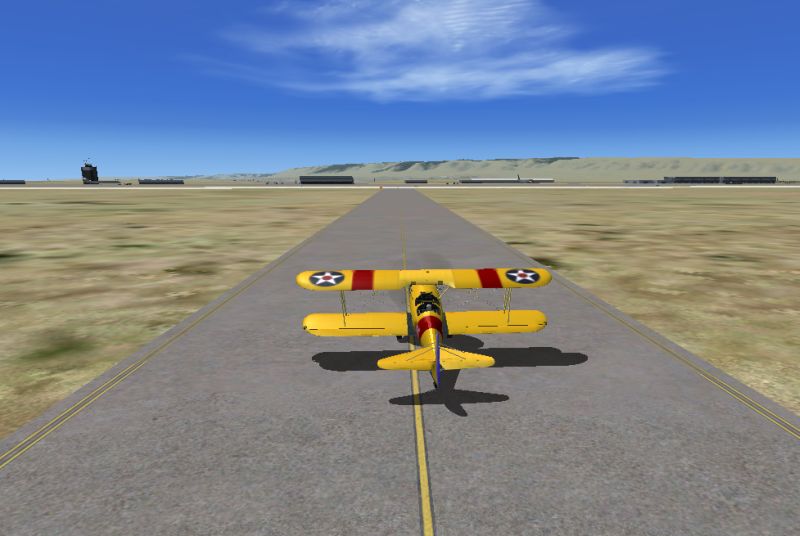
here's one to prove it. After uploading that is what the instructions say copy and paste.

Image

Re: How to take picture of FSX scenery and download to Simvi

PostPosted: Thu Jul 10, 2014 10:28 am
by pete
You edited your post ....... ;)

..... anyways ... as long as the original poster understands the process ......

Re: How to take picture of FSX scenery and download to Simvi

PostPosted: Thu Jul 10, 2014 10:54 am
by Modlerbob
I didn't edit my initial post except for a spelling error. You said you can't use the right click cut and paste feature and I did.