Page 1 of 1

Improving runway textures

PostPosted: Mon Nov 04, 2013 9:16 am
by Bass
If you get a little tired of the poorly stuck runway textures in fsx, this might be a good idea.

You'll get 3 different to work with, concrete, fine and rough tarmac.
I'm very pleased with all of them.

runway_detail_texture_set_by_fsx_workshop.zip
Made by Predrag Drobac

You can find the zip file at Avsim.
(Have searched SimV)

Re: Improving runway textures

PostPosted: Mon Nov 04, 2013 10:15 am
by garymbuska
Bass wrote:If you get a little tired of the poorly stuck runway textures in fsx, this might be a good idea.

You'll get 3 different to work with, concrete, fine and rough tarmac.
I'm very pleased with all of them.

runway_detail_texture_set_by_fsx_workshop.zip
Made by Predrag Drobac

You can find the zip file at Avsim.
(Have searched SimV)


There are several programs that will allow you alter just about all aspects of FSX. Programs like Active sky allows you to control how your weather is displayed it also allows changes to how your runways look during weather events.Than there are programs that allow you to alter how your scenery including airports are displayed plus many others some free some not. You have to remember that Goggle is your friend.
Trust me if you know where to look you can really alter the performance of FSX drastically. But keep in mind some of these programs can and will effect your frame rates. So you have to decide if your system is struggling to display FSX now adding some thing else can create a problem which will require more tweaking. So keep that in mind.


<<v

Re: Improving runway textures

PostPosted: Mon Nov 04, 2013 10:18 am
by Blaunarwal
I think it's worth a try. The examples look dramaticly better. Maybe you wont see, when landing (moving). Maybe it has a fps impact. Thanks for the hint.
Dan

Re: Improving runway textures

PostPosted: Mon Nov 04, 2013 10:22 am
by Bass
garymbuska wrote:
Bass wrote:If you get a little tired of the poorly stuck runway textures in fsx, this might be a good idea.

You'll get 3 different to work with, concrete, fine and rough tarmac.
I'm very pleased with all of them.

runway_detail_texture_set_by_fsx_workshop.zip
Made by Predrag Drobac

You can find the zip file at Avsim.
(Have searched SimV)


There are several programs that will allow you alter just about all aspects of FSX. Programs like Active sky allows you to control how your weather is displayed it also allows changes to how your runways look during weather events.Than there are programs that allow you to alter how your scenery including airports are displayed plus many others some free some not. You have to remember that Goggle is your friend.
Trust me if you know where to look you can really alter the performance of FSX drastically. But keep in mind some of these programs can and will effect your frame rates. So you have to decide if your system is struggling to display FSX now adding some thing else can create a problem which will require more tweaking. So keep that in mind.


<<v


Thank you Gary, i'll keep that in mind O0
I'm just trying to help.....

(Dont mind my fps, i need to get them lower :lol: )

Re: Improving runway textures

PostPosted: Mon Nov 04, 2013 12:26 pm
by Bass
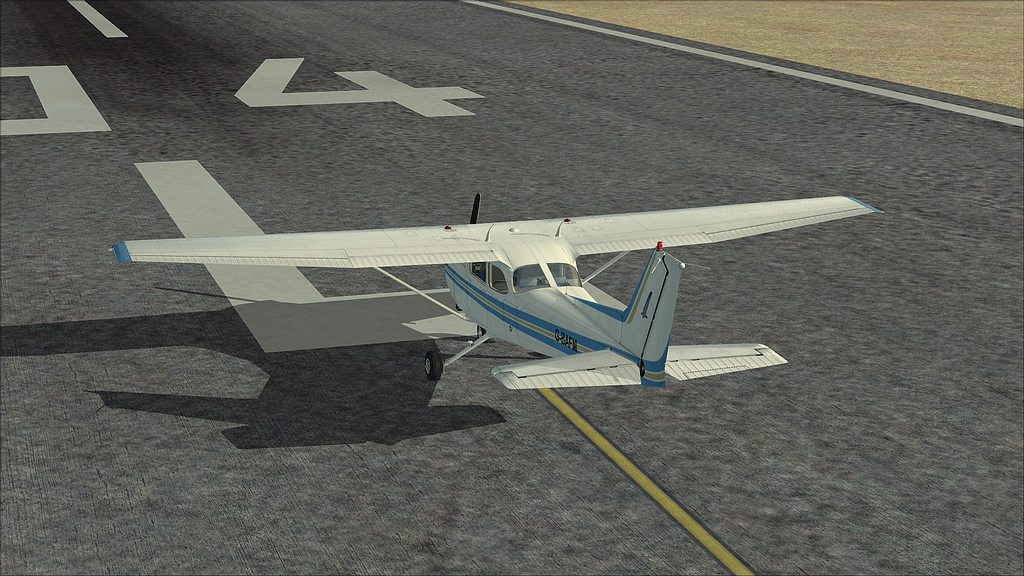
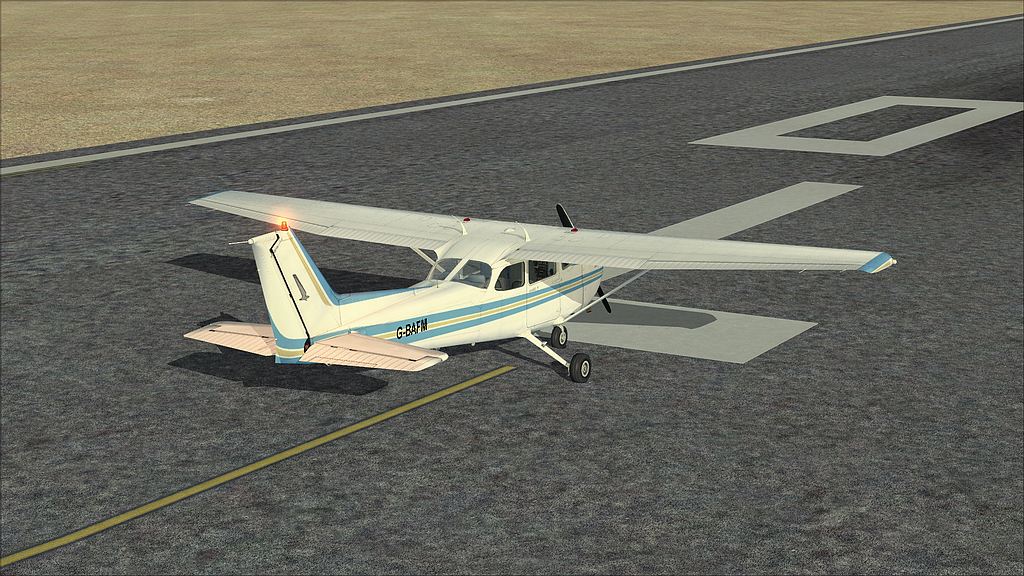
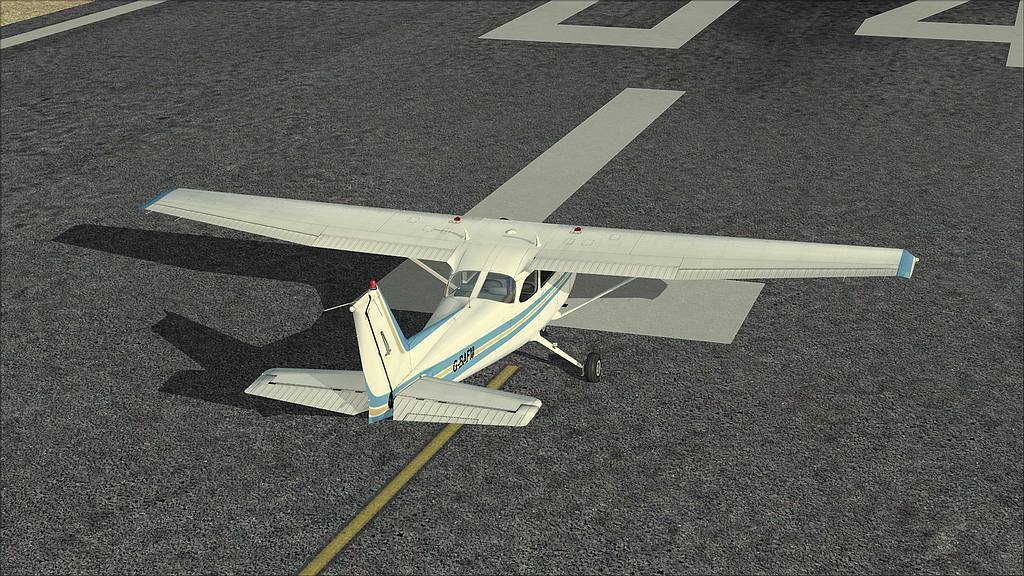
Ok, i'll show you the differencies on my system.

Pick your choice.

concrete
Image

fine
Image

rough
Image

I hope you dont mind, Gary ;)