Page 1 of 3

New FSX problem

PostPosted: Thu Jul 18, 2013 3:26 pm
by Speed of flight
Hello, all. Question/issue:
Put in a new video card and PSU over this. I think this is "artifacting"? Or maybe a driver problem?
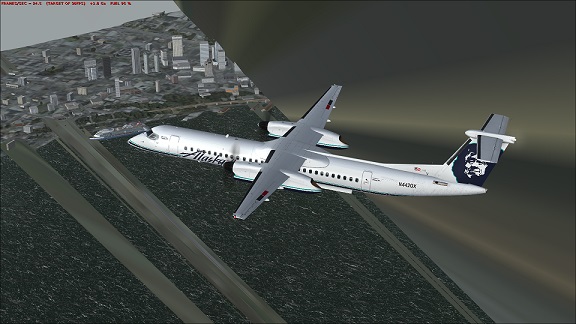
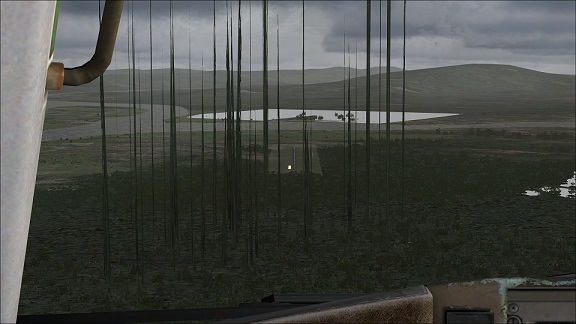
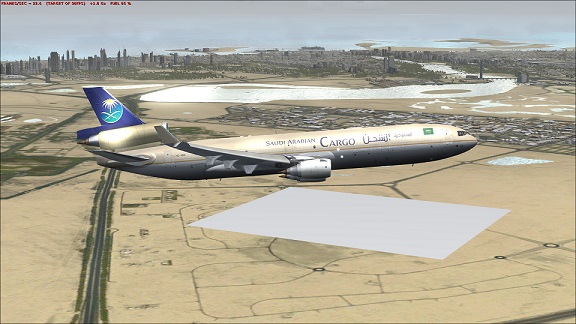
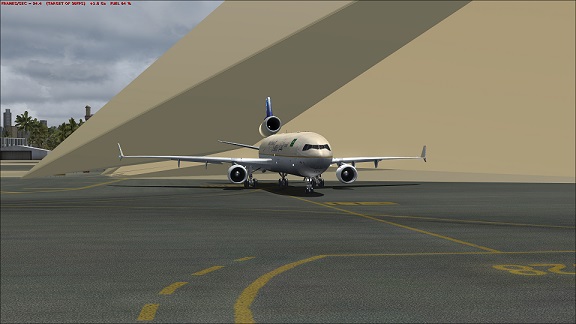
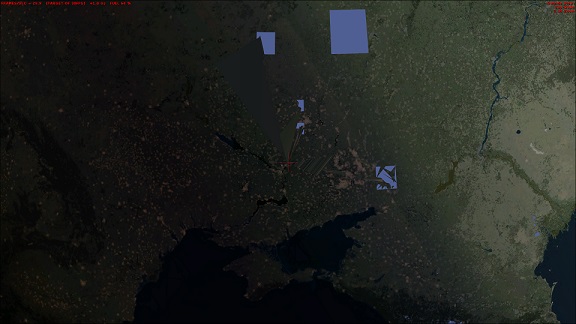
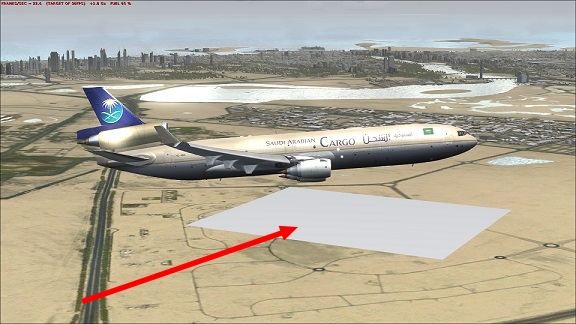
So, Ill be flying along, and suddenly a texture goes away. For example, a good-sized square of ocean will suddenly turn plain grey with no waves, anything. Happens on the ground, over water, anywhere.
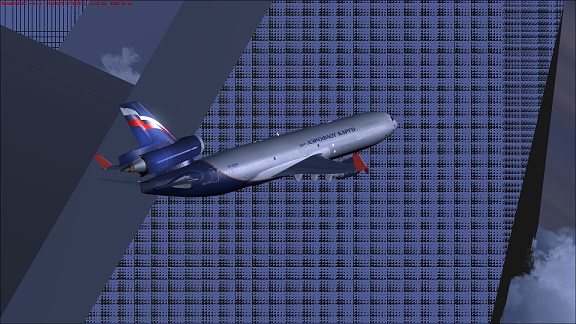
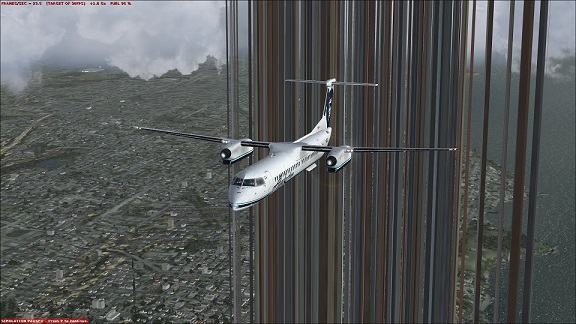
Also, over ground, a problem with random spires and towers extending into space. They seem to originate from existing structures, or even from a random point, and even sometimes it will apply a seemingly random texture to it.
I'll upload some screens. It sounds weird, I know, but I don't have a means to explain it.
I have wrestled with cooling, which I think is not the issue. I'm using the H-100i, and it's set to blow like a turbofan when the CPU gets to 45*C.
I have fans everywhere in this rig and it can blow pictures around on a wall adjacent to the tower. it's like a tornado in there, and noisy to boot. Nothing seems warm, let alone hot in there. Voltage tweaks, speed changes, RAM timing changes, nothing I've thought of seems to help.
I put in an Asus 7870 and a 1200W PSU. Its O/C'd to 4.85 GHz, but it does this at the stock settings of 4.0. I don't have a clue where to go with this problem now.

Any ideas? :think:
Image

Image

Image

Image

Image

Image

Image

I hope this helps describe what I can't...
Re: New FSX problem

PostPosted: Thu Jul 18, 2013 3:41 pm
by jandjfrench
Hi,
I don't have the answer but I do have a suggestion. Go into "Settings" and "Save" your current configuration. Click "Default" and see if the problem is still there.
Jim F.

Re: New FSX problem

PostPosted: Thu Jul 18, 2013 5:13 pm
by Speed of flight
You know, I hadn't thought of that. That's just crazy enough, it just might work!
Thank you!

Re: New FSX problem

PostPosted: Thu Jul 18, 2013 6:54 pm
by Speed of flight
Well, I let FSX rebuild it's own .cfg, but alas, no help.
I'm beginning to think it's a driver issue. No other games do this. Only FSX, after all, it is only 7 years old.
I wonder if anyone else with this card has had any issues like this?

Re: New FSX problem

PostPosted: Thu Jul 18, 2013 8:29 pm
by OldAirmail
I doubt that it's a (computer/video card) driver issue, since it's not affecting other programs.

This looks like a problem that I had when I loaded MegaSceneryEarth over one of my self-installed airports.
Image

You might want to consider an FSX re-install.

Re: New FSX problem

PostPosted: Thu Jul 18, 2013 10:05 pm
by Speed of flight
YAAACCCKKHHCCK! Phlthwackpft!
I sooo did not want to hear that...
I can bet, however, it will finally take that.
Honestly, I had thought that maybe I was pushing the system too hard,but it will still Cinebench a 7.92 and better, and it does just fine with Heaven 4.0, so I figured it had to be something else.

Stink!

(Grumble).

Ok, here goes...

Re: New FSX problem

PostPosted: Fri Jul 19, 2013 10:10 am
by garymbuska
This may work for you open up your scenery library if I am not mistaken FSX puts recently added scenery at the top of the list try un checking the first few scenery files it list and see what happens. This will cause fsx not to load that scenery. You will need to restart FSX after removing the checks.
This may work and may not. But this could be scenery problem
As I had stated in another post the first thing one should do after getting FSX up and running like they want it is to make a back up of the entire FSX folder it might take a couple of DVD's but it sure beats reinstalling by far.
I hope you do not have to reinstall I know that is a big pain in the rear.

<<r

Re: New FSX problem

PostPosted: Fri Jul 19, 2013 11:15 am
by Fozzer
The only time I have ever experienced that exact same problem was due to a rapidly failing, (unmodified), Video card, (after much use).
(Your is a new card!).
Fitted new card..problem solved.

Do you experience the same problems playing another computer games, instead of the flight sim?

Paul.... :mrgreen: ...!

Re: New FSX problem

PostPosted: Fri Jul 19, 2013 12:14 pm
by Speed of flight
Thanks for the information everybody!
What it does is odd. The problem with that grey patch is weird. It never shows up in the same spot. Something is drawing random GIANT polygons in random places. It's rather interesting, really. I never get the same one twice, however I notice it much more when things get busy, like on final approach. Suddenly, a giant wall of wavy water at a 45* angle extends out of the world into space. It's quite annoying, but funny, also.
It isn't acting like it "forgot" the scenery, or just left a hole in a consistent area. It's random.
This all happened when I put in the 7870. I had an 850W PSU powering it, but it was doing this, so I figured it needed more power. I wonder if the card is to blame, or maybe a driver?
I dunno. It is a big pain to reinstall FSX, especially with as many admins as we accumulate, yikes, I'd really like to do that as a last resort.
I've never had a bad card before, but I've had a lot of different ones, maybe my number came up. I think what I'll do is exchange it, and see what that does...
Wish me luck...

Re: New FSX problem

PostPosted: Fri Jul 19, 2013 3:15 pm
by Fozzer
...as I suggested...

Have you tried running another video intensive game on the computer just to see if video artefacts appear on the monitor?

Or plug one of your old video cards back in again as a test?

...which is what I would do.... ;) ...!

Paul.

Re: New FSX problem

PostPosted: Fri Jul 19, 2013 5:05 pm
by OldAirmail
garymbuska wrote:This may work for you open up your scenery library if I am not mistaken FSX puts recently added scenery at the top of the list try un checking the first few scenery files it list and see what happens. This will cause fsx not to load that scenery. You will need to restart FSX after removing the checks.
This may work and may not. But this could be scenery problem
As I had stated in another post the first thing one should do after getting FSX up and running like they want it is to make a back up of the entire FSX folder it might take a couple of DVD's but it sure beats reinstalling by far.
I hope you do not have to reinstall I know that is a big pain in the rear.

<<r

garymbuska, Stupid people like me look up to you in wonder and offer you our salutes!

I've seen those check marks before and NEVER gave them a seconds thought. I was thinking that I might have to uninstall & re-install different scenery to compare one against another.


Speed of flight try what he's suggested. It may very well help you find the culprit. I think that it's a strong possibility that some textures or scenery is messing up your FSX install.

Re: New FSX problem

PostPosted: Fri Jul 19, 2013 5:06 pm
by Flacke
This kind of artifacting is often due to a faulty video card, or more specifically, faulty video RAM.

Take Fozzers advice and put in another video card and see if the artifacting continues.

It is possible for the problem to exist only in FSX because FSX really pushes your video hard and it may make faults show up that would not show up in other things.

When you had an 850 watt power supply I doubt very much that you used anywhere near that much power. Now, with 1200 watts you could power a small town. I am sure your power to the video card is wayyyyyyyyyyy more than adequate, so its not that.

Good luck with this, and please keep us informed.

Re: New FSX problem

PostPosted: Fri Jul 19, 2013 5:14 pm
by Flacke
I just thought of one more thing that I would try first if this was a problem on my FSX.

I would go into SETTINGS and turn down all of the video/display related settings to a minimum , then restart FSX and see if it makes any difference. If the artifacting goes away you can turn up one setting at a time . Then when you turn something up and the artifacts return you will know which slider is set too high for your system.

This is really easy and if it works it sure beats having to put in a new video card again. Good luck.

Re: New FSX problem

PostPosted: Fri Jul 19, 2013 8:32 pm
by OldAirmail
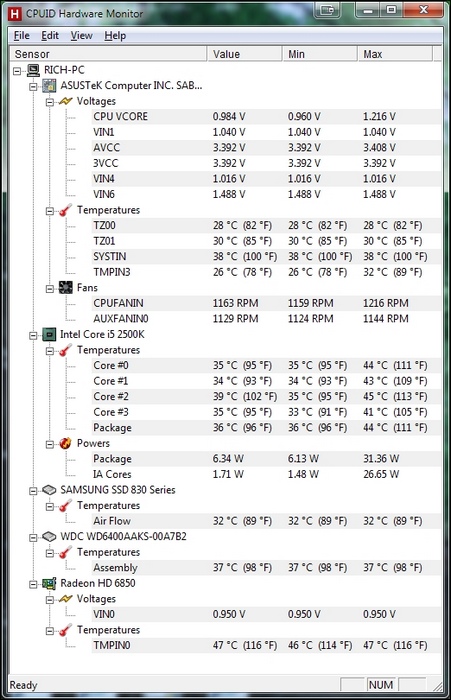
Temperatures are VERY easy to check.

If you don't have a program to do it, try HWMonitor from CPUID. It's free and a no brainer to understand.

Image

Re: New FSX problem

PostPosted: Sat Jul 20, 2013 7:08 am
by Bass
And, as you mentioned yourself, try another driver, maybe the one you got with the card.