FSX STOPPED WORKING

FSX including FSX Steam version.

FSX STOPPED WORKING

Postby RAMPRAT » Wed Apr 10, 2013 10:54 am

First time for this. FSX stopped working. Just froze up. Temperature of cpu at time was 23c. Keyboard and everything stopped responding. Is this a FSX problem or a computer issue? There were no error msgs.
RAMPRAT
2nd Lieutenant
2nd Lieutenant
 
Posts: 114
Joined: Fri Apr 20, 2012 5:19 pm
Location: st.louis mo

Re: FSX STOPPED WORKING

Postby Fozzer » Wed Apr 10, 2013 11:00 am

Shut down the computer, leave it for a while, then load the Flight Sim again...

...then tell us what happened... ;) ...!

Paul.... :mrgreen: ...!
User avatar
Fozzer
Colonel
Colonel
 
Posts: 27369
Joined: Thu Jan 31, 2002 3:11 pm
Location: Hereford. England. EGBS.

Re: FSX STOPPED WORKING

Postby Moach » Wed Apr 10, 2013 1:26 pm

23c is really not hot at all for a CPU - it's pretty much room temperature

more likely than not, this was a fluke of 'nature'...

or maybe some setting got twisted up and caused the fault... if it keeps happeing, try deleting the fsx.cfg file in %appdata%/local/microsoft/fsx/fsx.cfg (if not there, try 'roaming' instead of 'local'l)

this will reset the settings to the factory default - and is known as the first-to-try procedure whenever FSX acts out... which it does a lot....


let us know how it works out
User avatar
Moach
Captain
Captain
 
Posts: 960
Joined: Thu Nov 28, 2002 3:22 pm
Location: Vancouver, BC

Re: FSX STOPPED WORKING

Postby RAMPRAT » Wed Apr 10, 2013 8:08 pm

Shut down computer then reloaded fsx sim @ 30min later. Happened again. Now what? CPU temp-27c GPU-31c MOBO-24c HDD DISK-26c and fan spd -4440rpm
RAMPRAT
2nd Lieutenant
2nd Lieutenant
 
Posts: 114
Joined: Fri Apr 20, 2012 5:19 pm
Location: st.louis mo

Re: FSX STOPPED WORKING

Postby Jetranger » Wed Apr 10, 2013 8:48 pm

This can also happen if -

you've downloaded an Aircraft with very High Resolution textures or Scenery, on a Basic Generic computer

and / or , you've got the settings set to HIGH / Ultra High and your computer just can't handle the graphics,,,

and maybe possibly if none of the above apply,,,,

it possibly could be the POWER SUPPLY going bezerk too,, but thats rare, but has happened,,,,

you'd have to provide more info, about your computer, and the situtation, for more help ....
<<q
User avatar
Jetranger
Major
Major
 
Posts: 3232
Joined: Fri Sep 30, 2011 2:49 am
Location: Kansas City Missouri USA / KMKC

Re: FSX STOPPED WORKING

Postby RAMPRAT » Wed Apr 10, 2013 10:33 pm

Happened once before on my old Dell 4700. Just thought it was the computer not being able to cope. New system is Cyberpower with I5-3570K OC to 3.9 Mobo is Gigabyte Z77 GA HD3 16 gigs of memory at 1866mhz(Corsair XMS) 2TB hdd(Seagate Barracuda) AMD Radeon 7870 video card with 2gb memory and 800w power supply. Case has 3 fans plus dual push-pull liquid cooling fan setup for cpu( corsair hydro 60). It only happened during one certain flight, no others, and it is the same this time. Happens about 45 minutes after beginning my flight from IAH TO SAN using airbus a350. All settings on ultra high ( default settings ). Am flying SFO-LHR with b-707 and no problems at all after 4 hrs into flt. Any ideas?
RAMPRAT
2nd Lieutenant
2nd Lieutenant
 
Posts: 114
Joined: Fri Apr 20, 2012 5:19 pm
Location: st.louis mo

Re: FSX STOPPED WORKING

Postby Jetranger » Thu Apr 11, 2013 12:38 am

Well, You say you flyin into SAN ??

I've had this happen at big airport,,,, whenever I had the Air Traffic set toooo High and toooo many aircraft entering the fly zone,,, can cause it to lock up and shut down,,, for a particular hi- traffic Zone too many A.I. Aircraft entering all at once, plus whats already on the ground moving around along with Ground support vehicles

takes a lotta extra CPU Power,,, and memory to keep up,,, in high traffic areas,,,

Dunno' keep an eye out for that tho ~ ! might be 1 problem,,,

Jet.
User avatar
Jetranger
Major
Major
 
Posts: 3232
Joined: Fri Sep 30, 2011 2:49 am
Location: Kansas City Missouri USA / KMKC

Re: FSX STOPPED WORKING

Postby RAMPRAT » Thu Apr 11, 2013 2:34 pm

Checked my settings and A/I is set at 50%. Default on ultra-high is 20%. Will leave it at 50 for now. Am going to try another aircraft and see if that makes a difference.
RAMPRAT
2nd Lieutenant
2nd Lieutenant
 
Posts: 114
Joined: Fri Apr 20, 2012 5:19 pm
Location: st.louis mo

Re: FSX STOPPED WORKING

Postby RAMPRAT » Thu Apr 11, 2013 4:30 pm

Ok, ran same simulation IAH-SAN with two changes. Flew a 757 instead of A350 and flying was done during day instead of night. Worked flawlessly. Also motherboard was 21C at time of flight. House was cooler than yesterday due to weather being colder. Would that make a difference?
RAMPRAT
2nd Lieutenant
2nd Lieutenant
 
Posts: 114
Joined: Fri Apr 20, 2012 5:19 pm
Location: st.louis mo

Re: FSX STOPPED WORKING

Postby alrot » Thu Apr 11, 2013 5:32 pm

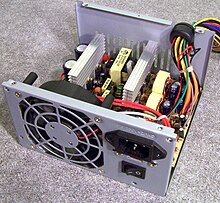
,I had just the same exact problem you describe ,I bought a powerfull fan cooler ,I bought a new Video card , I format the whole drive , I almost went crazy (wel :whistle: more crazy than I already am ) FINALLY It was a power source failure or PSU (power supply unit)

http://upload.wikimedia.org/wikipedia/c ... -Open1.jpg

try another PSU (don't buy a new one just borrow one) to check that


Alex
User avatar
alrot
Lieutenant Colonel
Lieutenant Colonel
 
Posts: 8961
Joined: Wed Oct 08, 2003 10:47 am

Re: FSX STOPPED WORKING

Postby Moach » Thu Apr 11, 2013 5:35 pm

21C is really not hot at all - it's actually pretty cool for any CPU that's working out a load such as FSX...
even liquid-cooled CPUs will reach above 50C quite easily under such conditions

i think something else could be causing FSX to hang - what sort of anti-virus system you have running there? some have been known to pry into things they shouldn't during the worst possible times, and cause major freeze-ups for no apparent reason

just trying to cover all bases... :geek:
User avatar
Moach
Captain
Captain
 
Posts: 960
Joined: Thu Nov 28, 2002 3:22 pm
Location: Vancouver, BC

Re: FSX STOPPED WORKING

Postby Jetranger » Thu Apr 11, 2013 7:37 pm

POWER SUPPLY / PSU
Give ya some sound advice on this issue

before you go swapping Power Supply ,, you need to make sure, IF you have a Video Graphics card, just what the Exact Requirements are as far as the POWER requirements for that particular Video Graphics card -

in otherwords - IF the Video Graphics card Requires say for example a 600 Watt Power Supply

and you've only got say a 450 Watt Power Supply - right there you've got significent Issues ~ !!!!

So make real sure, that the POWER SUPPLY matches the Requirements of your Video / Graphics card !!!

You can look up or GOOGLE the video graphics card you have to find out the Requirements of that particular card to be sure.

So becareful just swapping POWER SUPPLY Units, or you could end up Mis - Diagnosing your problem, and cause yourself even further headaches !

Jetranger
User avatar
Jetranger
Major
Major
 
Posts: 3232
Joined: Fri Sep 30, 2011 2:49 am
Location: Kansas City Missouri USA / KMKC

Re: FSX STOPPED WORKING

Postby RAMPRAT » Thu Apr 11, 2013 9:45 pm

My PSU is rated 800w standard certified and my anti-virus is microsoft security essentials. Also have Spy-Bot and I-0BIT Game Booster installed. Could they cause the problem? <<u <<u
RAMPRAT
2nd Lieutenant
2nd Lieutenant
 
Posts: 114
Joined: Fri Apr 20, 2012 5:19 pm
Location: st.louis mo

Re: FSX STOPPED WORKING

Postby Jetranger » Thu Apr 11, 2013 11:35 pm

Tell ya what ya should do ,,,,

If you can or have FRAPS or FS Recorder

Why don't you make a VIDEO of the problem your having,, and post it on YOU TUBE, than post the link here,, and show us

that might be better seeing an actual VIDEO of your problem,,, if possible narrate it and tell us whats going on,,,

or use some device, cell phone, camcorder,,, etc.
User avatar
Jetranger
Major
Major
 
Posts: 3232
Joined: Fri Sep 30, 2011 2:49 am
Location: Kansas City Missouri USA / KMKC

Re: FSX STOPPED WORKING

Postby Fozzer » Fri Apr 12, 2013 5:36 am

RAMPRAT wrote:Ok, ran same simulation IAH-SAN with two changes. Flew a 757 instead of A350 and flying was done during day instead of night. Worked flawlessly. Also motherboard was 21C at time of flight. House was cooler than yesterday due to weather being colder. Would that make a difference?


My advice would be, as it always is..

If a particular flight is giving you problems....

..STOP using that flight...and try something else instead...which doesn't give you any problems!

...sorted!... :dance: ...!

Paul...FS 2004....problem-free.... :D ...!
User avatar
Fozzer
Colonel
Colonel
 
Posts: 27369
Joined: Thu Jan 31, 2002 3:11 pm
Location: Hereford. England. EGBS.

Next

Return to Flight Simulator X (FSX) and Steam

Who is online

Users browsing this forum: No registered users and 1314 guests