Orbx and Addon Scenery?
 Posted: Wed Mar 27, 2013 9:25 pm
Greetings,
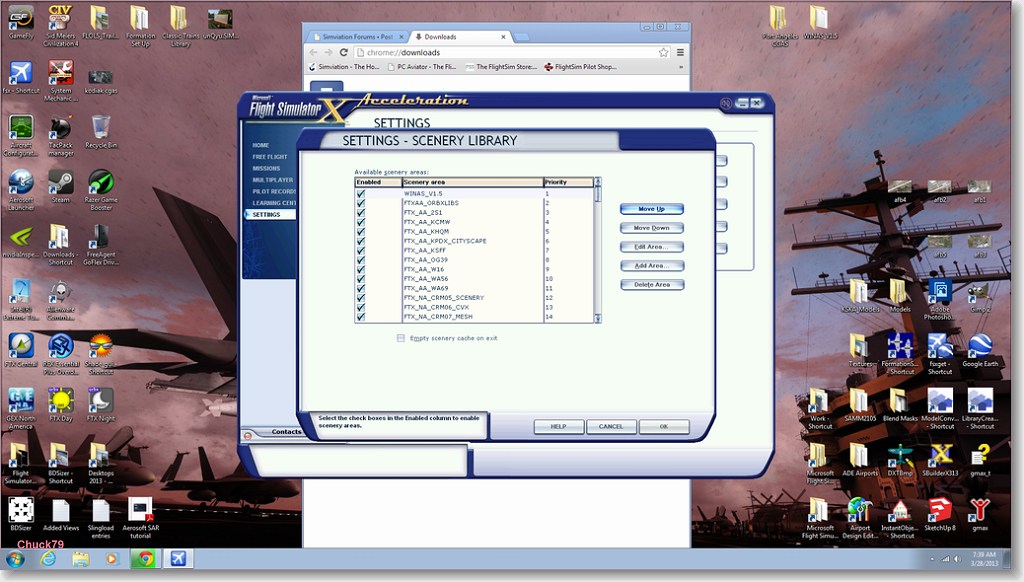
I recently added Orbx PNW to my FSX experience, and it is for the most part magnificent. However, their rendition of WINAS is nowhere near as detailed and accurate as Chuck's layout in his WINAS 1.5 package, and I want to restore it.
I use Addit! Pro for adding and maintaining scenery (and aircraft integrity, but that is another story), and everything gets dumped into Addon Scenery. This is pretty low down in the stack, #42, and I think all of Chuck's work is for naught because it is being overwritten.
What would happen if I elevated (significantly) the Addon Scenery folder? I don't do photo-real, so it would seem the objects that Chuck and others would be okay to be placed within the Orbx eco-system.
Or is this a bad assumption?
Thanks for any insight!
JKH
I recently added Orbx PNW to my FSX experience, and it is for the most part magnificent. However, their rendition of WINAS is nowhere near as detailed and accurate as Chuck's layout in his WINAS 1.5 package, and I want to restore it.
I use Addit! Pro for adding and maintaining scenery (and aircraft integrity, but that is another story), and everything gets dumped into Addon Scenery. This is pretty low down in the stack, #42, and I think all of Chuck's work is for naught because it is being overwritten.
What would happen if I elevated (significantly) the Addon Scenery folder? I don't do photo-real, so it would seem the objects that Chuck and others would be okay to be placed within the Orbx eco-system.
Or is this a bad assumption?
Thanks for any insight!
JKH