How to get your Posky 777 VC gauges working

FSX including FSX Steam version.

Re: How to get your Posky 777 VC gauges working

Postby OVERLORD_CHRIS » Wed Aug 27, 2008 5:50 pm

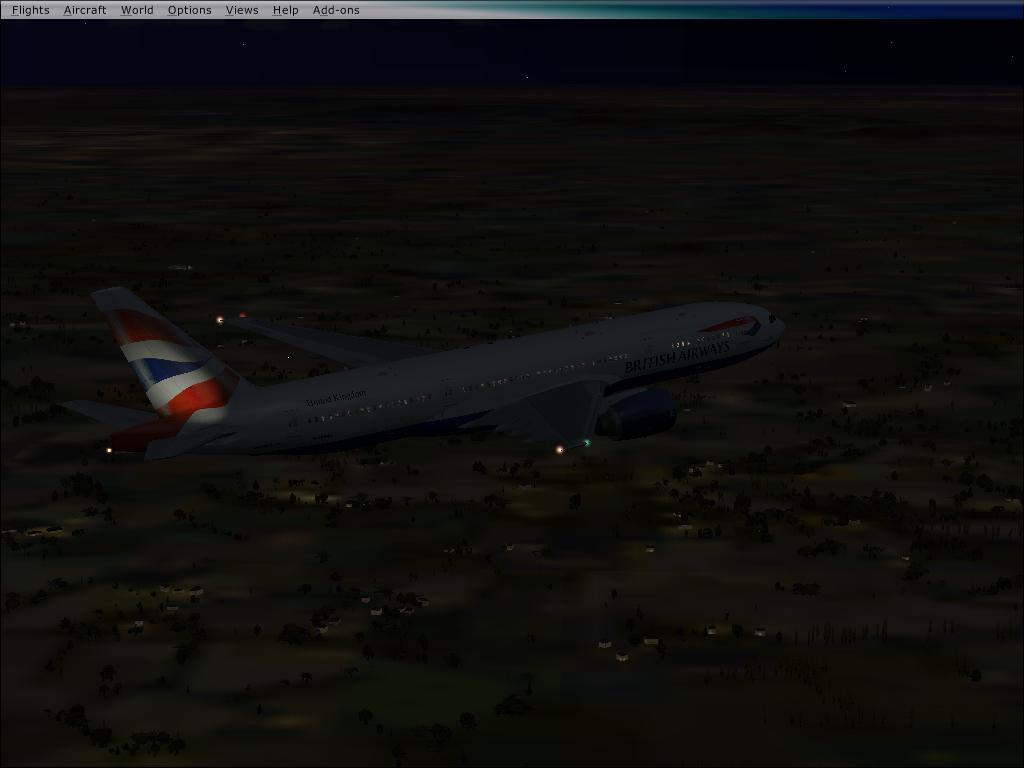
Ok i am using both the British airways old and new, and have added both of these:
os777v2_VC_32-bit_BMP_ Textures_FS9.zip
os777v2_VC_panel_SP1B.zip

Did the fix from page one, have 3d VC as default, and it still gives me the 2d blank panel from my original post, i'm still at a lost an all theones I have do the same thing.
BA-New ER
BA-Old
Star Alliance
China
American Air ER
Dreamliner LR
Delta ER
Image
User avatar
OVERLORD_CHRIS
Major
Major
 
Posts: 1136
Joined: Fri Aug 17, 2007 10:56 am
Location: Chalreston SC

Re: How to get your Posky 777 VC gauges working

Postby mwesch1 » Fri Aug 29, 2008 1:04 pm

Hi i'm new as you can see.

Just out of interest on the 777 which i downloaded FSX/FS2004 American Airlines Boeing 777-200 Altn http://www.simviation.com/simviation/?type=item&ID=60&page=8
In the virtual cockpit, aswell as having no gauges which as you've said can be fixed. There is a seat headrest i believe blocking most of the view.
*Pic coming soon*.

Do you guys have the same problem/
mwesch1
Ground hog
Ground hog
 
Posts: 1
Joined: Fri Aug 29, 2008 1:52 pm

Re: How to get your Posky 777 VC gauges working

Postby N. Chapman » Fri Aug 29, 2008 1:24 pm

just move your eye point forward by like .5 in the aircraft.cfg and download the updated VC as well.
Image
Click for Computer info overload!
User avatar
N. Chapman
Captain
Captain
 
Posts: 971
Joined: Sat Oct 13, 2007 7:19 pm
Location: Fremont, CA

Re: How to get your Posky 777 VC gauges working

Postby gtirob01 » Sun Aug 31, 2008 8:12 pm

Added a small update to the original post.
My specs... A hard drive, motherboard, graphics card, some memory, a keyboard, mouse, and monitor - in other words, nothing special.

Image

My Posky
User avatar
gtirob01
Major
Major
 
Posts: 3605
Joined: Fri Jul 20, 2007 11:10 pm
Location: Ft. Walton Beach, FL

Re: How to get your Posky 777 VC gauges working

Postby gtirob01 » Sat Sep 06, 2008 6:24 pm

Added a very simple way to get the gauges working. See 1st post.
My specs... A hard drive, motherboard, graphics card, some memory, a keyboard, mouse, and monitor - in other words, nothing special.

Image

My Posky
User avatar
gtirob01
Major
Major
 
Posts: 3605
Joined: Fri Jul 20, 2007 11:10 pm
Location: Ft. Walton Beach, FL

Re: How to get your Posky 777 VC gauges working

Postby usapatriot » Sun Sep 07, 2008 8:33 am

Is there anyway to get them to be the proper size?
Antec 902 - i7 920 @ 4.0GHz - G.Skill 6GB DDR3 - Radeon 5870 1GB - Win 7 x64
usapatriot
2nd Lieutenant
2nd Lieutenant
 
Posts: 270
Joined: Sat Feb 16, 2008 10:53 am
Location: Miami, FL

Re: How to get your Posky 777 VC gauges working

Postby gtirob01 » Sun Sep 07, 2008 9:20 am

Is there anyway to get them to be the proper size?


I dont believe there is a way to resize gauges that are already made. But If you do want everything to fit properly... just use the latest update I posted on the 1st page of this thread.
My specs... A hard drive, motherboard, graphics card, some memory, a keyboard, mouse, and monitor - in other words, nothing special.

Image

My Posky
User avatar
gtirob01
Major
Major
 
Posts: 3605
Joined: Fri Jul 20, 2007 11:10 pm
Location: Ft. Walton Beach, FL

Re: How to get your Posky 777 VC gauges working

Postby Daube » Sun Sep 07, 2008 10:59 am

Concerning your last update, please note that the default 777 gauge does NOT work at all (not incompatible, but no display) on FSX SP2.
User avatar
Daube
Lieutenant Colonel
Lieutenant Colonel
 
Posts: 6611
Joined: Wed Oct 05, 2005 8:34 am
Location: Nice (FR)

Re: How to get your Posky 777 VC gauges working

Postby gtirob01 » Sun Sep 07, 2008 11:03 am

Concerning your last update, please note that the default 777 gauge does NOT work at all (not incompatible, but no display) on FSX SP2.


Hmm.... which ones? Ive got SP2 and everything works. May have to look back and see if I did or didnt make other changes.
My specs... A hard drive, motherboard, graphics card, some memory, a keyboard, mouse, and monitor - in other words, nothing special.

Image

My Posky
User avatar
gtirob01
Major
Major
 
Posts: 3605
Joined: Fri Jul 20, 2007 11:10 pm
Location: Ft. Walton Beach, FL

Re: How to get your Posky 777 VC gauges working

Postby Daube » Sun Sep 07, 2008 12:26 pm

Wait, I wanted to test again but I cannot find the default 777 gauge anymore... maybe I've been wrong, but this is surprising...  :-?
User avatar
Daube
Lieutenant Colonel
Lieutenant Colonel
 
Posts: 6611
Joined: Wed Oct 05, 2005 8:34 am
Location: Nice (FR)

Re: How to get your Posky 777 VC gauges working

Postby gtirob01 » Sun Sep 07, 2008 1:27 pm

ok, just let me know what you get.

In the mean time, I have posted my latest cfg file on the 1st post. This is the latest panel.cfg Posky has released. Realized that before, I had the original cfg that may have had some issues, but have since been worked out.
My specs... A hard drive, motherboard, graphics card, some memory, a keyboard, mouse, and monitor - in other words, nothing special.

Image

My Posky
User avatar
gtirob01
Major
Major
 
Posts: 3605
Joined: Fri Jul 20, 2007 11:10 pm
Location: Ft. Walton Beach, FL

Re: How to get your Posky 777 VC gauges working

Postby ual902 » Sun Sep 07, 2008 2:58 pm

Thanks your advice worked after a few hours of playing around :)
ual902
2nd Lieutenant
2nd Lieutenant
 
Posts: 56
Joined: Wed Jul 04, 2007 10:46 pm

Re: How to get your Posky 777 VC gauges working

Postby kawasiri18 » Wed Sep 17, 2008 10:34 pm

ummm... it doesnt work... I dont understand because I used the POSKY continental airlines, and just put the .gau in the right place, but it doesnt work...
kawasiri18
Ground hog
Ground hog
 
Posts: 4
Joined: Wed Sep 17, 2008 11:29 pm

Re: How to get your Posky 777 VC gauges working

Postby gtirob01 » Wed Sep 17, 2008 10:44 pm

ummm... it doesnt work... I dont understand because I used the POSKY continental airlines, and just put the .gau in the right place, but it doesnt work...


It does work, as I have tested it multiple times, in multiple 777's. Show exactly what files you have downloaded. Cant just go by, "it doesnt work" to offer any help.
My specs... A hard drive, motherboard, graphics card, some memory, a keyboard, mouse, and monitor - in other words, nothing special.

Image

My Posky
User avatar
gtirob01
Major
Major
 
Posts: 3605
Joined: Fri Jul 20, 2007 11:10 pm
Location: Ft. Walton Beach, FL

Re: How to get your Posky 777 VC gauges working

Postby LuisCurtolo » Thu Sep 18, 2008 7:30 pm

Good evening. I'm new here and I have a question and an helpful advise.

advise first. I did eveything that is told to do to make the gauges work, eventhought it didn't so i googled the problem that i was having and i found out that if you did everything to make your gauges work, and i still didnt work, copy a .dll file from FS9

it's the msvcr70.dll that according to a guy in another forum is responsable for making the 777-300 work. when i copied the file, it worked very well...

maybe you guys already knew this but... we never know... :-[

BUT

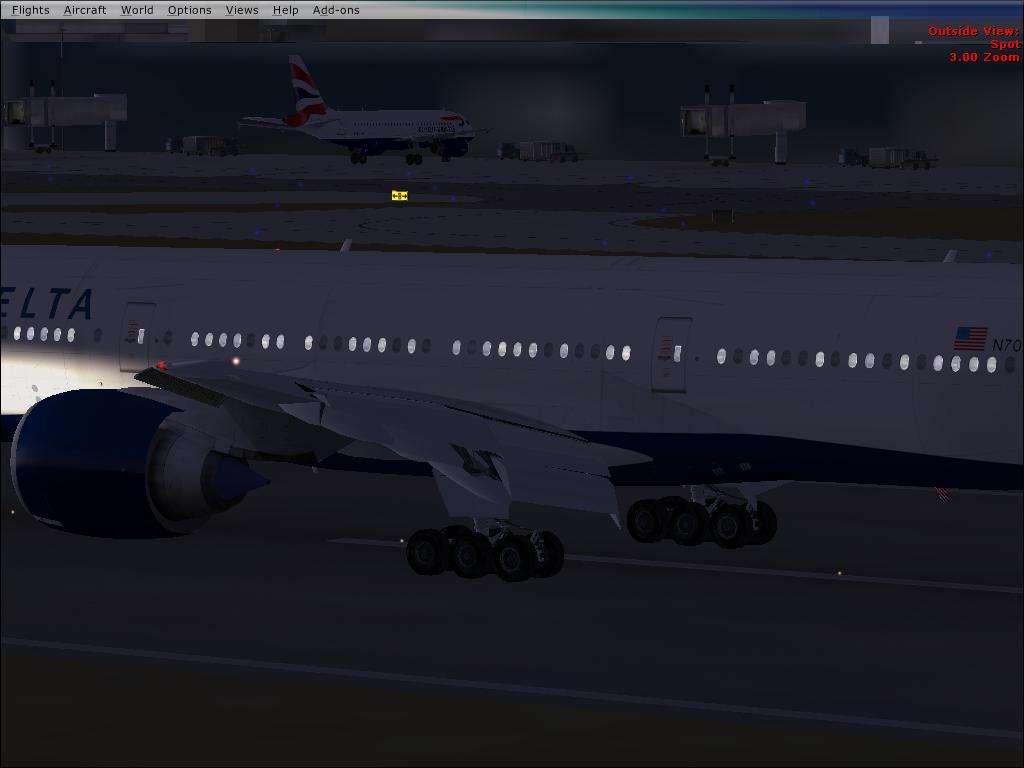
when i'm using my 777-200 with the VC, i have some problems with my scenery textures. everytime it doesnt load properly. it must be a problem with the 777-300.gau or something cuz it happens only when i'm using the 777-200. [both, i have the LR from delta, and ER from BA]. I tryied to reduce the scenery settings but it didnt work as well.
Image

LOOK THE TERMINAL BUILDING

Image

Scenery

Image

How the scenery suppoused to look like. same loaded flight, same time but another aircraft (with light problems as youcan see
Last edited by LuisCurtolo on Thu Sep 18, 2008 9:03 pm, edited 1 time in total.
LuisCurtolo
Ground hog
Ground hog
 
Posts: 7
Joined: Thu Sep 18, 2008 8:14 pm

PreviousNext

Return to Flight Simulator X (FSX) and Steam

Who is online

Users browsing this forum: Major Blackstone and 453 guests