Stutters, Stutters and Microstutters...

FSX including FSX Steam version.

Re: Stutters, Stutters and Microstutters...

Postby SubZer0 » Tue Mar 10, 2009 11:51 am

I'm running one monitor. When I run the GPS or other 'docked' windows, my FPS stays where it should be. However, when I open up the Kneeboard (SHIFT + F10) my FPS does drop by literally half. Don't know why that may be, but it's not a problem as I rarely use the kneeboard.
[center][img]http://www.simviation.com/phpupload/uploads/1369006030.jpg[/img][/center]
User avatar
SubZer0
Major
Major
 
Posts: 3722
Joined: Fri May 04, 2007 9:29 pm
Location: KLNA

Re: Stutters, Stutters and Microstutters...

Postby Ospreyluvr » Tue Mar 10, 2009 12:19 pm

So, people are having problems with more than one monitor? Well, that rules out the use for me. I am running dual monitors and run many instruments in my second monitor. So, oh well! ;)
User avatar
Ospreyluvr
2nd Lieutenant
2nd Lieutenant
 
Posts: 93
Joined: Tue Feb 17, 2009 10:42 am
Location: Virginia

Re: Stutters, Stutters and Microstutters...

Postby NickN » Tue Mar 10, 2009 1:14 pm

The primary goal of this application is to smooth out flight

Regardless of what one sees in the frame counter in the way of a spike here and there, if flight is smoother and the frame counter spends most of its time around the locked frame mark then its working

If flight isn't smoother or the same as before the app was used then the system is either not tuned correctly, overtaxed to begin with, had enough overhead to begin with (i7) or for some reason the app is not working. There appears to be Vista and multi monitor issues with this. Neither I have answers for at this time.

If the user does not see any difference in smooth flight there is no reason to use this app.

XP/Vista and multi-monitor amy present issues.. They had problems with MM when Vista first came out and it took them quite a while to issue a OS update for it

Those seeing 1/2 frame rates with MM running.. try setting frame rate limiter BAT frame lock to 50 or 60 instead however that sort of defeats the purpose.. try it and see if it helps

This may not work with MM because of how FSX addresses the frame buffer. Those with MM systems should chime in and let people know their results and how they may have overcome any issues
User avatar
NickN
Lieutenant Colonel
Lieutenant Colonel
 
Posts: 6317
Joined: Mon Sep 05, 2005 12:57 pm

Re: Stutters, Stutters and Microstutters...

Postby Traffic Pilot » Wed Mar 11, 2009 12:01 pm

Brilliant little addon!

Works very well for me. It also got rid of the stuttering I was getting with the RealAir SF260 :)

Going to try it with the FPS hogging CS 757 tonight :-?

Adam
G-UFCF
User avatar
Traffic Pilot
Ground hog
Ground hog
 
Posts: 6
Joined: Fri Sep 09, 2005 6:10 am
Location: Kidlington, Oxford, UK

Re: Stutters, Stutters and Microstutters...

Postby jwenham » Wed Mar 11, 2009 4:30 pm


The primary goal of this application is to smooth out flight

Regardless of what one sees in the frame counter in the way of a spike here and there, if flight is smoother and the frame counter spends most of its time around the locked frame mark then its working

If flight isn't smoother or the same as before the app was used then the system is either not tuned correctly, overtaxed to begin with, had enough overhead to begin with (i7) or for some reason the app is not working. There appears to be Vista and multi monitor issues with this. Neither I have answers for at this time.

If the user does not see any difference in smooth flight there is no reason to use this app.

XP/Vista and multi-monitor amy present issues.. They had problems with MM when Vista first came out and it took them quite a while to issue a OS update for it

Those seeing 1/2 frame rates with MM running.. try setting frame rate limiter BAT frame lock to 50 or 60 instead however that sort of defeats the purpose.. try it and see if it helps

This may not work with MM because of how FSX addresses the frame buffer. Those with MM systems should chime in and let people know their results and how they may have overcome any issues
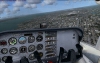


After reading this I decided to go and retune my system as I did notice a big improvement using the FPS limiter especially with the Level D 767 but with the lesser demanding aircraft the performance stuttered more. All sliders for terrain stayed the same, which was max for all except 2x low water and 7 texture res. What helped me the most while using the limiter was setting scenery complexity to Very Dense from Max and setting Autogen to Very Dense from Dense. I set my AI at 35 (using Ultimate Traffic with exit data edit) and Airport vehicles to medium from low. I have cars at 8 and boats at 20. TBM is at 80 and have no bufferpool in CFG. With those settings and using the limiter the test in the cesna was perfect with no stutter at all and was probably the best I have ever seen FSX run on my i7. Flying the default barron and 747 were great as well. This time while re tunning I did not look at the FPS counter at all and went stricktly by visuals and smoothness. Bottom line is that if your stutters are worse using the limiter I would say to you to go back and re tune while using the limiter. I am going to play around with the bufferpool again and see if it adds any benefit. Two thumbs up for me on this one! :)
Intel i7 940 2.93 clocked to 4.0ghz Asus P6T Deluxe 6gb OCZ 1600 8-8-8-24 EVGA GTX 260 Superclocked Edition Thermalright 120 CPU Cooler Power PC & Cooling 750w PSU 1 tb Seagate Barracuda HD 500 gb Seagate Barracude HD 22" Viewsonic Widescreen Tra
User avatar
jwenham
2nd Lieutenant
2nd Lieutenant
 
Posts: 266
Joined: Sat Jan 03, 2009 12:40 pm

Re: Stutters, Stutters and Microstutters...

Postby Selkan » Sat Mar 14, 2009 11:08 am

Hi Nick, what a GEM, works well for me; one for the Book perhaps?!

Just one question please:  I have created a BAT Short Cut on my Desk Top, and can of course start FSX from here.  I have read your post on turning this BAT Short Cut to look like the FSX Short Cut.  I know of course how to simply delete the FSX Short Cut, but not quite sure how to change the BAT Short Cut to look like the original FSX Short Cut. (I know it is only cosmetic really, but would look better)

I am sure it is quite simple, but could you give a step by step for doing this?

Many thanks, Steven
Selkan
Ground hog
Ground hog
 
Posts: 10
Joined: Fri Sep 12, 2008 7:02 am

Re: Stutters, Stutters and Microstutters...

Postby jwenham » Sat Mar 14, 2009 11:16 am

[quote]Hi Nick, what a GEM, works well for me; one for the Book perhaps?!

Just one question please:
Intel i7 940 2.93 clocked to 4.0ghz Asus P6T Deluxe 6gb OCZ 1600 8-8-8-24 EVGA GTX 260 Superclocked Edition Thermalright 120 CPU Cooler Power PC & Cooling 750w PSU 1 tb Seagate Barracuda HD 500 gb Seagate Barracude HD 22" Viewsonic Widescreen Tra
User avatar
jwenham
2nd Lieutenant
2nd Lieutenant
 
Posts: 266
Joined: Sat Jan 03, 2009 12:40 pm

Re: Stutters, Stutters and Microstutters...

Postby Selkan » Sat Mar 14, 2009 3:54 pm

Hi Jwenham, many thanks for response.  Will give it a go tomorrow.
Thanks, Steven
Selkan
Ground hog
Ground hog
 
Posts: 10
Joined: Fri Sep 12, 2008 7:02 am

Re: Stutters, Stutters and Microstutters...

Postby Excalibur372 » Sat Mar 14, 2009 6:41 pm

I'm sorry, but can you give those instructions from the top a little less detailed?
lifes a beach.
not.
User avatar
Excalibur372
2nd Lieutenant
2nd Lieutenant
 
Posts: 173
Joined: Tue Feb 03, 2009 6:52 pm
Location: Baton Rouge, Louisiana KBTR

Re: Stutters, Stutters and Microstutters...

Postby grizzard » Sat Mar 14, 2009 8:02 pm

SimMaster,
Intel i7 920 @ 4 Ghz- Thermalright Ultra-120 Extreme Fan - MSI X58 Platinum- MSI Geforce 285 GTX 1 GB - 6 GB OCZ 1600 DDR3 1600 - WD VelociRaptor 300 GB - OCZ 700 Watt GameXstream - Samsung SyncMaster 2493 HM - Vista Home Premium
User avatar
grizzard
2nd Lieutenant
2nd Lieutenant
 
Posts: 241
Joined: Sun Mar 09, 2008 7:17 pm
Location: Rio Tinto

Re: Stutters, Stutters and Microstutters...    a fix

Postby Brett Hill 2 » Fri Mar 27, 2009 5:57 am

I am trying to 'run' this .jar file to install it and all it wants to do all the time is unrar it, once I have unrar'ed the file I downloaded, what exactly am I meant to do?
Brett Hill 2
2nd Lieutenant
2nd Lieutenant
 
Posts: 218
Joined: Sat May 17, 2008 7:52 pm

Re: Stutters, Stutters and Microstutters...

Postby Plugpennyshadow » Sun Mar 29, 2009 10:57 am

Using the FPS Limiter Application, I just get a DOS box that pops up for a split second and vanishes.  No control panel or the like comes up.  Am I DOING IT WRONG as the saying goes?
Plugpennyshadow
2nd Lieutenant
2nd Lieutenant
 
Posts: 274
Joined: Sat Mar 15, 2008 1:56 pm

Re: Stutters, Stutters and Microstutters...

Postby Plugpennyshadow » Sun Mar 29, 2009 11:01 am

Never mind, I got it to work.  The application required me to "actually" double-click.  I have my system set up to single click everything.  Had me stumped for a sec.
Plugpennyshadow
2nd Lieutenant
2nd Lieutenant
 
Posts: 274
Joined: Sat Mar 15, 2008 1:56 pm

Re: Stutters, Stutters and Microstutters...

Postby falconrae » Sat May 23, 2009 5:48 pm

Using i7 940 unclocked and noticing a small improvement in smoothness
falconrae
Ground hog
Ground hog
 
Posts: 1
Joined: Sat May 23, 2009 5:54 pm

Re: Stutters, Stutters and Microstutters...

Postby TerryW » Sun May 24, 2009 5:38 am

Thanks, NickN for providing information and links for this tool. I installed and set everything up as suggested, and the result for me is really good.

I use FSX Deluxe/Accel, Vista HP 32, Q6600 stock, 8800 GTS, 4gb ram and Antec TriPower 650W. I set in-game fps at unlimited, exited and ran the tool, but set the fps at 20 rather than 30 (I don't mind a stutter-free 20 fps!).

Tested with POSKY 772 (non-vc), but with quite complex 2d panel, SCCI to SAWH with add-on mesh, land class and airport scenerys, real weather, scenery at dense, autogen at normal and water at high 2x...most other settings are high to very high except road and water traffic (off). I have done that flight many times, but the usual hitches and stutters were gone....couple of minor ones making a right turn onto final at Ushuaia, but a very pleasurable experience. Off now to try the Carenado 206 around Vancouver....that'll be a good test!

Wanted to share my experience with my set-up so that those with a similar set-up can compare.

Thanks again Nick....all the best,
Terry
TerryW
Ground hog
Ground hog
 
Posts: 47
Joined: Sun Nov 02, 2003 6:25 am

Previous

Return to Flight Simulator X (FSX) and Steam

Who is online

Users browsing this forum: No registered users and 315 guests