The new "damage" and "wear" mod !

FSX including FSX Steam version.

The new "damage" and "wear" mod !

Postby Daube » Tue Feb 21, 2012 5:20 pm

Hi all,

I just realized that this new mod has not been presented in the SimV forums yet, although it has been uploaded to the SimV library recently (in FSX > Props).
http://simviation.com/1/search?submit=1 ... ki&x=0&y=0
This mod might be one of the best freeware mods ever made for FSX, so I'm sure it will get your attention ;)


So what is it ?


A guy nammed Ismail Hakki Guzel (I hope I spelled right) has created some days ago a set of gauges, comparable to the RealEngine gauges for those who knew them, for the Carenado V-35. The purpose of these gauges is to analyze your flight and determine the actual wear that some elements of the plane might suffer accordingly. Of course, this concerns the engine, but not only. Stuff like the brakes, the gears mecanisms, the flaps and the pitot heat are also handled. Eventually, if you make critical mistakes while flying, the wear will result in damage and failures, leading to unusable elements.


There are two extremely cool feature that make this mod "special":
- a popup 2D panel that shows a list of elements statuses, with the possibility to repair them with a single click

User avatar
Daube
Lieutenant Colonel
Lieutenant Colonel
 
Posts: 6611
Joined: Wed Oct 05, 2005 8:34 am
Location: Nice (FR)

Re: The new "damage" and "wear" mod !

Postby andy190 » Tue Feb 21, 2012 5:35 pm

Very interesting. I have just downloaded it & am about to test it.
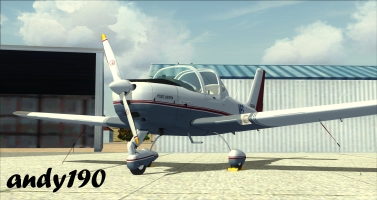
Image

Intel Core i5-2310 CPU @ 2.90GHz, 6GB RAM, AMD Radeon HD 6450, Windows 7 Professional 64 bit, Logitech Extreme 3D Pro
User avatar
andy190
Major
Major
 
Posts: 1376
Joined: Wed Nov 16, 2011 3:16 am
Location: Havelock North, NZ

Re: The new "damage" and "wear" mod !

Postby Daube » Tue Feb 21, 2012 5:50 pm

I made a very short flight, and managed to successfully destroy my flaps  :D
User avatar
Daube
Lieutenant Colonel
Lieutenant Colonel
 
Posts: 6611
Joined: Wed Oct 05, 2005 8:34 am
Location: Nice (FR)

Re: The new "damage" and "wear" mod !

Postby CHUCK79 » Tue Feb 21, 2012 5:55 pm

[quote]I made a very short flight, and managed to successfully destroy my flaps
User avatar
CHUCK79
Global Moderator
Global Moderator
 
Posts: 6168
Joined: Fri Mar 26, 2010 10:13 am
Location: KOMK

Re: The new "damage" and "wear" mod !

Postby andy190 » Tue Feb 21, 2012 6:10 pm

Yes Chuck the parts stop working when they break.

I did a short flight & managed to ruin the flaps, brakes & Sounds Air's reputation.

Also Daube could the Carenado V35B Damage Mod be adapted to Brett Henderson's V35?
Image

Intel Core i5-2310 CPU @ 2.90GHz, 6GB RAM, AMD Radeon HD 6450, Windows 7 Professional 64 bit, Logitech Extreme 3D Pro
User avatar
andy190
Major
Major
 
Posts: 1376
Joined: Wed Nov 16, 2011 3:16 am
Location: Havelock North, NZ

Re: The new "damage" and "wear" mod !

Postby Daube » Tue Feb 21, 2012 6:14 pm

Of course Chuck ! That's the whole point of the module: to make you afraid of doing anything wrong with your plane ! Because you will not only hear (yes, there are specific sounds included), but also FEEL what's going on.

I deployed the flaps at more than 100 knots. The flaps started to deploy, then I heard "bang!" and the flaps went quickly back to initial position... and I could not deploy them anymore, leading to a slightly faster landing :)

The wear of the brakes is also simulated. Use them too much and one day the fence at the end of the runway will be the only way to stop your plane upon landing  ;D
User avatar
Daube
Lieutenant Colonel
Lieutenant Colonel
 
Posts: 6611
Joined: Wed Oct 05, 2005 8:34 am
Location: Nice (FR)

Re: The new "damage" and "wear" mod !

Postby Daube » Tue Feb 21, 2012 6:16 pm

Yes
Also Daube could the Carenado V35B Damage Mod be adapted to Brett Henderson's V35?

Surely, but not completely.
As stated in the readme, some effects are linked to some of the Carenado V-35 features, for example the Pitot Damage (not pitot heat) when you don't put the pitot protections on ground.

I'm sure it's worth a try :) You'll have to take a close look into the panel.cfg to transfer the gauges correctly to the panel.cfg of Brett's V-35. Since the VCs and gauges are not the same than the Carenado V-35, you will not be able to simply tranfert the mod without any modifications.
Last edited by Daube on Tue Feb 21, 2012 6:17 pm, edited 1 time in total.
User avatar
Daube
Lieutenant Colonel
Lieutenant Colonel
 
Posts: 6611
Joined: Wed Oct 05, 2005 8:34 am
Location: Nice (FR)

Re: The new "damage" and "wear" mod !

Postby RickG » Tue Feb 21, 2012 7:48 pm

I dl'd this earlier, but got kinda confused on the install. The read me says to just copy the 4 folders  (effects, gauges, sim objs, and sound) into fsx. Surely you don't replace the existing folders, right? Just copy the contents of his 4 folders into the apprpriate fsx folders?
Win7 Home Premium X64, Sabertooth Z77 mobo, i7 3770K@3.5 ghz, 8gb ram, Samsung 840PRO SSD,& WD hdd's
RickG
2nd Lieutenant
2nd Lieutenant
 
Posts: 246
Joined: Sun Jun 10, 2007 11:42 am

Re: The new "damage" and "wear" mod !

Postby Daube » Wed Feb 22, 2012 5:06 am

Yes, you copy the content.
But in fact, if you just drag and drop everything in the main FSX folder, the result will be the same. You'll get some popus from Windows asking you if you want to merge the contents of the folders with identical names, and then you'll get other popups asking you if you really want to overwritte the files in these folders.

One aditionnal info that is not indicated in the readme: there is a file nammed "copy-paste to aircraft.cfg" or something like that. DO NOT REPLACE THE CONTENT OF YOUR AIRCRAFT.CFG WITH THE CONTENT OF THIS FILE ! The content of this file is incomplete: the aircraft variants definitions are missing (all the [flightsim.x] sections). The author has surely done this not to overwrite all the repaints that you declared, which is nice from him. But he should have included additionnal, more detailled instructions to explain to the unexperienced users what to do exactely with his file.

But there is a very good advise in the readme: create a backup of the whole C172 folder first ;) I could get my original aircraft.cfg in this way, and copied the variant declarations back into the altered file.
Last edited by Daube on Wed Feb 22, 2012 5:08 am, edited 1 time in total.
User avatar
Daube
Lieutenant Colonel
Lieutenant Colonel
 
Posts: 6611
Joined: Wed Oct 05, 2005 8:34 am
Location: Nice (FR)

Re: The new "damage" and "wear" mod !

Postby Brett_Henderson » Wed Feb 22, 2012 8:23 am

Interesting !  :)
Brett_Henderson
Major
Major
 
Posts: 3403
Joined: Fri Oct 08, 2004 7:09 am

Re: The new "damage" and "wear" mod !

Postby RickG » Wed Feb 22, 2012 11:03 am

Thanks Daube. I was pretty sure it was just the contents part, but just wanted to check.
Win7 Home Premium X64, Sabertooth Z77 mobo, i7 3770K@3.5 ghz, 8gb ram, Samsung 840PRO SSD,& WD hdd's
RickG
2nd Lieutenant
2nd Lieutenant
 
Posts: 246
Joined: Sun Jun 10, 2007 11:42 am

Re: The new "damage" and "wear" mod !

Postby Daube » Wed Feb 22, 2012 1:30 pm

For information, the mod for the default Baron has been uploaded to the SimV library today :)
User avatar
Daube
Lieutenant Colonel
Lieutenant Colonel
 
Posts: 6611
Joined: Wed Oct 05, 2005 8:34 am
Location: Nice (FR)

Re: The new "damage" and "wear" mod !

Postby Brett_Henderson » Wed Feb 22, 2012 2:14 pm

Hats-off, and many thanks to the developer !

The great potential here, is the "accumulated" wear..

I've yet to use it, but I'm poking around inside the XML files.. and if this discussion allows constructive input, I'll offer some.

I see where engine-wear can be triggered by excessive RPM, and extented use of throttle above 80%...
Last edited by Brett_Henderson on Wed Feb 22, 2012 2:23 pm, edited 1 time in total.
Brett_Henderson
Major
Major
 
Posts: 3403
Joined: Fri Oct 08, 2004 7:09 am

Re: The new "damage" and "wear" mod !

Postby RickG » Thu Feb 23, 2012 12:08 pm

Well, I can't seem to get it to work, dang it! Could anyone give me a bit of an explanation as to exactly where everything goes?  The effects and gauges folder contents I have put in their respective folders in FSX, but I must be messing up with the sim objects and sound one. Hope someone can help dopey ole me lol.
Win7 Home Premium X64, Sabertooth Z77 mobo, i7 3770K@3.5 ghz, 8gb ram, Samsung 840PRO SSD,& WD hdd's
RickG
2nd Lieutenant
2nd Lieutenant
 
Posts: 246
Joined: Sun Jun 10, 2007 11:42 am

Re: The new "damage" and "wear" mod !

Postby Daube » Thu Feb 23, 2012 4:58 pm

Just copy paste everything in the right place. The folder structure says it all. What is in Gauges goes in Gauges, what is in Effects goes in Effect, etc...
Just ensure, ENSURE you create a backup copy of the plane folders (C172, Beech_Baron_58) before overwritting anything in them. Once your backup copies are in a safe place, then you can move the damage mod file and overwritte the original files with them.
User avatar
Daube
Lieutenant Colonel
Lieutenant Colonel
 
Posts: 6611
Joined: Wed Oct 05, 2005 8:34 am
Location: Nice (FR)

Next

Return to Flight Simulator X (FSX) and Steam

Who is online

Users browsing this forum: No registered users and 983 guests