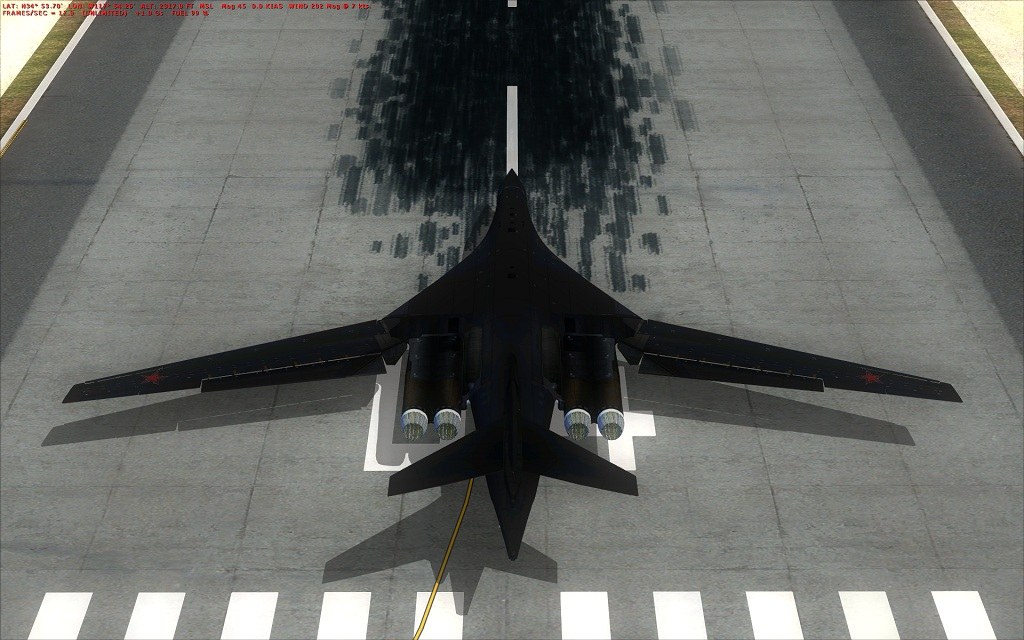
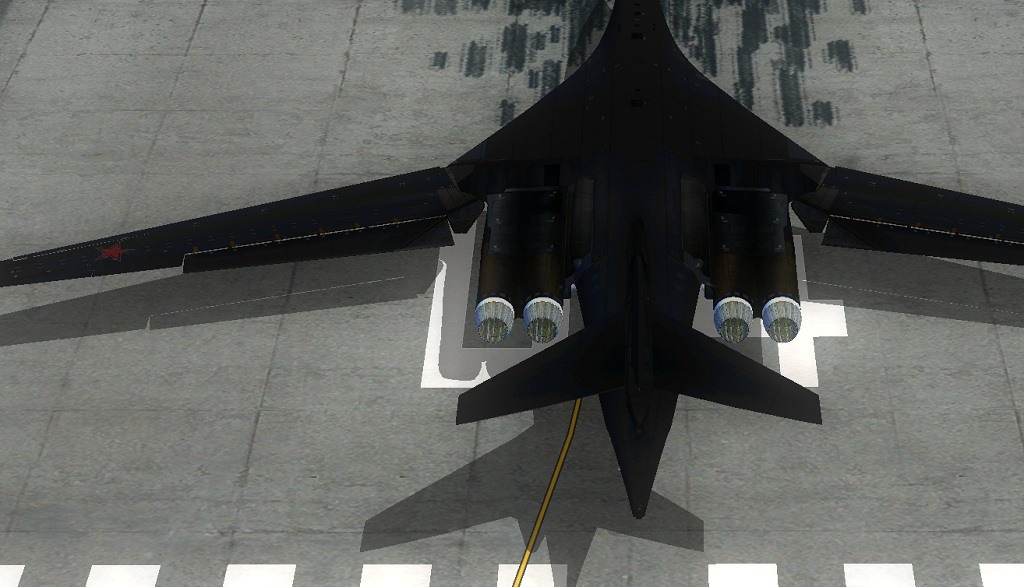
OHH NO...WHY ARE THE JAGGIES BACK?!?

FSX including FSX Steam version.

OHH NO...WHY ARE THE JAGGIES BACK?!?

Postby XxRazgrizxX » Wed Sep 15, 2010 9:24 pm

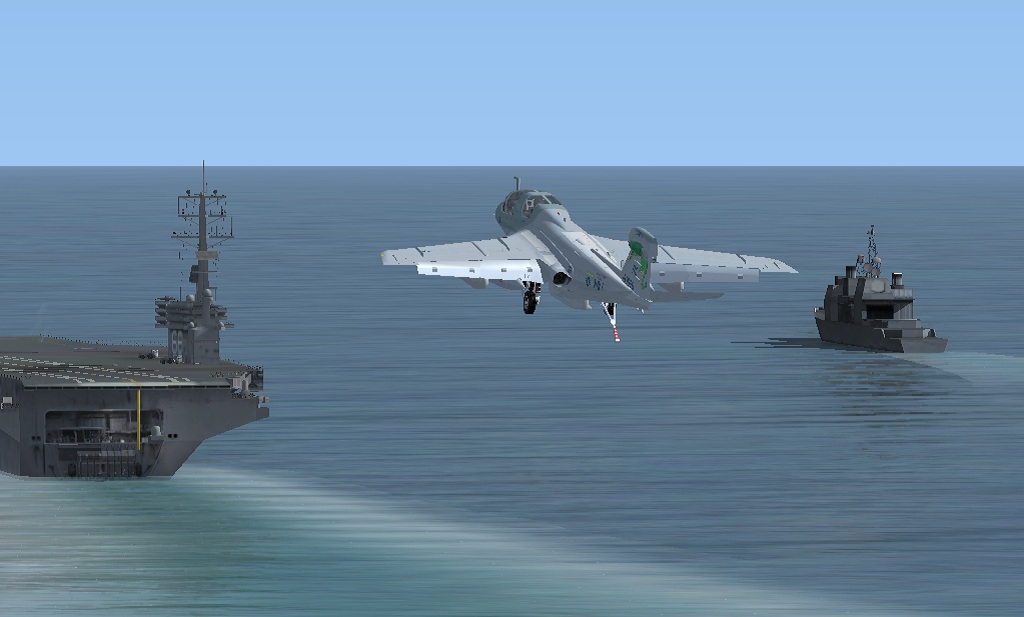
I havent had problems with this in over 2 years and now all of a sudden theyre back...im not sure what the problem is though...

all the fsx settings are full and the video cards settings havent changed and yet the jaggies wont go away...
Image

[media]http://www.youtube.com/watch?v=pQB7v8tNMJY[/media]

for larger view look at it on youtube
http://www.youtube.com/watch?v=pQB7v8tNMJY

please dont move this to the videos section...

If any of you guys have any questions about my system or fsx please ask and if you can help me out ide really appreciate it...

system specs are in the signature image
Last edited by XxRazgrizxX on Wed Sep 15, 2010 9:43 pm, edited 1 time in total.
Image
Image

http://www.youtube.com/user/Razgriz100000
User avatar
XxRazgrizxX
1st Lieutenant
1st Lieutenant
 
Posts: 372
Joined: Thu Oct 09, 2008 9:13 pm
Location: KPTK --- Clarkston, MI

Re: OHH NO...WHY ARE THE JAGGIES BACK?!?

Postby XxRazgrizxX » Wed Sep 15, 2010 11:25 pm

*UPDATE*

I like running fsx in windowed mode but just to see what happened, i put fsx in fullscreen mode and it works perfectly, absolutely no jaggies what so ever but when in windowed mode theyre everywhere and ive never had a problem with windowed mode...

*Full Screen*
Image


*Windowed*
Image
Image
Image

http://www.youtube.com/user/Razgriz100000
User avatar
XxRazgrizxX
1st Lieutenant
1st Lieutenant
 
Posts: 372
Joined: Thu Oct 09, 2008 9:13 pm
Location: KPTK --- Clarkston, MI

Re: OHH NO...WHY ARE THE JAGGIES BACK?!?

Postby deetee » Tue Sep 21, 2010 1:48 pm

My first post here, but just a thought - I had the same thing this weekend. Turns out it was caused by the 10-8 ATI Catalyst drivers for my HD5870. Went back to the 10-7 drivers and got back the anti-aliasing in windowed mode. ::)

Hope that helps. :)
Dave.
deetee
Ground hog
Ground hog
 
Posts: 2
Joined: Tue Sep 21, 2010 2:40 pm

Re: OHH NO...WHY ARE THE JAGGIES BACK?!?

Postby XxRazgrizxX » Tue Sep 21, 2010 6:57 pm

My first post here, but just a thought - I had the same thing this weekend. Turns out it was caused by the 10-8 ATI Catalyst drivers for my HD5870. Went back to the 10-7 drivers and got back the anti-aliasing in windowed mode. ::)

Hope that helps. :)
Dave.


that would make sense cuz it was right after i updated my drivers....i know this is kind of a noobish question but how do you backtrack your drivers?....im a noob when it comes to this stuff
Last edited by XxRazgrizxX on Tue Sep 21, 2010 6:59 pm, edited 1 time in total.
Image
Image

http://www.youtube.com/user/Razgriz100000
User avatar
XxRazgrizxX
1st Lieutenant
1st Lieutenant
 
Posts: 372
Joined: Thu Oct 09, 2008 9:13 pm
Location: KPTK --- Clarkston, MI

Re: OHH NO...WHY ARE THE JAGGIES BACK?!?

Postby B_7772 » Tue Sep 21, 2010 8:48 pm

how do you backtrack your drivers?

This is for Vista, might be different for XP or 7.

> Go to Control Panel
> Switch to Classic View
> Open Device Manager
> Click Display adapters, then your card name
> Go to the Driver tab and you should see Roll Back Driver
B_7772
 

Re: OHH NO...WHY ARE THE JAGGIES BACK?!?

Postby XxRazgrizxX » Tue Sep 21, 2010 11:37 pm

Turns out it was caused by the 10-8 ATI Catalyst drivers for my HD5870. Went back to the 10-7 drivers and got back the anti-aliasing in windowed mode. ::)
Dave.


It may be your first post but your first post was my most helpful yet ever on simviation...i thought i would never get to fly windowed again

and thanks to mig for tellin me how to roll back...im slowly learning...kinda  ::)
Image
Image

http://www.youtube.com/user/Razgriz100000
User avatar
XxRazgrizxX
1st Lieutenant
1st Lieutenant
 
Posts: 372
Joined: Thu Oct 09, 2008 9:13 pm
Location: KPTK --- Clarkston, MI

Re: OHH NO...WHY ARE THE JAGGIES BACK?!?

Postby deetee » Tue Sep 21, 2010 11:47 pm

Hi again, I would recommend this way...

1. Find or redownload the ATI Catalyst 10-7 drivers for your graphics card and OS from the ATI web site.
2. Download and install a tool from Guru3D.com called Driver Sweeper.
3. Uninstall all the ATI Catalyst software from the Windows control panel (do not restart yet)
4. Use Driver Sweeper to clean the remaining ATI display driver files and reboot when prompted.
5. Install the 10-7 Catalyst drivers and reboot when prompted.
6. Configure Catalyst settings as required and you're done!

Using the above method ensures that all the unwanted ATI software is cleaned from the system.
deetee
Ground hog
Ground hog
 
Posts: 2
Joined: Tue Sep 21, 2010 2:40 pm

Re: OHH NO...WHY ARE THE JAGGIES BACK?!?

Postby XxRazgrizxX » Tue Sep 21, 2010 11:54 pm

Hi again, I would recommend this way...

1. Find or redownload the ATI Catalyst 10-7 drivers for your graphics card and OS from the ATI web site.
2. Download and install a tool from Guru3D.com called Driver Sweeper.
3. Uninstall all the ATI Catalyst software from the Windows control panel (do not restart yet)
4. Use Driver Sweeper to clean the remaining ATI display driver files and reboot when prompted.
5. Install the 10-7 Catalyst drivers and reboot when prompted.
6. Configure Catalyst settings as required and you're done!

Using the above method ensures that all the unwanted ATI software is cleaned from the system.

will definitely do that
Image
Image

http://www.youtube.com/user/Razgriz100000
User avatar
XxRazgrizxX
1st Lieutenant
1st Lieutenant
 
Posts: 372
Joined: Thu Oct 09, 2008 9:13 pm
Location: KPTK --- Clarkston, MI

Re: OHH NO...WHY ARE THE JAGGIES BACK?!?

Postby garryrussell » Wed Sep 22, 2010 2:21 am

I don't know if this applies equally to FS.X but in FS.9, there is alway that old question as to wether you should have AA turned on the card or in the game.

On my system, if I have it on at the card all is fine, but if I turn it on in the game only then I have smooth full screen and jaggies on windowed mode.
Last edited by garryrussell on Wed Sep 22, 2010 4:36 am, edited 1 time in total.
garryrussell
Captain
Captain
 
Posts: 706
Joined: Sat Mar 22, 2008 10:58 am

Re: OHH NO...WHY ARE THE JAGGIES BACK?!?

Postby EVVFCX » Wed Sep 22, 2010 7:54 am

hi,

not sure if fsx is the same but in fs9 the resolution in windows mode may not be the the same as in full screen.

In windows mode your screens will take the resolution/monitor settings that you can do via the desktop properties of via control panel monitor properties.
In other words it will ignore the resolutions you set withing the FS.

I hate updating the drivers as the last time I let windows update do it automatically it screwed up.

regards

Steve
May the Mynd be with you.
So far my number of landings either passenger or pilot equal my number of takeoffs.

FSX Gold Acc, P3D V4, FS2020
User avatar
EVVFCX
Captain
Captain
 
Posts: 751
Joined: Tue Nov 27, 2007 8:32 am
Location: Pontefract, West Yorkshire

Re: OHH NO...WHY ARE THE JAGGIES BACK?!?

Postby garryrussell » Wed Sep 22, 2010 8:46 am

Hi Steve

That might be my prob :-/

As to updating drivers.I don't think I've ever updated one and not had to crawl back to the one I already had.....like with  you.....it's something I try to avoid. :(
garryrussell
Captain
Captain
 
Posts: 706
Joined: Sat Mar 22, 2008 10:58 am


Return to Flight Simulator X (FSX) and Steam

Who is online

Users browsing this forum: No registered users and 642 guests