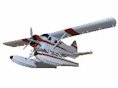
Aero Commander - Texture problems

FSX including FSX Steam version.

Aero Commander - Texture problems

Postby jon157uk » Wed Dec 31, 2014 5:54 am

Guys, I'm having trouble getting my Aero Commander range to show up properly in FSX and if anyone knows how to sort them out I'd grateful to hear from you.
These aircraft were working perfectly and were actually one of my favourite ever planes. I uninstalled FSX around a year ago because I grew tired of it not running right most of the time, I've now bought and installed the Steam version, I'm not sure if that's my problem here or not but everything else I've added seems to work fine.

This is what I'm seeing.......
Image
upload image online
User avatar
jon157uk
2nd Lieutenant
2nd Lieutenant
 
Posts: 52
Joined: Thu Sep 01, 2011 12:32 pm

Re: Aero Commander - Texture problems

Postby jcj78 » Wed Dec 31, 2014 6:52 am

make sure DX10 is off in your display settings or that you have some converter. I'm pretty sure those are DX9 only.
--
I am quite sure now that often, very often, in matters concerning religion and politics, that a man's reasoning powers are not above a monkey's. - Mark Twain
jcj78
2nd Lieutenant
2nd Lieutenant
 
Posts: 180
Joined: Wed Apr 23, 2014 9:05 pm
Location: Lincoln, TN

Re: Aero Commander - Texture problems

Postby jon157uk » Wed Dec 31, 2014 11:10 am

jcj78 wrote:make sure DX10 is off in your display settings or that you have some converter. I'm pretty sure those are DX9 only.

I've tried them with DX10 disabled jc, they do have some texture that way but they look really weird, all the surfaces are really bright and you can hardly see any detail.
User avatar
jon157uk
2nd Lieutenant
2nd Lieutenant
 
Posts: 52
Joined: Thu Sep 01, 2011 12:32 pm

Re: Aero Commander - Texture problems

Postby jcj78 » Wed Dec 31, 2014 12:06 pm

This the model you're inquiring about? I can't tell if you've got the 520 or the 680. Im pretty sure the 680 is fs2004 only, that last time i tried it in FSX Acceleration, it had some issues.

Image

This is in my FSX-SE install. When I first loaded up SE and went to select the airplane in my menu, there were no 'Aero Design' manufactured models displaying. I went back and copied the 'ac520v3' folder from my FSX install, pasted over the one that wasn't working, reloaded the aircraft menu, and it appeared. IDK what was missing. I don't remember intentionally disabling that airplane, but it might be a c&p error, or just an error on my part.
--
I am quite sure now that often, very often, in matters concerning religion and politics, that a man's reasoning powers are not above a monkey's. - Mark Twain
jcj78
2nd Lieutenant
2nd Lieutenant
 
Posts: 180
Joined: Wed Apr 23, 2014 9:05 pm
Location: Lincoln, TN

Re: Aero Commander - Texture problems

Postby jcj78 » Wed Dec 31, 2014 1:41 pm

well, I downloaded and installed the 680, which is FS9 only. http://simviation.com/1/download-file?file=ac680vc9.zip&fileId=13485. I went ahead and installed it to SE and ran it to see what would happen, and the textures displayed correctly, excepting the FS9 prop textures and maybe some alpha channel weirdness.

Image
--
I am quite sure now that often, very often, in matters concerning religion and politics, that a man's reasoning powers are not above a monkey's. - Mark Twain
jcj78
2nd Lieutenant
2nd Lieutenant
 
Posts: 180
Joined: Wed Apr 23, 2014 9:05 pm
Location: Lincoln, TN

Re: Aero Commander - Texture problems

Postby jon157uk » Thu Jan 01, 2015 7:14 am

Thanks jc..... I have the full range from AC50 to AC68 and my problem effects all of them, I can't get any textures or details to show what so ever unless I disable DR x10, I've also tried re-skinning some in 'FSRepaint' but still get the same.
If I uncheck x10, lens flare, light bloom and Advanced animations I get something like this....and that's the best it will do so far.
AC 50 preview in fsrepaint...
Image
free image hosting
Image
image hosting above 5 mb

Appearance in FSX....
Image
image hosting 12mb
Image
screencast
User avatar
jon157uk
2nd Lieutenant
2nd Lieutenant
 
Posts: 52
Joined: Thu Sep 01, 2011 12:32 pm

Re: Aero Commander - Texture problems

Postby jon157uk » Sat Jan 03, 2015 11:50 am

Just to update.....
I've now got all the Aero Commander range working in FSX_SE to an acceptable level, apart from the animated prop, this shows as it does in your screenshot, I've removed the prop .dds, it looks better flying around with no props showing than it does with the two big white discs.
User avatar
jon157uk
2nd Lieutenant
2nd Lieutenant
 
Posts: 52
Joined: Thu Sep 01, 2011 12:32 pm

Re: Aero Commander - Texture problems

Postby Jetranger » Sat Jan 03, 2015 12:43 pm

Interesting, I've got Milton Shupes AC 500's and they show up fine in FSX Gold / Acceleration, tho I had to swap Spin Prop Textures.

And I've got a full range of the "Veneaviones Group" Turbo Commander 690B's , that Display really good, believe I re-worked the Spin Prop Textures on those too.

Can't imagine why your having problems really ???

interesting,, tho, settings or something on your end maybe ????

if ya ever figure it out, pass the info on, so we'll know and have a better idea,,,,,

Heres 2 of my Videos of some commanders, if ya wanna see my Prop Textures in FSX Gold/ Acceleration - windows 7 / 64 bit machine with a XFX 6950 Video Graphics card.


[youtube]http://www.youtube.com/watch?v=GTvayOi-lus[/youtube]


[youtube]http://www.youtube.com/watch?v=r7_LK_aTqvs[/youtube]
User avatar
Jetranger
Major
Major
 
Posts: 3232
Joined: Fri Sep 30, 2011 2:49 am
Location: Kansas City Missouri USA / KMKC

Re: Aero Commander - Texture problems

Postby jcj78 » Sat Jan 03, 2015 2:03 pm

yeah if you like the Commander you should def check out the Turbo Commander 690.
http://simviation.com/1/search?submit=1 ... sage=saved

I fixed the glass
http://simviation.com/1/search?submit=1 ... p&x=24&y=7

Jet Ranger fixed the overhead http://simviation.com/1/download-file?file=Rockwell+AC690B+Turbo+Commander+Cockpit+Fix-1.zip&fileId=43777


and then Michael E Roberts put it all in one package.
http://simviation.com/1/search?submit=1 ... e&x=21&y=3
--
I am quite sure now that often, very often, in matters concerning religion and politics, that a man's reasoning powers are not above a monkey's. - Mark Twain
jcj78
2nd Lieutenant
2nd Lieutenant
 
Posts: 180
Joined: Wed Apr 23, 2014 9:05 pm
Location: Lincoln, TN

Re: Aero Commander - Texture problems

Postby jon157uk » Tue Jan 06, 2015 11:00 am

This very interesting stuff guys, thank you. I love these AC planes so getting them to finally show up properly will be God send.
I'll check out all the stuff in your links asap jc, thanks for that.

jetranger, can you remember which texture you used as a swap, only I've tried something similar but so far had no success.
User avatar
jon157uk
2nd Lieutenant
2nd Lieutenant
 
Posts: 52
Joined: Thu Sep 01, 2011 12:32 pm

Re: Aero Commander - Texture problems

Postby Jetranger » Tue Jan 06, 2015 12:13 pm

Jon, its been a while since I reworked those texture files, really don't remember,,,,

but I checked the file,,,, and mine are BMP 256X256 32bit textures. for the Spin Prop texture.

THO I believe on my Aero commanders AC500's the file is called - - acpropmesh2.BMP

Later on tonight I can send ya the file I have if ya want,,,, think swapped it from some other Aircraft , couldn't tell which one tho,,, been too long ago !!

But ya see how they show up on mine,,, in the Video of the 1st one top.

Send me your email and i'll send ya mine !!
User avatar
Jetranger
Major
Major
 
Posts: 3232
Joined: Fri Sep 30, 2011 2:49 am
Location: Kansas City Missouri USA / KMKC

Re: Aero Commander - Texture problems

Postby jon157uk » Sat Jan 10, 2015 4:26 am

Jetranger - Brilliant, that's worked a treat, thanks very much.
Image
User avatar
jon157uk
2nd Lieutenant
2nd Lieutenant
 
Posts: 52
Joined: Thu Sep 01, 2011 12:32 pm

Re: Aero Commander - Texture problems

Postby Jetranger » Sat Jan 10, 2015 10:49 am

Good !!!

I've re-worked a lotta prop textures on my propliners, experimented with repainting them, and swapping etc to get them to turn out right, or slightly.

1 aircraft alone I spent a whole evening fiddling with it.

eventually I get them to show properly in FSX Gold/ Acceleration. usually its the older aircraft models from FS 2004, from about 2008 to 2011 I have the problems with.

4,975 Aircraft in my Simulator, chances are I've got an altered Prop Texture that will work with about any Aircraft :shock: :shock:

Jetranger
User avatar
Jetranger
Major
Major
 
Posts: 3232
Joined: Fri Sep 30, 2011 2:49 am
Location: Kansas City Missouri USA / KMKC

Re: Aero Commander - Texture problems

Postby Capt Walter » Sun Jan 18, 2015 2:52 pm

@ JetRanger. When you have reworked these prop textures do they still disappear behind the cloud textures if running something like REX or FEX?
Capt Walter
2nd Lieutenant
2nd Lieutenant
 
Posts: 54
Joined: Tue Oct 09, 2012 10:43 pm
Location: Tipp City, Ohio - USA

Re: Aero Commander - Texture problems

Postby Jetranger » Thu Feb 05, 2015 4:17 pm

Capt Walter , just now seen your message post

Ya know sometimes there is a slight disappearance around or behind the clouds on some prop textures.

I've experimented with varying degrees of textures too, and Alpha channels to get as close as possible so as not to have that happen, ,, however - it doesn't always work as I'd like !

I've even experimented within the Aircrafts CFG File , in an area called "Prop Animation Ratio", and experimented with changing the Prop Ratio Number settings to either a higher or lower number as to the Effect it'll have on the Spin Prop Ratio , when viewing the propellers from outside the aircraft, and to my amazement fiddling and experimenting with those Prop Animation Ratio settings did somewhat achieve a better Spin Prop Ratio viewing .

Tho NOT all Prop Aircraft have a section in the Aircraft CFG File for Prop Animation Ratio, some do, some don't.

I found that a lotta of the issues are with FS 2004 Prop Aircraft are tied within the Model / Air File itself when trying to convert over to FSX Gold/ Acceleration, some just don't work and appear blurred.

I have scores of Aircraft to SWAP Prop Textures with so eventually after hours upon hours of testing, I'll find a replacement one that works or semi works.

I've edited & repainted a few Spin Prop Textures that worked, just got to be careful with the File, some work best as a BMP other work better as a DDS and some work really great as a 256 color BMP its all trial error until ya get it close as ya can.

Sometimes theres just nothing you can do about it, but get as close as ya can and live with it.

:dance: Jetranger
User avatar
Jetranger
Major
Major
 
Posts: 3232
Joined: Fri Sep 30, 2011 2:49 am
Location: Kansas City Missouri USA / KMKC


Return to Flight Simulator X (FSX) and Steam

Who is online

Users browsing this forum: Major Blackstone and 342 guests