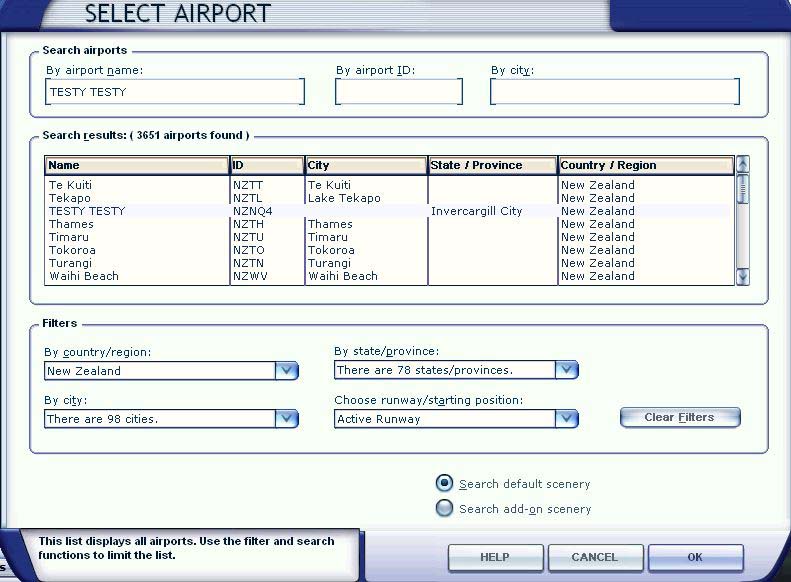
Well guys I have a bit of a head scratcher for you. Over the past couple of weeks I have been adding AVSim and VLC scenery & airports around New Zealand to my scenery library. The other day I notice a strange entry 'TESTY TESTY' in my FSX 'Select Airport' page. If I go to it, it places the aircraft amongst trees on sloping ground. The really strange thing is I can't see this entry either in my FSX 'Scenery Library' or in my FSX directory on my SSD. It says 'Invercargill City' in the State/Provence field I cant recognise that either. I don't know where it came from or how to get rid of it. How do you edit the 'Select Airport' lists??
https://www.simviation.com/phpupload/upl ... 771802.jpg

Simviation Forums
Flight Simulator and other chat