FSX question

FSX including FSX Steam version.

FSX question

Postby Dennyyoung » Sat Jan 25, 2014 4:56 pm

1. I just loaded Flight Simulator Deluxe Edition .....ok I know but I had no choice windows 8.....FSX keeps shutting down after about 1 min.....
2. I cant find tools in the menu.....why cant they fix this problem...I've tried every cotton picken thing to do but no help.......
3. I put in disk 1 to install the SDK but its tells me this folder its empty
:snooty: Help Please
DY
Dennyyoung
Ground hog
Ground hog
 
Posts: 27
Joined: Mon Dec 30, 2013 11:10 am

Re: FSX FAQ

Postby OldAirmail » Sat Jan 25, 2014 6:45 pm

Lets try for a little more info.

"I just loaded Flight Simulator Deluxe Edition .....ok I know but I had no choice windows 8" - This means what?


"I cant find tools in the menu..." - What tools are you looking for, and what would you do with them???


"...why cant they fix this problem..." - It's in the help files.


".....FSX keeps shutting down after about 1 min....." - How does it shut down? Does it say that there is an error? What kind of computer do you have - how much memory, CPU, Operating System, ETCETERA?


"...I've tried every cotton picken thing to do but no help......." - Have you looked in the help files? Have you looked on the internet? The answers ARE there. You just have to look them up.


"I put in disk 1 to install the SDK..." - SDK stands for "Software Development Kit". It's for developers . Are you at the stage where you feel ready to start developing FSX software?

Perhaps this site will help you? - A New Home for Flight Simulator Developer Resources


"Help Please"

Please tell us how long you have been using FSX.

The kind of "Help" that a new user needs is TOTALLY different then the help needed by an experienced FSX software developer.
.. .
Get the most out of your controls - SPAD.neXt

Image
. . . . . .Any time, any plane, any weather.
. . . . . . . . . . . . . Prepar3d V4
User avatar
OldAirmail
Major
Major
 
Posts: 4814
Joined: Sun Feb 17, 2013 3:06 pm
Location: Concrete, WA ICAO - 3W5

Re: FSX FAQ

Postby Dennyyoung » Sat Jan 25, 2014 8:01 pm

Ok disregard the info on windows 8........
Running Microsoft flight simulator after about 30 seconds this message comes up
A box will appear Microsoft flight simulator has stopped working A problem caused the program to stop working correctly windows will close the program and notify you if the solution is available. I think I fixed this problem I uninstalled FSX program and reinstalled it. SO IT APPEARS TO BE WORKING NOW.
In the drop-down menu I'm looking for tools but it's not there I did the procedures on put disc one in and load SDK.
I fly out of Memphis international I want to add AI aircrafts and put in new parking spots
So what I'm trying to do is redo the Memphis international Airport the way it looks today
Computer is a......ASUS
ASUS DESKTOP PC M51AC Series
Intel(r) Core (TM) I7-4770 CPU @3.40GH
16.0gb
64-bit
When I ha d 2004 Microsoft flight simulator I used to go in and redo the airport that was no problem
2010 deluxe FSX .... Would like to redo the airport Memphis international in FSX
I been working with this On and off for about 1 years
I appreciate your help
Dennyyoung
Ground hog
Ground hog
 
Posts: 27
Joined: Mon Dec 30, 2013 11:10 am

Re: FSX FAQ

Postby Dennyyoung » Sat Jan 25, 2014 10:12 pm

[quote="Dennyyoung"]Ok disregard the info on windows 8........ When we load FSX deluxe tool load up with no problem.
Running Microsoft flight simulator after about 30 seconds this message comes up
A box will appear Microsoft flight simulator has stopped working A problem caused the program to stop working correctly windows will close the program and notify you if the solution is available. I think I fixed this problem I uninstalled FSX program and reinstalled it. SO IT APPEARS TO BE WORKING NOW.
In the drop-down menu I'm looking for tools but it's not there I did the procedures on put disc one in and load SDK.
I fly out of Memphis international I want to add AI aircrafts and put in new parking spots
So what I'm trying to do is redo the Memphis international Airport the way it looks today
Computer is a......ASUS
ASUS DESKTOP PC M51AC Series
Intel(r) Core (TM) I7-4770 CPU @3.40GH
16.0gb
64-bit
When I had 2004 Microsoft flight simulator i had no problems ..... Creating flight plans , changing taxiways runways , changing the airport scenery ......I used to go in and redo the all airport that was no problem but I find it A little bit more difficult navigating through.....
2010 deluxe FSX .... Would like to redo the airport Memphis international in FSX
I been working with this On and off for about 1 years
I appreciate your help........
Dennyyoung
Ground hog
Ground hog
 
Posts: 27
Joined: Mon Dec 30, 2013 11:10 am

Re: FSX FAQ

Postby Dennyyoung » Sat Jan 25, 2014 10:13 pm

Dennyyoung wrote:
Dennyyoung wrote:Ok disregard the info on windows 8........ When we load FSX deluxe tool should load up with no problem. We shouldn't have to go back and put in disk one and install SDK.......
Running Microsoft flight simulator after about 30 seconds this message comes up
A box will appear Microsoft flight simulator has stopped working A problem caused the program to stop working correctly windows will close the program and notify you if the solution is available. I think I fixed this problem I uninstalled FSX program and reinstalled it. SO IT APPEARS TO BE WORKING NOW.
In the drop-down menu I'm looking for tools but it's not there I did the procedures on put disc one in and load SDK.
I fly out of Memphis international I want to add AI aircrafts and put in new parking spots
So what I'm trying to do is redo the Memphis international Airport the way it looks today
Computer is a......ASUS
ASUS DESKTOP PC M51AC Series
Intel(r) Core (TM) I7-4770 CPU @3.40GH
16.0gb
64-bit
When I had 2004 Microsoft flight simulator i had no problems ..... Creating flight plans , changing taxiways runways , changing the airport scenery ......I used to go in and redo the all airport that was no problem but I find it A little bit more difficult navigating through.....
2010 deluxe FSX .... Would like to redo the airport Memphis international in FSX
I been working with this On and off for about 1 years
I appreciate your help........
Dennyyoung
Ground hog
Ground hog
 
Posts: 27
Joined: Mon Dec 30, 2013 11:10 am

Re: FSX FAQ

Postby OldAirmail » Sat Jan 25, 2014 11:29 pm
OK

OK

OK

I'm glad that you've got FSX working. If you hadn't I might have been able to help with that.

As far as scenery designing & the SDK goes, I can't help. Don't know, and don't want to know, anything about that. Not my area of interest.


As to "tools" missing from the menu. Not a problem. Your FSX is working as it should. There is no "tools" in the FSX menu.


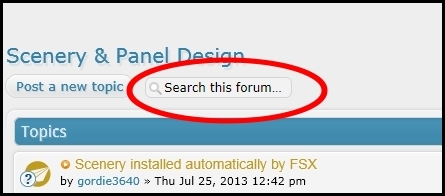
The best bet for you is to go to Scenery & Panel Design and search for Tools, or SDK.

Image


Good luck.
.. .
Get the most out of your controls - SPAD.neXt

Image
. . . . . .Any time, any plane, any weather.
. . . . . . . . . . . . . Prepar3d V4
User avatar
OldAirmail
Major
Major
 
Posts: 4814
Joined: Sun Feb 17, 2013 3:06 pm
Location: Concrete, WA ICAO - 3W5

Re: FSX FAQ

Postby Dennyyoung » Tue Jan 28, 2014 10:31 am

Wow...I'm so sorry......I don't know what happened on my posting so I screwed up must have pushed it twice more.......thanks so much for your reply.
Dennyyoung
Ground hog
Ground hog
 
Posts: 27
Joined: Mon Dec 30, 2013 11:10 am

Re: FSX FAQ

Postby Dennyyoung » Sun Feb 02, 2014 5:43 pm

Does anybody know how to fix this problem...

FSX Deluxe Edition......, Windows 8 ........While running the program I get this message

Microsoft Flight Simulator has stopped
Working.
A problem caused the program to stop working correctly.
Windows will close the program and notify you if a solution is
available.
yeah right notify my a-- :violin:

So...HELP ....SOS
Dennyyoung
Ground hog
Ground hog
 
Posts: 27
Joined: Mon Dec 30, 2013 11:10 am

Re: FSX FAQ

Postby OldAirmail » Sun Feb 02, 2014 8:41 pm

This does not belong here in Petes' FSX FAQ section.

Post it somewhere else and give us more details.
.. .
Get the most out of your controls - SPAD.neXt

Image
. . . . . .Any time, any plane, any weather.
. . . . . . . . . . . . . Prepar3d V4
User avatar
OldAirmail
Major
Major
 
Posts: 4814
Joined: Sun Feb 17, 2013 3:06 pm
Location: Concrete, WA ICAO - 3W5

Re: FSX FAQ

Postby jujub » Sun Apr 20, 2014 11:24 am

Such good response to my query yesterday on missing liveries on startup. I have this minor problem on takeoff with all planes.
My initial flight of the day the plane goes down the runway perfectly straight all planes.Now after landing and then taxing to the runways and further flights the planes want to veer before liftoff.
Very annoying as i struggle to keep the plane centered i have tried calibrating the joystick and have purchased new joystick still same problem. <<q
jujub
Ground hog
Ground hog
 
Posts: 3
Joined: Sat Apr 19, 2014 10:54 am


Return to Flight Simulator X (FSX) and Steam

Who is online

Users browsing this forum: No registered users and 1095 guests

