Don't know about this USS NIMITZ Download ??

FSX including FSX Steam version.

Don't know about this USS NIMITZ Download ??

Postby Jetranger » Fri Nov 29, 2013 5:01 am

11/29/2013

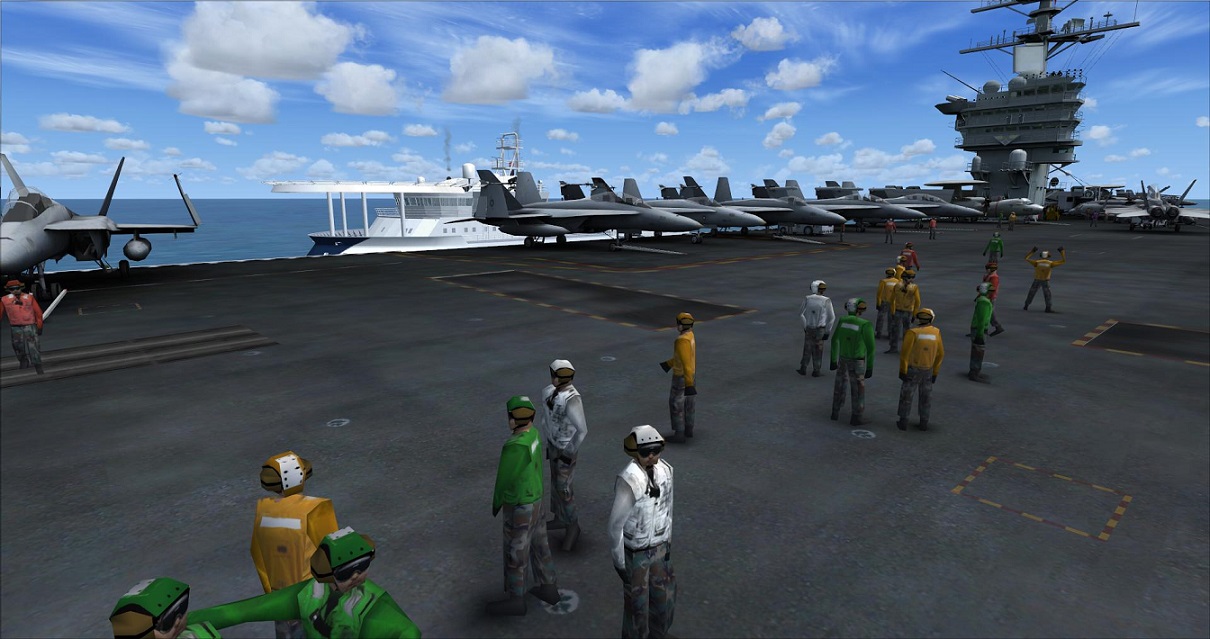
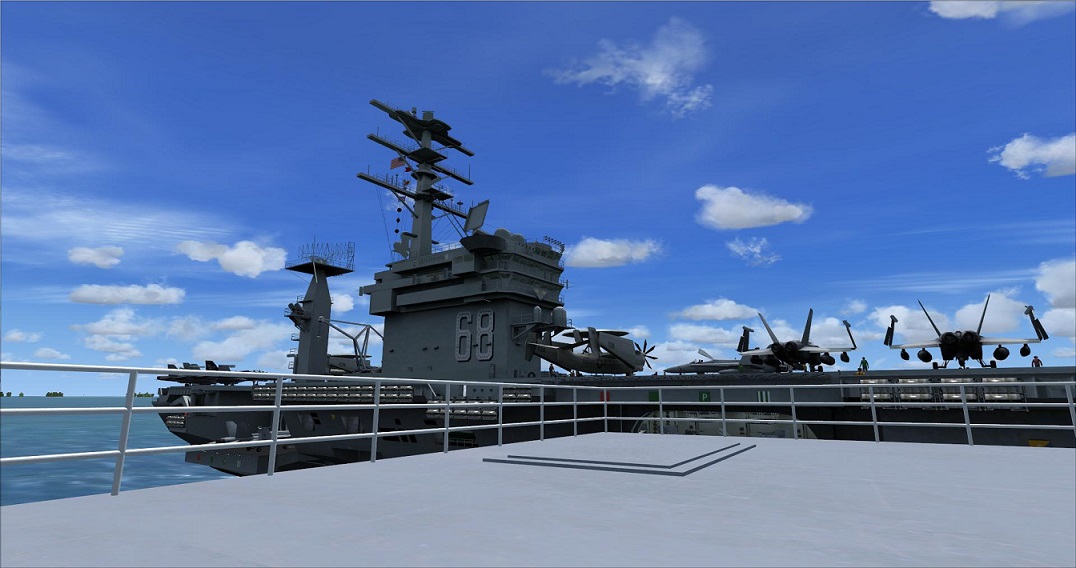
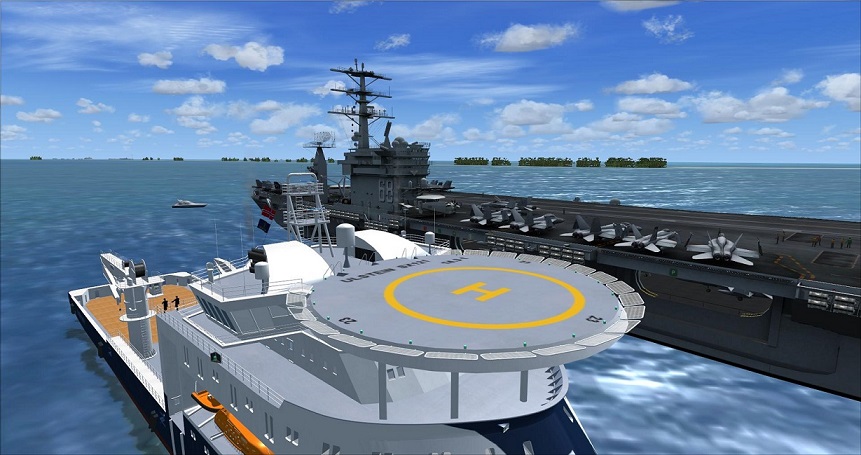
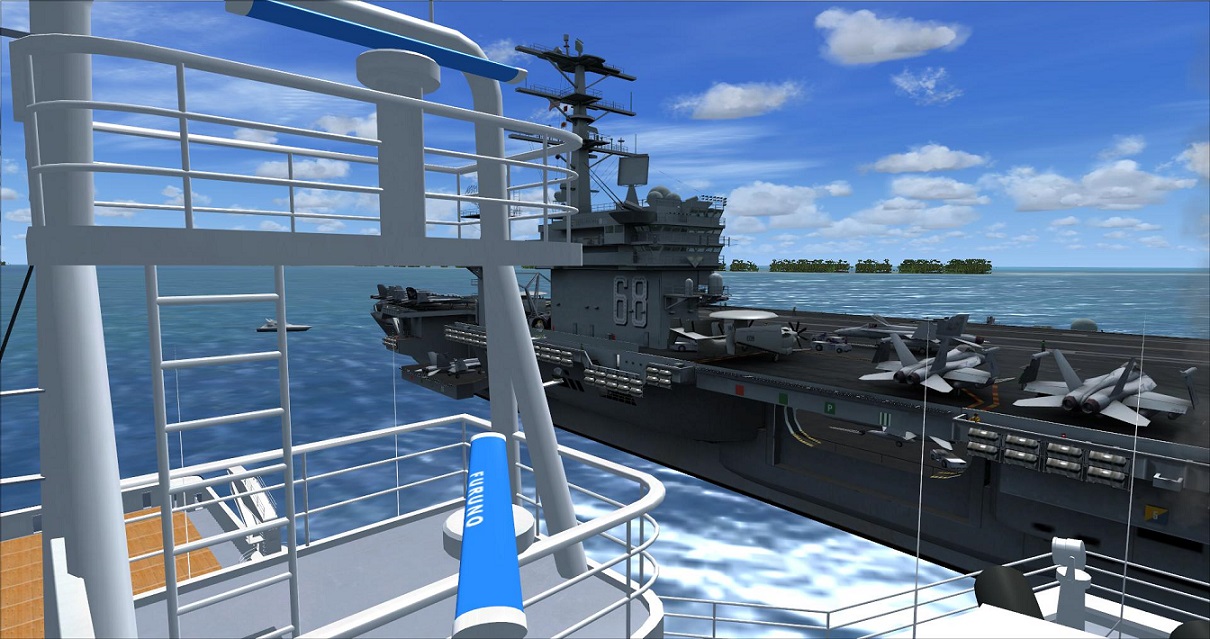
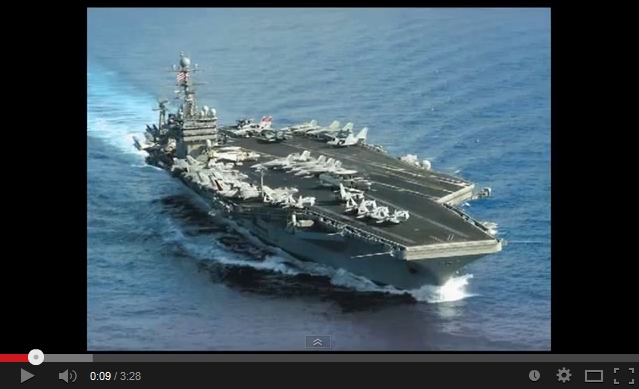
I went and Downloaded that USS Nimitz Aircraft Carrier, the one that, "Supposedly" shows Aircraft on the Deck and Deck Crew.

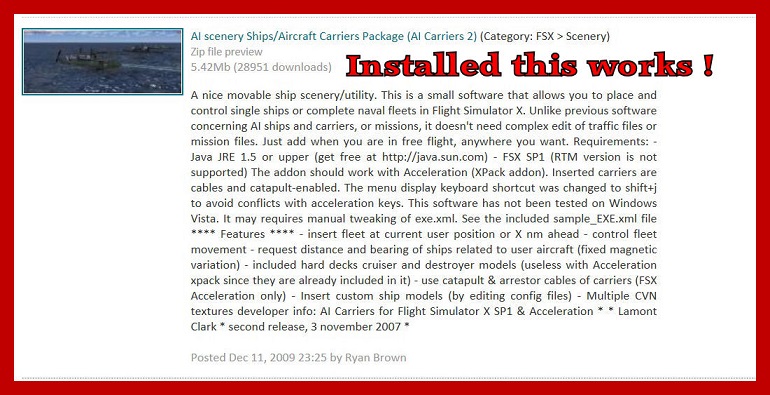
Then I went and downloaded that A.I. Carriers 2, package.

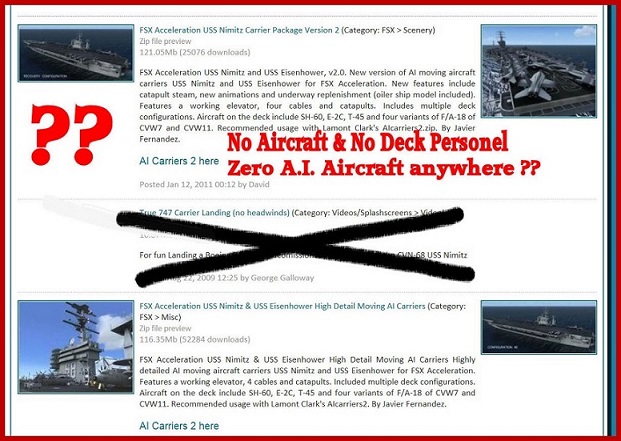
After reading the "Read Me File", about 5 times, to make sure I understand how its supposed to be Properly injected into FSX Gold / Acceleration, the only thing I can get to show up is the Default Aircraft Carriers and Destoryers !

Without "NO Aircraft" on the Decks what so ever and "No Deck Personel" anywhere !!

After Re- Reading the Read me File , Again twice (7 Times total ), "NO WHERE" within the "read me file", did I see or read anything indicating what Keyboard keys users are supposed to use to "MAYBE" - ???? get any of the Aircraft to show up on Deck , or , how to make the Elevators go up & down on the Carrier !!

Yet, the Photos and the Screen Shots clearly indicate that there are Aircraft sitting on the Deck of the Carrier, along with Deck Personel and below Deck are more Aircraft. "Supposedly" ??????

The only Aircraft Carriers I'm getting to show up are the Default FSX Carriers & Destroyers .

I'm starting to wonder if some of the Screen Shots used with this download, are actually for that download , and not from a Payware Download, that somebody used just to enhance the Freeware Download as to get more hits on that particular download ???? (makes ya wonder ?? ).

I've just spent 5 Hours tinkering with this, so called , USS NIMITZ Download of supposedly High Quality, and I'm Not seeing it, anywhere, just the Default Carriers only.

I even tried going hopping over to "YOU TUBE", to see if there was anybody else having problems, and there is and was, even found a couple of Tutorials of how to supposedly Inject it into FSX,, but, think I was better off just reading the Read Me files again and again repeatedly !

No where do I see how to get the all Hands on Deck configuration either, as far as what keys to use ????

somebody sure spent a lotta time designing this thing and making it, then 1/2 assed it up with Poor Read Me Communication user instructions !!!

Not like I don't know what I'm doing after Injecting over 4,800 Aircraft in my FSX Gold Acceleration edition and all kinds of scenery.

But this download just gets me :shock: :? !

I believe it'd probably be a neat program to have and use IF, it was better Organized & put together and communicated better with users.

lotta nice pretty pictures / screen shots with the download tho,, but Lacks Big Time on Organization and communication, without Twisting your brain into mush reading and trying to understand exactly what their wanting a user to do.

So, Question is ????

does anybody else have this out there, and IF so, how'd ya get the Aircraft to show up on Deck ??? and the Deck Personel ???

How do ya get the Ships Elevators to work ????

What Keyboard commands are ya using ???

The Read me file sure doesn't say anything about any of it.

Below are some screen shots of the particular Downloads I used that I have Questions about, I'd like maybe get it to work, before it finds the Trash !!!

Anybody got any ideas ???? any previous prior experience with this - Download ??? :? :?

A.I. Carrier Nimitz Installation Video : http://www.youtube.com/watch?v=xEytaQdZp3U

USS Nimitz Carrier : http://www.youtube.com/watch?v=pRdcQwpGq1U

Thanks.
Image

Image
User avatar
Jetranger
Major
Major
 
Posts: 3232
Joined: Fri Sep 30, 2011 2:49 am
Location: Kansas City Missouri USA / KMKC

Re: Don't know about this USS NIMITZ Download ??

Postby EVVFCX » Fri Nov 29, 2013 7:39 am

Hi,

On fsx drop down menu during flight where you start the carrier addon, you have a choice of what carrier group
and whether the deck is populated or not.

You may have a path wrong in the xml files.

Re-check the menu for various option, mine's not installed on current laptop at the moment but is on my old system but cannot give you a screen shot at the mo.

I vaguely remember something about making sure wings are folded for the elevators to work and yes you do see other aircraft once your down there. I don't think i taxied around in the maintanance hangers, think i used slew to move around.

PS download of both packs currently in progress to reinstall.

You did install nimitz after doing the aicarriers2?
regards

Steve
User avatar
EVVFCX
Captain
Captain
 
Posts: 751
Joined: Tue Nov 27, 2007 8:32 am
Location: Pontefract, West Yorkshire

Re: Don't know about this USS NIMITZ Download ??

Postby Jetranger » Fri Nov 29, 2013 12:54 pm

Thanks, Steve.

Lets see, I installed the Nimitz 1st

then I installed the AI Carrier pkg.

I get the Menu, alright , and Aircraft carriers show up and Destroyers and the groups and like 2 menu screen of carrier groups,

but, I'm NOT getting any HI DEF resolution Nimitz Carrier with any Aircraft or the men on Deck ?????

bout' All I get is - plain Empty looking Carriers, that move if I want them to.

ALL my Sliders are slid to High too.

Again, I have FSX Gold / Acceleration with SP2 on a 64 bit system, using Windows 7

Also, I have the BOX Ticked for Animations to be on & working.

I get the USS NIMITZ

USS Ronald Regan

and like 2 or 3 other carriers , but they all appear to be Default ones NOT the one like in the video's that have Aircraft on the decks and men ???

I'm either Stupid (which may be the case ?) or, theres been some fairly important information left out of the read me file, (which, that may be the case too ??)

I dunno' but I'm NOT Giving up, I'll keep going at it till I fix it or improvise it and make it work, once I actually find the problem, and should there be something everybody else needs to know , I'll be posting that info here, once I manage to find the problem, that is !

Dunno' somethings not right tho !

Jetranger
User avatar
Jetranger
Major
Major
 
Posts: 3232
Joined: Fri Sep 30, 2011 2:49 am
Location: Kansas City Missouri USA / KMKC

Re: Don't know about this USS NIMITZ Download ??

Postby Daube » Fri Nov 29, 2013 1:48 pm

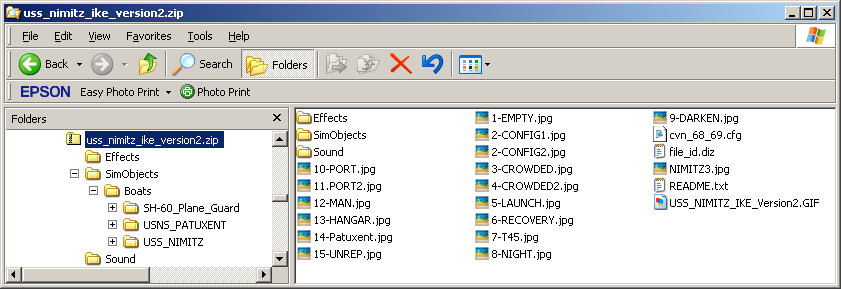
In the Nimitz package, you should find a file named 'cvn68_69.cfg' or something like that.
That file should be moved into the AICarriers "conf.d" folder.
This folder is supposed to contain .CFG files that are declaring new "choices" to be displayed in the AICarriers windows.

Once that file is in the "conf.d" folder, restart everything. The Nimitz choices with different deck configurations will appear in AICarriers, but most likely not on the first page. You'll have to press the last number, in order to "go to next page".
User avatar
Daube
Lieutenant Colonel
Lieutenant Colonel
 
Posts: 6611
Joined: Wed Oct 05, 2005 8:34 am
Location: Nice (FR)

Re: Don't know about this USS NIMITZ Download ??

Postby Jetranger » Fri Nov 29, 2013 3:16 pm

"BINGO" !!!!!!!!!!

That must be where I screwed up, gotta be !!!

That is NOT how I had it set up, as to how you described it, that's gotta be where my problem is, betcha !

I'll have to try that little later tonight,,, hope you'll be around, as I'll post how it comes or if I have any questions or more "Confusion" !!!

Thanks for that helpful bit of Advice, !!!

Jetranger
User avatar
Jetranger
Major
Major
 
Posts: 3232
Joined: Fri Sep 30, 2011 2:49 am
Location: Kansas City Missouri USA / KMKC

Re: Don't know about this USS NIMITZ Download ??

Postby Jetranger » Fri Nov 29, 2013 9:24 pm

OK, heres the copy of the "Instructions" - right from the read me file itself.
----------------------------------------------------------------------------------------------------------

"" INSTALLATION:


1-copy cvn_68_69.cfg into 'conf.d' folder inside your 'Aicarriers' installation folder.

2-Copy all three folders (Simobjects, Effects and Sound) into you main FSX folder. { -------- I say this is "WRONG" ????

3-Run Aicarriers2 program and select any of the multiple carrier variations provided in this package
---------------------------------------------------------------------------------------------------------

Heres how I take this !

"IF" I copy & Paste what the author is telling me into my MAIN FSX folder - that would give me 2 Folders for

Sim Objects

Effects

Sound

I've already got Folders already Named those in my MAIN FSX Folder that FSX Flight Simulator installed itself.

Now pardon me "IF" I'm wrong, BUT I don't need 2 folders named Sim Objects sound & Effects in my MAIN FSX Folder area !

I'm NOT real crazy about letting these from that AI Carrier program "overwrite" whats already in there ??????

Now tell me if the "wording" in the Authors read me file isn't Wrong ????????????

From all the Questions on YOU TUBE and the Forum Boards I've visited, this is why users are having problems and this program isn't working properly.

I say the "Wording" and the Language is Wrong and its not only Confusing everybody, but it got everybody putting Folders & Files everywhere but where their supposed to go - and therefore its NOT working properly.

What I've got is this that came in the Authors "SIM OBJECTS FOLDER", are as follows :

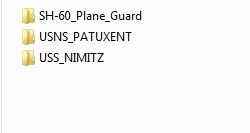
1 - USS_NIMITZ

2 - USNS_PATUXENT

3 - SH-60_Plane_Guard

Along with several CFG Files


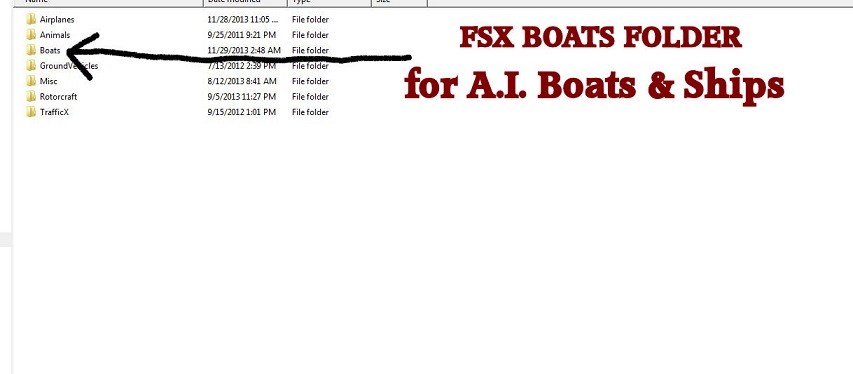
Now I'm really Confused, I would think from all the other AI Crafts we've installed, that those 3 Folders above should be installed in the "BOATS" Folder, along with all the other A.I. Boats & ships that are there, wouldn't they ????

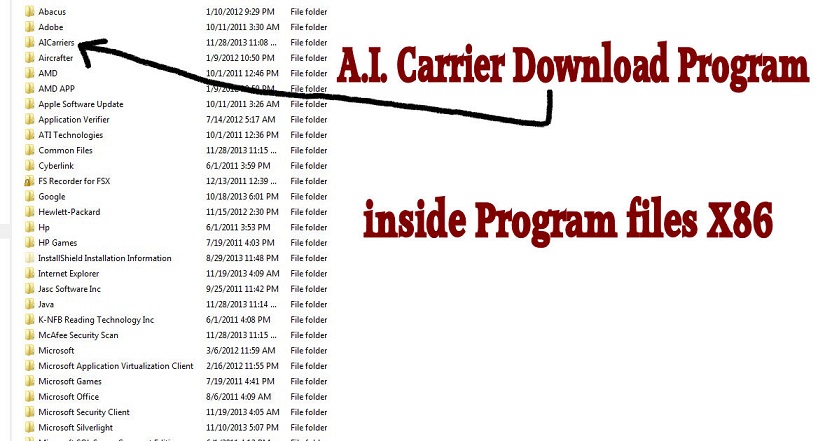
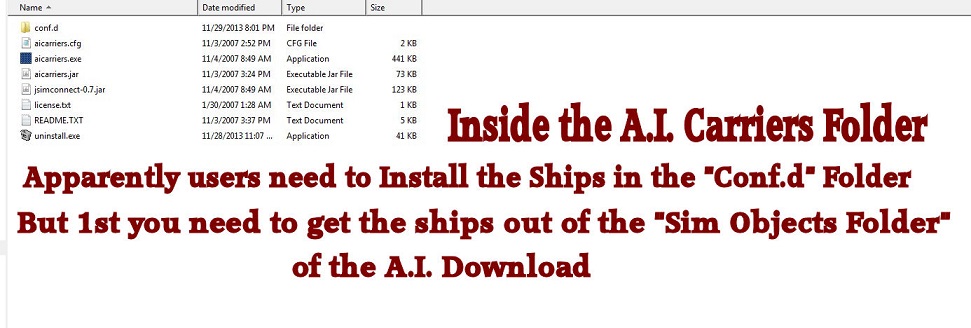
or - should they be put in the "CONF.d" folder, which was installed in the Program Files X86 Directory , that the self installer installed.

anybody got suggestions ????

Maybe I'm Brain-Warped or something, but I say the Authors Read me File Instructions are WRONG !!!

Which is why everybody is having so many problems .

I'll fiddle around with it till I eventually figure it out hopefully.

any help / advice appreciated !!! Thanks

Jetranger
User avatar
Jetranger
Major
Major
 
Posts: 3232
Joined: Fri Sep 30, 2011 2:49 am
Location: Kansas City Missouri USA / KMKC

Re: Don't know about this USS NIMITZ Download ??

Postby Jetranger » Fri Nov 29, 2013 10:50 pm

UPDATE :

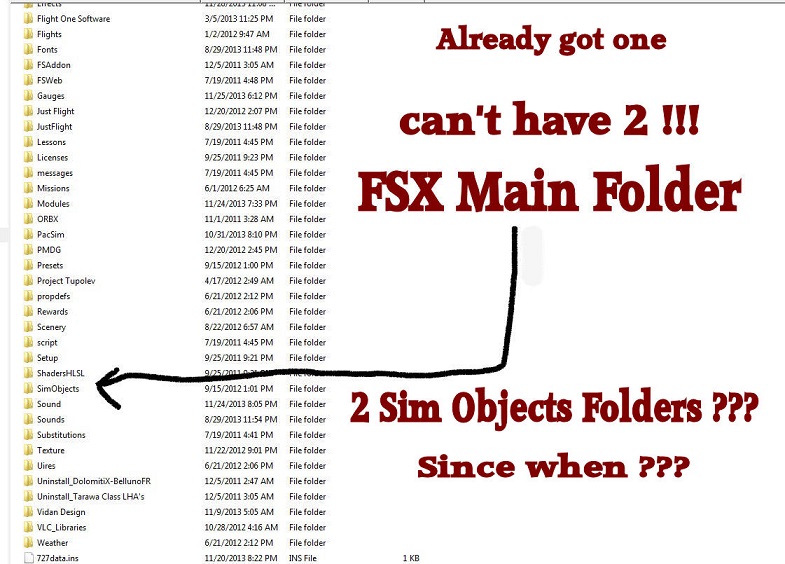
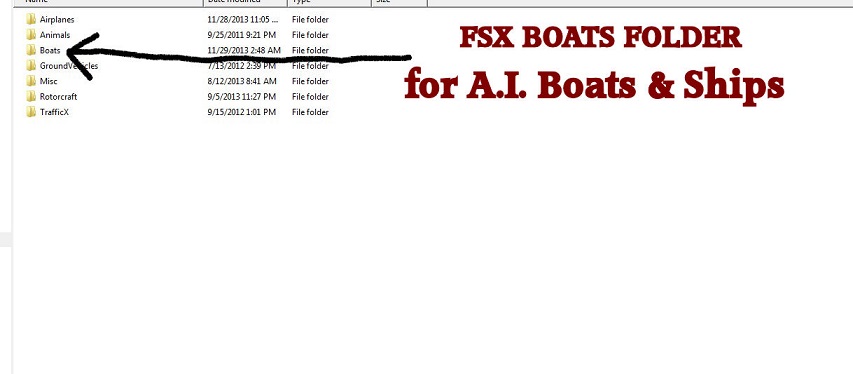
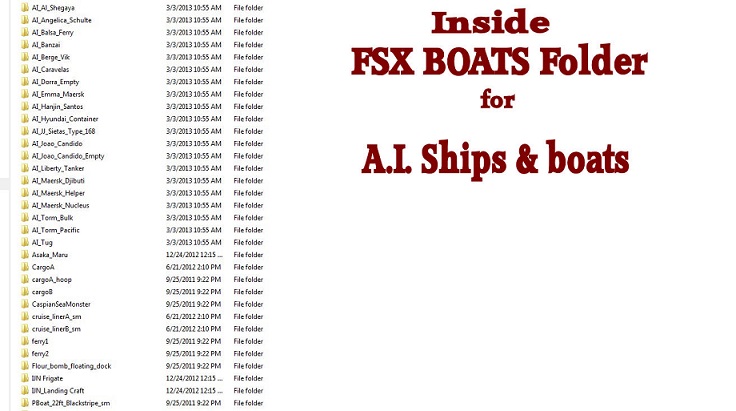
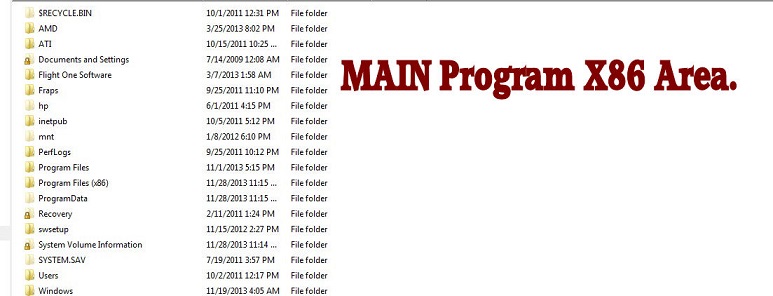
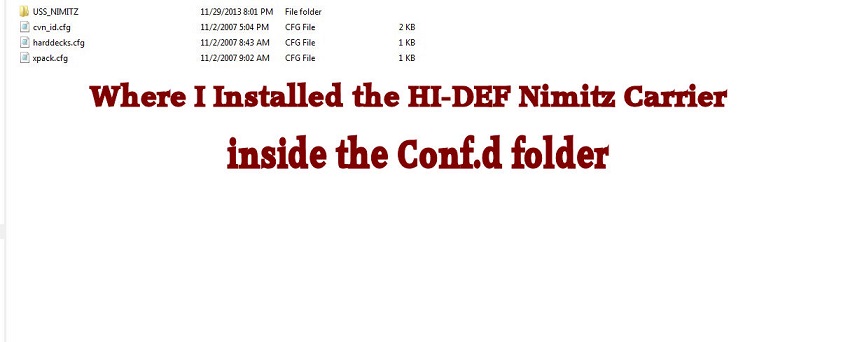
Heres some Screen Shots of Folders & Files,,, pictures are sometimes easier than just Illusions !

The Original Author of the Nimitz A.I. Carrier has the Carrier installed in a folder named Sim Objects, inside that is another folder "Boats" , and inside that are the actual A.I. Ships, users should be needing & using.

I say users have to get inside that Sim Objects folder and Boats folder and get the Nimita Carrier Group out of that Sim Objects folder

then take the USS Nimitz Carrier A.I. Ship and place it "supposedly" inside that "Conf.d" folder, to enable the HI-DEF Nimitz carrier to show up properly, other wise, users will end up with DEFAULT Carriers only !!

So the Authors original Read me file instructions are , Wrong !

Users "Can't" have 2 Folders , Named 'Sim Objects" located inside their Main FSX Folder, it won't work !

you'll end up getting a Prompt from Windows that there are already a folder named Sim Objects located there in the main FSX area !!!

Below are some Screen Shots

Image

Image

Image

Image

Image

Image

Image
User avatar
Jetranger
Major
Major
 
Posts: 3232
Joined: Fri Sep 30, 2011 2:49 am
Location: Kansas City Missouri USA / KMKC

Re: Don't know about this USS NIMITZ Download ??

Postby Jetranger » Fri Nov 29, 2013 11:58 pm

UPDATE II 11:15PM

After working on this for several hours now , I was Right, the Read Me File was wrong !

I actually got the Ships, Aircraft and Crew Deck to show up like its supposed to !

Good thing I caught onto what was happening, before I just assumed I was getting the Hi-Resolution Nimitz Carrier, when I would of been getting the Default Carrier instead !

Tell ya this much, there is a Major Big Difference in Quality of Textures between Default and this Hi-Resolution texture, Big Difference, and well worth the Frustration of trying to get it to work,

theres an EASIER Way, which I'll be outlining in a further simplified installation File, and be posting to this Web Site as a Download correction to that Particular Download soon !

Right now tho, my Mind is just Fried tryin to fix this thing, but I got it er' workin !

Jetranger.

Thanks to all for the advice and hints !
User avatar
Jetranger
Major
Major
 
Posts: 3232
Joined: Fri Sep 30, 2011 2:49 am
Location: Kansas City Missouri USA / KMKC

Re: Don't know about this USS NIMITZ Download ??

Postby Daube » Sat Nov 30, 2013 5:25 am

Hi Jetranger,

I think the instructions that are in the readme are good.
They were just describing the "easy" way.

When you transfer their "Simobjects" folder inside the main FSX folder, that will not create a duplication, you will not get 2 "Somobjects" in the FSX folder. In fact, Windows will MERGE the content of the two folders. Basically, it would have been exactly the same to:
- go into the AICarriers simobjects folder, then Boats
- copy the folders in there (should be nimitz and another boat)
- go into FSX\simobjects\boats
- paste the folders

Same applies to the effects and sound folders. If you would have "dragged and dropped" them into the main FSX folder, then their content would have been merged with the actual Effects and Sound folders of FSX.

In the end, the AICarriers program folder should not contain any "models" or "effects" or anything like that. That goes into FSX folders. When the readme states that you "add" boats into AICarriers, they are in fact talking about the declaration of the new "lines" that you want to add to the AICarriers windows in the sim.

And that is done in two possible ways, when you install a new aircraft carrier:
- normally, the carrier addons all come with a .CFG file containing the new declarations. This CFG file should be dropped into the conf.d folder of AICarrier.
- if they don't have any .CFG file, then they surely have the declarations written into their readme file. In that case, you should copy these declarations and paste them into the AICarriers.cfg file in the main AICarriers folder. This is a bit like when you download a new repaint, and you need to copy and paste the new [flightsim.x] section in the aircraft.cfg of the plane, you see ?
User avatar
Daube
Lieutenant Colonel
Lieutenant Colonel
 
Posts: 6611
Joined: Wed Oct 05, 2005 8:34 am
Location: Nice (FR)

Re: Don't know about this USS NIMITZ Download ??

Postby Jetranger » Sat Nov 30, 2013 6:40 pm

UPDATE / CORRECTION for the "uss_nimitz_ike_version2" File Download

Finally got the thing to work, the Authors Read Me Instructions are Wrong tho !!!

Users of "uss_nimitz_ike_version2" Aircraft Carrier will need to go to the "SIM OBJECTS" folder , that came with the Download , and , "open" that folder -

once users do that - you'll see another Folder, called "BOATS" , users will need to OPEN that Folder as well.

Then the Following Ship Folders will visible :

SH-60_Plane_Guard

USNS_PATUXENT

USS_NIMITZ

Those 3 Ship Folders (above) will need to go Directly into the "Boats" Folder with all the other A.I. Ships and Boats !!

The "BOATS" Folder is located as follows :

FSX Main folder

Sim Objects

BOATS

Image


just copy and paste those 3 Ship folders, named above straight into the Boats folder, then the carriers will show up , only after you have the Flight Simulator running and you either press SHIFT J to bring up the menu to pick a selection of Aircraft Carriers

Image


or

you can use the "FSX Menu Bar at the top of the Screen / Add On's".

that's the Menu bar where you'd pick planes, change weather, pick different views etc etc etc.

Sounds go into the Main Sound Folder of FSX

EFFECTS go into the main Effects Folder of FSX
*******************************************************************************************************************

The Author has users trying to Inject the Folders

Sim Objects

Sound

Effects

straight into your main FSX Folder , where there already is a Folder called Sim Objects - Sound - Effects
This will NOT work !!!

users will have to "UN-PACK" the folders from the "download" 1st as described above and then Inject or Copy & Paste the Carrier Folders into where their supposed to go, as described above , other wize, your going to get a Prompt from Windows that you've already got a folders there with the same title !!

I would suppose that this could be very "Confusing" for users who are NOT Familiar with the Folder & File Structure Layout of FSX, and or 2004, and how its set up to work properly.

Users can "NOT" have 2 Folders with the same names, in the same Location which presents a problem, the way the Author designer, has laid out in the Instructions or Description.

I hope this helps somebody when trying to install this great Aircraft Carrier package !!

It is really a very very nice Detailed Carrier with all kinds of gadgets & gizmo's to tinker with and users can land on the deck of the carriers and take off too ! and, the carriers can move or turn 20 or 90* at your command from the FSX Menu bar at the top of the screen.

Users may pick several different types of carriers & Destroyers as well.

Don't forget to install the A.I. Aircraft Carriers package 2 - as well to make this work

LINK : http://simviation.com/1/search?submit=1&keywords=AIcarriers2.zip&categoryId=&filename=Y


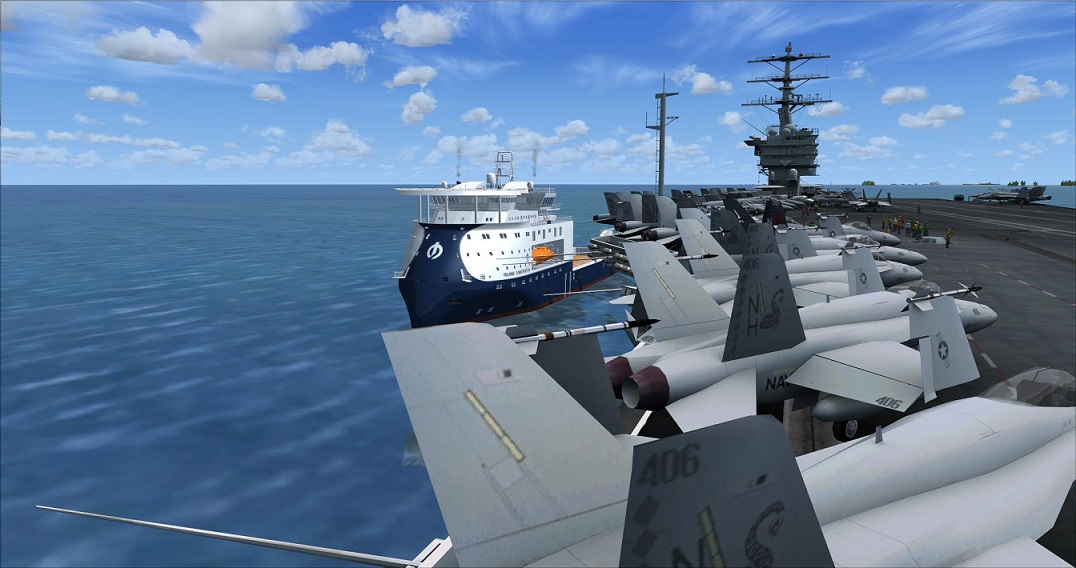
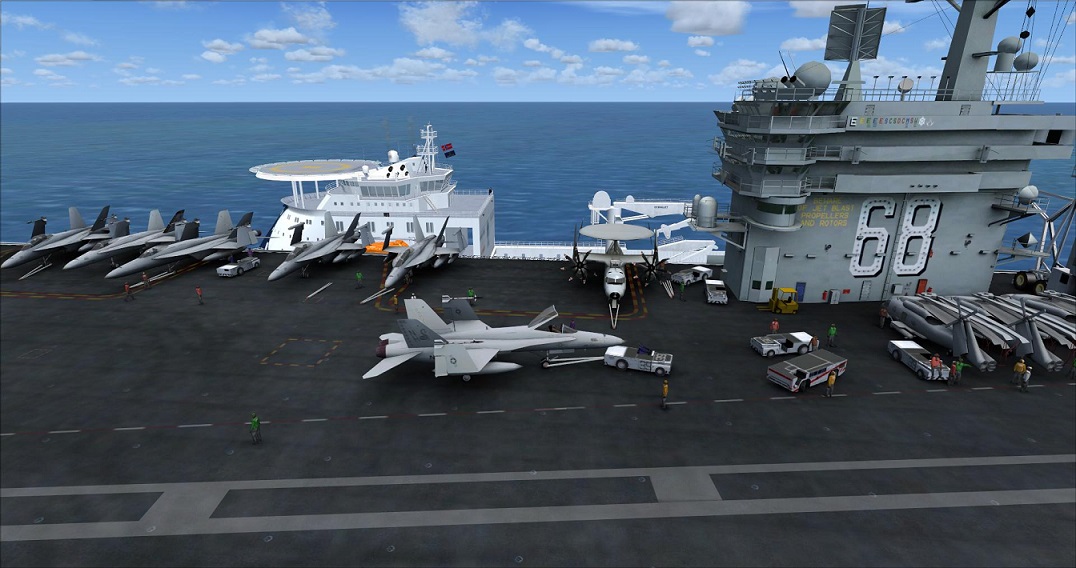
Screen Shots Below

Image

Image

Image

Image

Image

Image
User avatar
Jetranger
Major
Major
 
Posts: 3232
Joined: Fri Sep 30, 2011 2:49 am
Location: Kansas City Missouri USA / KMKC

Re: Don't know about this USS NIMITZ Download ??

Postby Daube » Sat Nov 30, 2013 7:54 pm

I'm glad you could sort it out :)
I don't know if you noticed, but once you selected a ship in AICarriers and you make it appear, you can then call the AICarriers window again, and this time it will be filled with orders you can give to the boat. Simple orders like "forward", or "turn right 10°", or "stop" etc....
Pretty nice for your carrier landing trainings :) On that topic, I recommend Dino Cattaneo's T-45 in the latest possible version.
User avatar
Daube
Lieutenant Colonel
Lieutenant Colonel
 
Posts: 6611
Joined: Wed Oct 05, 2005 8:34 am
Location: Nice (FR)

Re: Don't know about this USS NIMITZ Download ??

Postby OldAirmail » Sat Nov 30, 2013 11:13 pm

Well done. :clap: :clap: :clap:

With that solved, it's now time to relax and watch a video. :D

Image
User avatar
OldAirmail
Major
Major
 
Posts: 4814
Joined: Sun Feb 17, 2013 3:06 pm
Location: Concrete, WA ICAO - 3W5

Re: Don't know about this USS NIMITZ Download ??

Postby Jetranger » Sun Dec 01, 2013 12:53 am

Ummmm , I kinda Think we got a Problem ???

I just ran my Aircraft Carrier aground in - Kansas !!!

Yaaa , Kansas ?????

Don't ask me how I got there ??

Aliens must put me there,,, yaa Aliens !

Ohhhh and yes I did notice how to Maneuver the Ships in the Menu,,, thanks for the Alert too !!!

:D :D :D :D :D
User avatar
Jetranger
Major
Major
 
Posts: 3232
Joined: Fri Sep 30, 2011 2:49 am
Location: Kansas City Missouri USA / KMKC

Re: Don't know about this USS NIMITZ Download ??

Postby Hagar » Sun Dec 01, 2013 6:01 am

Jetranger wrote:OK, heres the copy of the "Instructions" - right from the read me file itself.
----------------------------------------------------------------------------------------------------------

"" INSTALLATION:


1-copy cvn_68_69.cfg into 'conf.d' folder inside your 'Aicarriers' installation folder.

2-Copy all three folders (Simobjects, Effects and Sound) into you main FSX folder. { -------- I say this is "WRONG" ????

3-Run Aicarriers2 program and select any of the multiple carrier variations provided in this package
---------------------------------------------------------------------------------------------------------


UPDATE :

So the Authors original Read me file instructions are , Wrong !

Users "Can't" have 2 Folders , Named 'Sim Objects" located inside their Main FSX Folder, it won't work !

you'll end up getting a Prompt from Windows that there are already a folder named Sim Objects located there in the main FSX area !!!

Jet. I'm pleased that you finally got this up & running. However, the instructions are correct. Perhaps the author should have added "Overwrite files/folders when prompted". If you paste the SimObjects, Sound & Effects folders into your FSX root directory the included files will then be installed to their correct locations within FSX. This has been a standard method of configuring FS Addons since FS98 & is the same way that auto-installers are configured.

Image
Image

Founder & Sole Member - Grumpy's Over the Hill Club for Veteran Virtual Aviators
Member of the Fox Four Group
My Google Photos albums
My Flickr albums
User avatar
Hagar
Colonel
Colonel
 
Posts: 30868
Joined: Wed Jun 19, 2002 7:15 am
Location: Costa Geriatrica


Return to Flight Simulator X (FSX) and Steam

Who is online

Users browsing this forum: No registered users and 752 guests