Page 1 of 1

Switching panels

PostPosted: Sun Aug 26, 2007 7:53 pm
by aussiewannabe
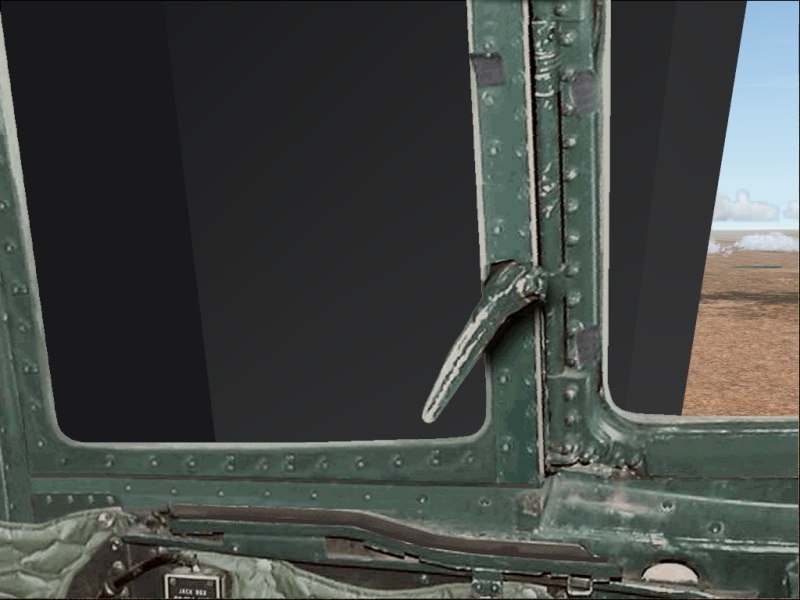
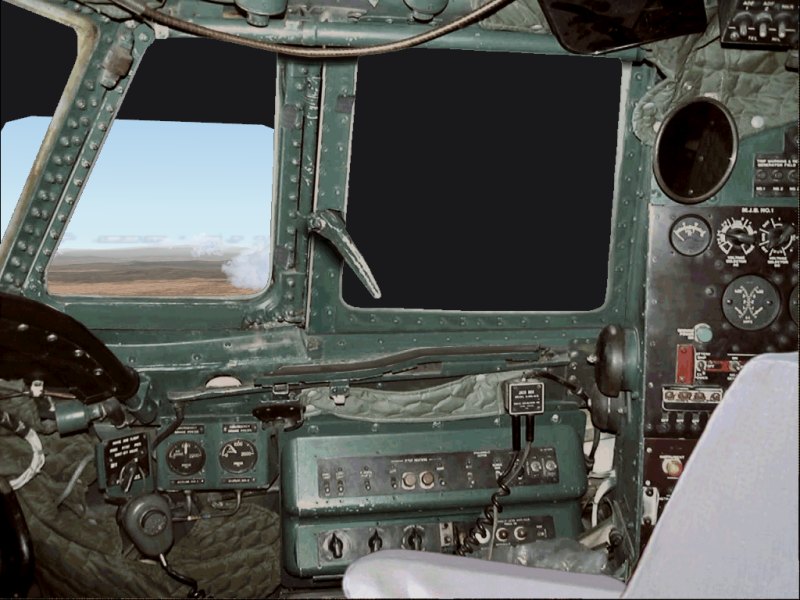
I'm doing a panel switch and it looks like I have two different views placed side by side. I cleaned out the panel folder before inserting the new one. Even checked the panel.cfg file and texture folders.

Any ideas to correct this?

Image
Image

Re: Switching panels

PostPosted: Sun Aug 26, 2007 8:00 pm
by simonmd
It looks like you are looking through the side of the VC. Open the panel.cfg and look for the views section, there should be some reference to the VC. Delete that (after making a copy of the panel.cfg first) and see if that works.

Re: Switching panels

PostPosted: Sun Aug 26, 2007 10:54 pm
by aussiewannabe
I could find no reference to VC in the panel.cfg file. This is what's listed:

[Views]

VIEW_FORWARD_RIGHT_ZOOM=1.0
VIEW_FORWARD_RIGHT_WINDOWS=30
VIEW_FORWARD_RIGHT_DIR=6.0, 0.0, 45.0

VIEW_RIGHT_ZOOM=1.0
VIEW_RIGHT_WINDOWS=31
VIEW_RIGHT_DIR=4.0, 0.0, 90.0

VIEW_REAR_RIGHT_ZOOM=1.0
VIEW_REAR_RIGHT_WINDOWS=32
VIEW_REAR_RIGHT_DIR=0.0, 0.0, 135.0

VIEW_REAR_ZOOM=1.0
VIEW_REAR_WINDOWS=33
VIEW_REAR_DIR=0.0, 0.0, 180.0

VIEW_REAR_LEFT_ZOOM=1.0
VIEW_REAR_LEFT_WINDOWS=34
VIEW_REAR_LEFT_DIR=0.0, 0.0, 225.0

VIEW_LEFT_ZOOM=1.0
VIEW_LEFT_WINDOWS=35
VIEW_LEFT_DIR=5.0, 0.0, 270.0

VIEW_FORWARD_LEFT_ZOOM=1.0
VIEW_FORWARD_LEFT_WINDOWS=36
VIEW_FORWARD_LEFT_DIR=5.0, 0.0, 315.0

VIEW_FORWARD_DIR=0.0, 0.0, 0.0

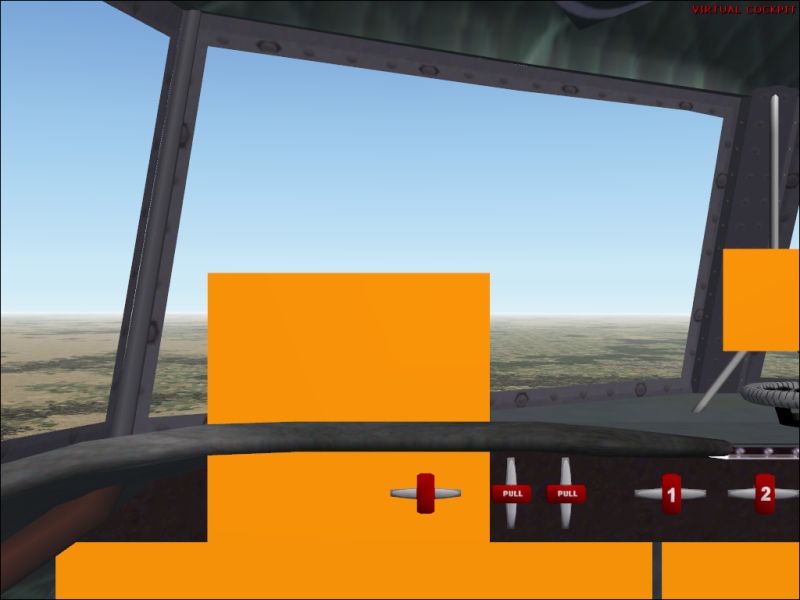
I check some other AC panels and they don't have it. If I delete it then I will see the olive green view (outer view, which I don't want). What's strange is that I also have this view:
Image

Re: Switching panels

PostPosted: Sun Aug 26, 2007 11:58 pm
by Groundbound1
If that's a freeware plane and panel, would you mind posting a link. I have an idea, but I'd like to try it on mine machine first. ( I'd rather not give you advise if I'm not CERTAIN it will work)

Re: Switching panels

PostPosted: Mon Aug 27, 2007 12:55 am
by aussiewannabe
If that's a freeware plane and panel, would you mind posting a link. I have an idea, but I'd like to try it on mine machine first. ( I'd rather not give you advise if I'm not CERTAIN it will work)


Panel:

vncon20.zip - http://www.fscorner.com/best/best_93.htm

Aircraft:

dc4_v10.zip - www.avsim.net , or

SimV: http://www.simviation.com/fs2004props88.htm


Sounds like a strange combination, DC-4 with a Connie panel (but I like it). I don't recall what the original panel was. It may be the olive green one.

Re: Switching panels

PostPosted: Mon Aug 27, 2007 8:29 am
by Groundbound1
Ok, I just wanted to be sure. Those"blank" areas must be in the .mdl file. (I guess Jens B. Kristensen didn't count on anyone wanting to change his panel!) What I did was deleted ALL the textures in both the panel folder and in the plane's folder too, then loaded the plane in the sim. This gave me a clear veiw of the model itself. Unfortunately, and I could be wrong, but I don't think there is anything you can do to get rid of the "trouble areas" without modifying the original model.

Re: Switching panels

PostPosted: Mon Aug 27, 2007 8:37 am
by garymbuska
[quote] Ok, I just wanted to be sure. Those"blank" areas must be in the .mdl file. (I guess Jens B. Kristensen didn't count on anyone wanting to change his panel!) What I did was deleted ALL the textures in both the panel folder and in the plane's folder too, then loaded the plane in the sim. This gave me a clear veiw of the model itself. Unfortunately, and I could be wrong, but I don't think there is anything you can do to get rid of the "trouble areas" without modifying the original model.

Re: Switching panels

PostPosted: Mon Aug 27, 2007 8:52 am
by Groundbound1
Yup. Sorry mate. :(

Re: Switching panels

PostPosted: Mon Aug 27, 2007 9:25 am
by aussiewannabe
[quote] Ok, I just wanted to be sure. Those"blank" areas must be in the .mdl file. (I guess Jens B. Kristensen didn't count on anyone wanting to change his panel!) What I did was deleted ALL the textures in both the panel folder and in the plane's folder too, then loaded the plane in the sim. This gave me a clear veiw of the model itself. Unfortunately, and I could be wrong, but I don't think there is anything you can do to get rid of the "trouble areas" without modifying the original model.

Re: Switching panels

PostPosted: Mon Aug 27, 2007 10:03 pm
by aussiewannabe
Hey guys,

I reloaded the AC. Turns out the original panel really wasn't that bad, although it's missing the NAV/GPS button. That's one of the reasons I wanted to change panels. Also got back my virtual cockpit without the orange rectangles that were showing.