Page 1 of 2

Problem with my anti-aliasing

PostPosted: Thu Jan 18, 2007 12:23 pm
by Conan Edogawa
Hey guys,
Got following problem:

In my Flight Simulator, I activated "anti-aliasing".

....but as you can see...
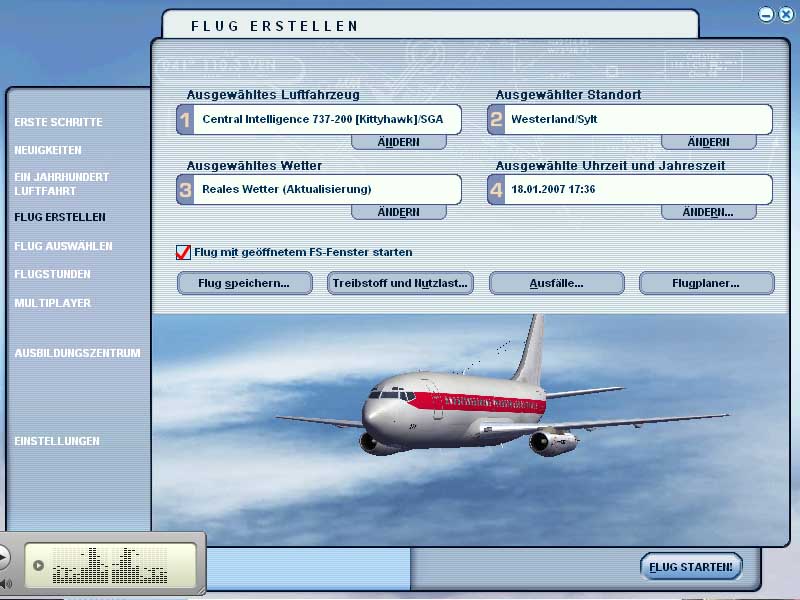
Image

What could it be? I think I wrote my specs in the signature.

Today I installed the catalyst drivers from ATI (now everything goes better :D, only the CatalystControlCenter doesn't work, but I don't care, that's why  I removed the CCC). I previously deinstalled the VGA driver and after the catalyst installation, I reinstalled VGA (without Control Panel, everything looks crappy with it and PC lags).

Thanks for help :D

P.S.: Sorry for the german language and the tiny part of the iTunes-window ;D

Re: Problem with my anti-aliasing

PostPosted: Thu Jan 18, 2007 12:38 pm
by kilotango
Dont set your AA in the game. Set it on your video card. Try AA4 and AF4.
One other thing. The new catalyst control panels from ati is taken a lot of recources. Try and get an old one to set your fast read/write and open gl/3d setup.
That if you're using ati.
I use CP file version 6.14.10.5142

Re: Problem with my anti-aliasing

PostPosted: Thu Jan 18, 2007 12:53 pm
by Conan Edogawa
I already deinstalled the Control Panels.

But where and how can I set the AA on system? :-[

Re: Problem with my anti-aliasing

PostPosted: Thu Jan 18, 2007 1:33 pm
by kilotango
Ups. Again.
Try and right click on your desk. Advanced settings. What do you see?
Is there any red figures, like ATI?

Re: Problem with my anti-aliasing

PostPosted: Fri Jan 19, 2007 9:26 am
by kilotango
Just for your information. I use a control panel from this old catalyst:
wxp-w2k-catalyst-8-111-050222a-021277c.exe
Then i uninstall win drivers, and get the new ones from ati (amd).
It works perfectly at my place.

Re: Problem with my anti-aliasing

PostPosted: Fri Jan 19, 2007 1:30 pm
by Conan Edogawa
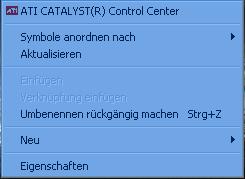
Right click:

Image

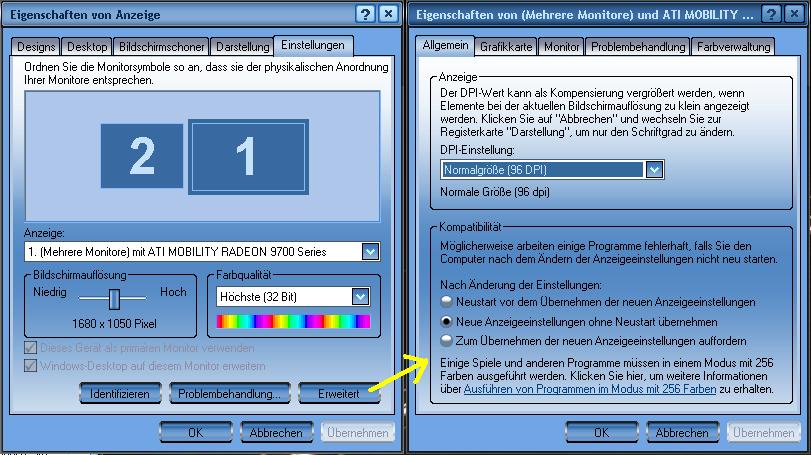
"Eigenschaften":

Image

In every tab is no Anti-Aliasing-option to select... :-?


Sorry for the German.... :(

Re: Problem with my anti-aliasing

PostPosted: Fri Jan 19, 2007 3:13 pm
by kilotango
Thats ok. I understand.
You dont have a control panel for the ati card installed.
Try and find the one i mentioned previous. Try ati.com older files. Download it.
Uninstall the display driver you got now. Restart.
Install the catalyst by start, run, then point to where you downloaded the catalysts exe file, press ok.
After a restart, go to the settings you showed, there should now be several ati options.
You can now download the new ati display driver. I would recommend 6.12. The new 7.XX gave me troubles.
Go to add remove programs. Uninstall ati display driver.
After restart, again start, run and point to the new display exe.
You should be done now.
Come back if you need more.

Re: Problem with my anti-aliasing

PostPosted: Fri Jan 19, 2007 5:35 pm
by Conan Edogawa
Well, that's exacly what I did yesterda with the new catalyst and my usual VGA. Remember: I don't use the Catalyst Panel, because it's broken anyway...

Re: Problem with my anti-aliasing

PostPosted: Fri Jan 19, 2007 5:52 pm
by kilotango
Conan, now we take it very easy.
You need a control panel to set the AA and AF on your video card.
This is the main issue. Don't set it in the flightsim. That's why i try to point you to a CP that's not taking power out from your system.

What did you do exactly yesterday? And what is your usual VGA?

Have you read my last post carefully, and do you understand it? If not, ask ask

Adding:
Dont get messed up with catalyst and display drivers. Catalyst contains it all. Both control panel, display and wdm drivers.
Hope you get that right.

Re: Problem with my anti-aliasing

PostPosted: Sat Jan 20, 2007 6:25 am
by Conan Edogawa
1.I uninstalled the main driver (VGA) for my card.
2.I installed the 7.*-Catalyst.
3.After rebooting I realized that my primary monitor doesn't show a desktop, it shows strange lines and such crap. The graphic card moved the normal desktop to my secondary monitor. So I let the catalyst installed and added the VGA, I uninstalled before (vGA comes from the CD).
4.After rebooting everything (except the Catalyst Panel, it didn't show profiles and the settings, just the frame of the Panel without any settings) worked fine.

That's what I exactly did ::)

Can't I just download an old Catalyst Panel without uninstalling the Catalyst drivers I got now?

Re: Problem with my anti-aliasing

PostPosted: Sat Jan 20, 2007 10:05 am
by kilotango
If you by catalyst drivers mean the windows display drivers, then yes.
But if you got a control panel installed, and try to install another, you will certently get conflicts.

It would be a good idea to get rid of all your ati related drivers on your system before getting new in. Try and look into C/programs/ati technologies there should be a folder called UninstallAll. Open it and press the exe. If you got a reg cleaner program, then run that too, tho, you can go on without.

If you don't got the uninstall program, i could mail it if you want. Just let me know.

Re: Problem with my anti-aliasing

PostPosted: Sat Jan 20, 2007 10:25 am
by Conan Edogawa
No thanks.  ;)

I'm just thinking if I should do it, because after I installed the new Catalysts and the usual VGA everything worked much better (except the AA).

So, I will get that through my mind first... ::)

Never mind, but thanks for help. ;)

Re: Problem with my anti-aliasing

PostPosted: Sat Jan 20, 2007 10:54 am
by Alonso
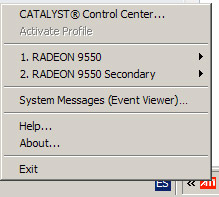
You must set the AA in the Catalyst Control Center (CCC), if you have installed it you may see an icon like this, click on Catalyst Control Center

Image

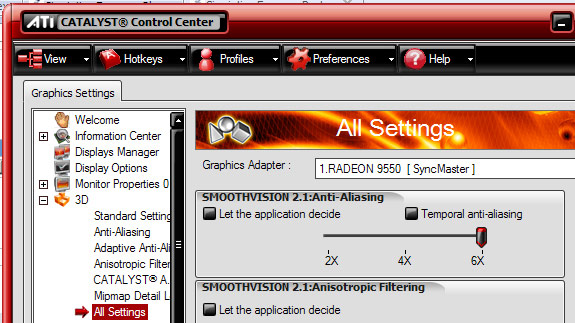
Then you may find this in "All settings", and select the Anti Aliasing at your taste, always remember to turn off AA in the sim

Image

P.S: I really do not recommend playing music while playing FS at the same time, specially with iTunes, that's a memory eater :o

Re: Problem with my anti-aliasing

PostPosted: Sat Jan 20, 2007 1:06 pm
by Conan Edogawa
Okay.

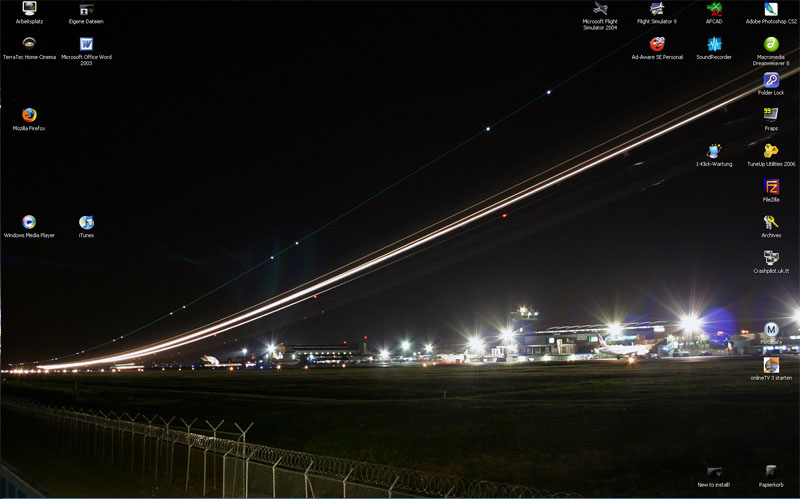
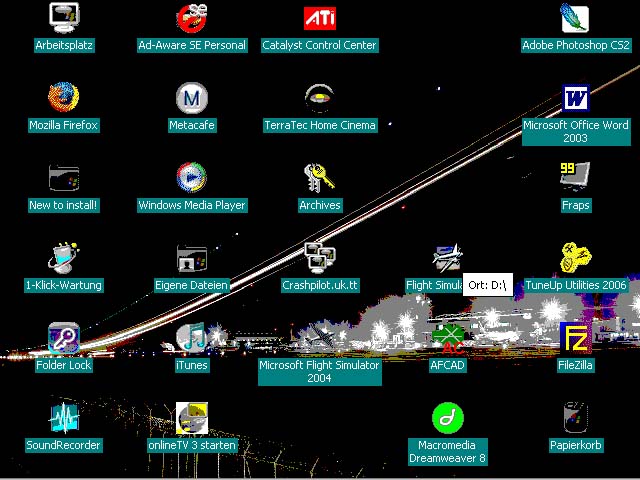
After installing, reinstalling, uninstalling, some other installing and rebooting 100 times, my Desktop looked like this:

BEFORE

Image

AFTER (original size!!)

Image


After being in hospital because of a shock and returning, I had installed an uninstalled again, until I had to reboot the system in Safe Mode. After removing every single ATI file I installed the main VGA driver and now everything is okay (even the AA and AF :D :D).

After all, thanks very much for the help, this forum is great (I can tell). ;)

Re: Problem with my anti-aliasing

PostPosted: Sat Jan 20, 2007 4:44 pm
by born_2_fly
OK...

Firstly, make sure that you uninstall all of the ATi drivers you currently have on your system. Do this using Add/Remove programmes.
Then, go here and download Driver Cleaner Pro. (Do this even if you have already removed them using Add/Remove programmes) Once it's finished downloading, install, and run the programme. Select ATI, ATI CCC, and ATI uninstall utility. Then click start cleaning.
After cleaning has finished, go into the C:\ drive and delete any folders that say ATI.
Next, reboot.

Now go to the ATi site, and download the latest CCC and Display drivers. (Download the single installer, do not opt for the separate downloads)
Make sure that you have both .NET 1.1, and .NET 2.0 installed (both available from Microsoft website)
Run the ATi installer, and afterward reboot your system.

If on boot up, you screen seems to have shrunk again, log in, and right click on the desktop, go to Properties > Settings > and choose the 1024 x 768 option on the small slider to the left hand side of the box. Click OK, and Apply.

Now go into the ATI CCC and change the following settings:

AA=4x  
AF=16x,  
Catalyst AI to ADVANCED,  
Texture Quality HIGH or MAXIMUM
Wait for Vertical Refresh to #3 on the slider (Application Controlled)

Make sure under API Specific: Enable Geometry Instancing, Support DTX Texture, and Triple Buffering are checked, nothing else.  

Under VPU recover, uncheck prepare error report but leave Enable VPU checked