Page 1 of 2

How can I see???

PostPosted: Mon Sep 25, 2006 4:17 pm
by alrot
How can I see the framerates? yes I should know it , I never bother it before until now ..Please... :'(

Re: How can I see???

PostPosted: Mon Sep 25, 2006 4:33 pm
by Hagar
Shift + Z x 2

Re: How can I see???

PostPosted: Mon Sep 25, 2006 4:34 pm
by Fozzer
How can I see the frame rates? yes I should know it , I never bother it before until now ..Please... :'(


The details are hidden at the top of the screen and you have to wear special glasses which detect polarised light, and tilt your head at an angle of 52 degrees to make the text visible.
You also have to set the frame speed of your monitor to accurately synchronise with the hidden text.

When everything is correctly set up the text will be visible.

Paul.... ;)...!

P.S. There is an easier method, but that will only be revealed upon payment of $50,000 in used bank notes.

Re: How can I see???

PostPosted: Mon Sep 25, 2006 4:38 pm
by alrot
Okay I got I thanks Paul & Doug ,Now its says LOCKET AT 21 FRPSWhy is lock it? any help..Please!!and is this a good frame rate?

Re: How can I see???

PostPosted: Mon Sep 25, 2006 4:40 pm
by Hagar
21 fps should be fine unless you have a very powerful computer & graphics card. You can change it from FS2004 Settings if you wish. Can't remember quite where without checking.

Re: How can I see???

PostPosted: Mon Sep 25, 2006 4:45 pm
by Fozzer
Okay I got I thanks Paul & Doug ,Now its says LOCKET AT 21 FRPSWhy is lock it? any help..Please!!and is this a good frame rate?


The price has now gone up to $75,000 for the key to unlock the frame rate to a speed greater than 21 FPS.

You will recieve details of where to drop the money by telephone within the next two days, and also the whereabouts of the special key.

Fingers Fozz.... 8)...!

Re: How can I see???

PostPosted: Mon Sep 25, 2006 4:46 pm
by Saitek
I think it is settings>hardware and then frame rates has a box near it. If you unlock it you will see them jump all over the place. 30fps is generally considered just as good as 100fps if it is stable as the human eye cannot see any difference between the two.

Re: How can I see???

PostPosted: Mon Sep 25, 2006 4:48 pm
by Saitek
Sorry Paul for ruining your latest money idea - we posted together! :o

Re: How can I see???

PostPosted: Mon Sep 25, 2006 4:48 pm
by alrot
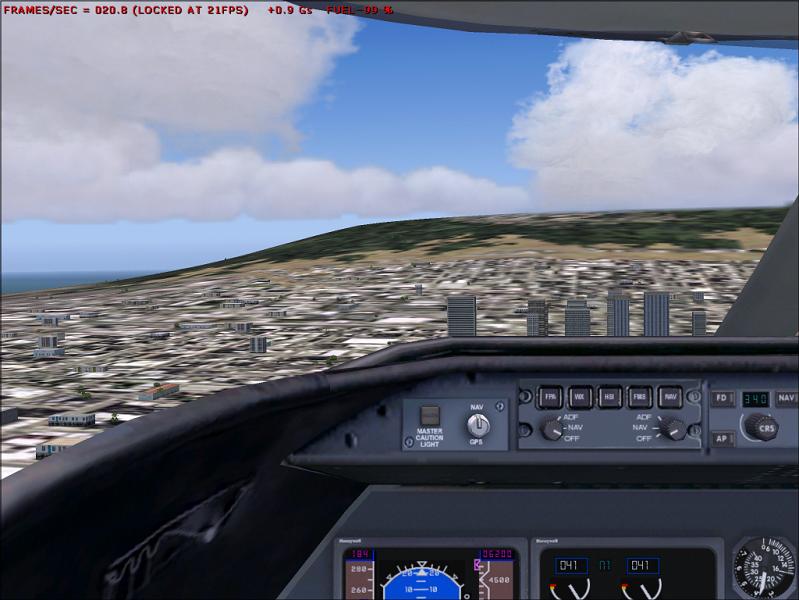
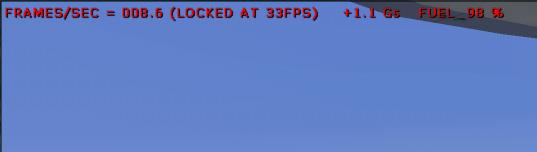
I raice (I found where to adjust this) this is a shot ,I really need you advise guys I looks well.. :)

[mistake] :P :P :P :P :P[\mistake]

wait this wasn't right I repost the shot

Re: How can I see???

PostPosted: Mon Sep 25, 2006 4:49 pm
by Hagar
I think Foz is saving up for a new bike - and a new house. ;)

Re: How can I see???

PostPosted: Mon Sep 25, 2006 4:52 pm
by Saitek
I raice (I found where to adjust this) this is a shot ,I really need you advise guys I looks well.. :)

Image


wait this wasn't right I repost the shot


Ouch! :o Turn down the clouds, or the resolution or the mesh density or something! That is waaaaaaaaay too slow. It will be all shakey like that.

Re: How can I see???

PostPosted: Mon Sep 25, 2006 4:53 pm
by Fozzer
$75,000 received.
The key to the safe is enclosed.
Open the safe.
Inside is a scrap of paper.

Read instructions as follows:
Menu > Settings > Display > Hardware > Target Framerate.

The scrap of paper will then self-distruct within 5 seconds.

Fingers Fozz.... 8)...!

Re: How can I see???

PostPosted: Mon Sep 25, 2006 4:57 pm
by alrot
Ok ,I just fix it (no cheating) sometimes it raise to 31 frames/sec ,but most of the rate Inside the vc in the lear45 is like this,What do you think?

Image


Ben I had open several programs while I took the first shot this its my ordinary rate with 3d clouds & medium scenery ,tell me is it too bad?

Ill make another shot shoing the clouds and scenery and this indicator

Re: How can I see???

PostPosted: Mon Sep 25, 2006 5:15 pm
by alrot
Here ya go,.. Tell me is this acepable?

Image

Re: How can I see???

PostPosted: Mon Sep 25, 2006 5:17 pm
by Saitek
As a guide Alec this is how it works.
To get more frame rates:
1) Have less cloud layers, less clouds, less cloud density and less cloud draw distance. The less you have the more frame rates.
2) Less resolution and less autogen. The less you have the more frames.
3) Turn down the AI (other aircraft). Like clouds these are moving objects that slow the sim down.
4) Keep the windows low. Having several views going at once, the GPS map, engine, radio and a heap of other windows contribute to slowing the sim down.
5) Turn off all programs you can! They eat you system resources leaving less for your sim to use. This is a major number one infact. Even restarting your computer may help before you fly to get rid of certian programs running. Some of us use programes like enditall to close as many unnecessary thins down to free up resources.
So get things off the taskbar, msn, skype etc etc. If you know what you are doing press control alt delete and get rid of the processes you don't need. (If you make a wrong move just restart your computer).

Obviously there is a trade off. You want a balance between performance and enjoyable graphics. It is simply time and you make fine adjustments.

Oh and do remember that depending what you view you have depends what screens you will get. The outside view eats the most frames, but if you go outside and stare straight up at the sky the frames will shoot up. ;) You just have to experiment. :)