Page 1 of 1
Help with Aircraft textures!

Posted:
Fri Oct 07, 2005 5:06 amby Thunderbird1
I am trying to install the Southwest Airlines texture for the KittyHawk 737-800. I've edited the .cfg file to the best of my ability. I had to guess because there was no file for it. Anyway, I can only get the engine, tail, and wing textures to appear. No fusealage textures.. Any Idears???
CJ
Re: Help with Aircraft textures!
Posted:
Fri Oct 07, 2005 7:58 amby commoner
..mm...Thunderbird ....... whoever wanted to help would really have to know exactly which downloads you are trying to install.......otherwise it would all be guesswork..........commoner

Re: Help with Aircraft textures!
Posted:
Fri Oct 07, 2005 10:13 amby wji
Yes, without the model it's hard to tell.
My K-H-737-800 is:
Kittyhawk Productions
Boeing 737-800
Model By: Erick Cantu
Model Assistance By: Fraser Turner
Textures By: Erick Cantu
Flight Dynamics By: Shawn Anderson
Technical Support Provided By: Adam Stanger
"Read Me" By: Adam Stanger
. . . and it seems there's also a model by FFX
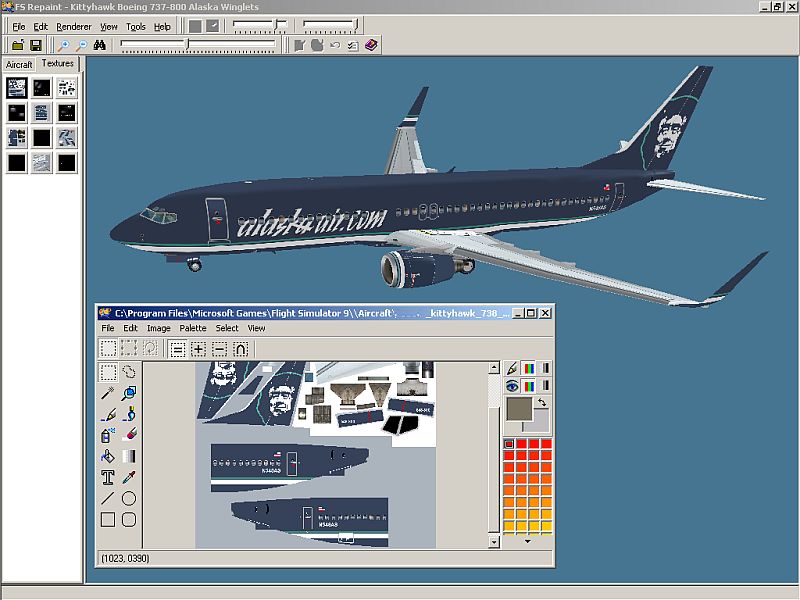
My K-H-737-800 Alaska Airline fuselage textures are named: 738_FUSE_T.BGL and are 32 bit, 4.0 MB
Hope this helps.
Re: Help with Aircraft textures!
Posted:
Fri Oct 07, 2005 10:23 amby Souichiro
Look at no nodes (flightsim.com) For a southwest 737 package..There is one complete wit everything.. Dunno the opackage name though..
Re: Help with Aircraft textures!
Posted:
Fri Oct 07, 2005 11:35 amby Thunderbird1
Here is the description from the web page
Name: khsw7oc.zip Size: 1,394,984 Date: 08-08-2004 Downloads: 1715
FS2004 Southwest Airlines Boeing 737-800 This Kittyhawk Productions aircraft includes full moving parts, dynamic shine, custom lighting, scratch-built visual model using the latest technology from Gmax, custom textures, all new never been flown before flight dynamics, tested by a 737 rated commercial pilot. Model by Erick Cantu. FDE by Shawn Anderson.
And the description from the readme file
Model By: Erick Cantu
Model Assistance By: Fraser Turner
Textures By: Erick Cantu
Flight Dynamics By: Shawn Anderson
Technical Support Provided By: Adam Stanger
"Read Me" By: Adam Stanger
The web page makes it sound like it's a full package, but it's just the texture.
The aircraft came from Avsim
and the texture from flightsim.com
Hope this is the right info.
Re: Help with Aircraft textures!
Posted:
Fri Oct 07, 2005 11:41 amby Thunderbird1
Forgot!
My K-H-737-800 Alaska Airline fuselage textures are named: 738_FUSE_T.BGL and are 32 bit, 4.0 MB
Thats what I have, just without the winglets and southwest markings.
Re: Help with Aircraft textures!
Posted:
Fri Oct 07, 2005 12:34 pmby Graycat
Heya Thunderbird,
I downloaded the file khsw7oc.zip and discovered that once it's unzipped, the textures reside in a folder called KHSWA700OC. The fuselage textures in this folder are labeled 73g_fuse_t.bmp. This means that these textures are intended for a Kittyhawk 737-700 aircraft and won't work on a 737-800.
I know, I know. The khsw7oc.zip file description does say that it's intended for a 737-800, however, the texture maps look entirely different.
Re: Help with Aircraft textures!
Posted:
Fri Oct 07, 2005 3:06 pmby Thunderbird1
That did the trick, I DL the 737-700 and it works great
Thanks
Re: Help with Aircraft textures!
Posted:
Sat Oct 08, 2005 1:30 amby commoner
..LOL....mmmm.....I must admit it HELPS if you have the right textures to match the aircraft.....

....commoner

Re: Help with Aircraft textures!
Posted:
Thu Nov 24, 2005 2:42 amby cstrut
I've noticed when I'm doing texture work on some aircraft if the size of the file is wrong the textures won't load, even if some on the page did load. I'm not sure what exactly it is that causes that but if I go back and pay really close attention to the file size and color weight the file generally works.