Page 1 of 1

Panning in F1View

PostPosted: Sat Nov 12, 2005 9:39 am
by Tweek
Is it possible to pan the view with F1View? I.e. not rotate around the aircraft, but shift the view across so the plane is offset to the center. I think I've seen it done before, but I can't seem to do it myself. So this could be a 'How do you pan?' topic :P

-Tweek

Re: Panning in F1View

PostPosted: Sat Nov 12, 2005 9:52 am
by Alphajet_Enthusiast
Go outside the plane, then try rolling the rolling thing on the mouse. keep doing that. I dont know but I think this is the best you can do.  :)

Re: Panning in F1View

PostPosted: Sat Nov 12, 2005 10:13 am
by Tweek
Go outside the plane, then try rolling the rolling thing on the mouse. keep doing that. I dont know but I think this is the best you can do.  :)


Rolling the wheel rotates the camera around the aircraft, rather than actually moving it from side to side/up and down.

Re: Panning in F1View

PostPosted: Sat Nov 12, 2005 10:35 am
by Souichiro
Ah that, Scroll and Hold either CRTL or SHIFT

Should work

Only in VC mode though and not with all planes...Kirk Olsons F-16D and his Mirage f1 with full cockpit will work as with the Lyons TRI pacer

Re: Panning in F1View

PostPosted: Sat Nov 12, 2005 10:49 am
by Tweek
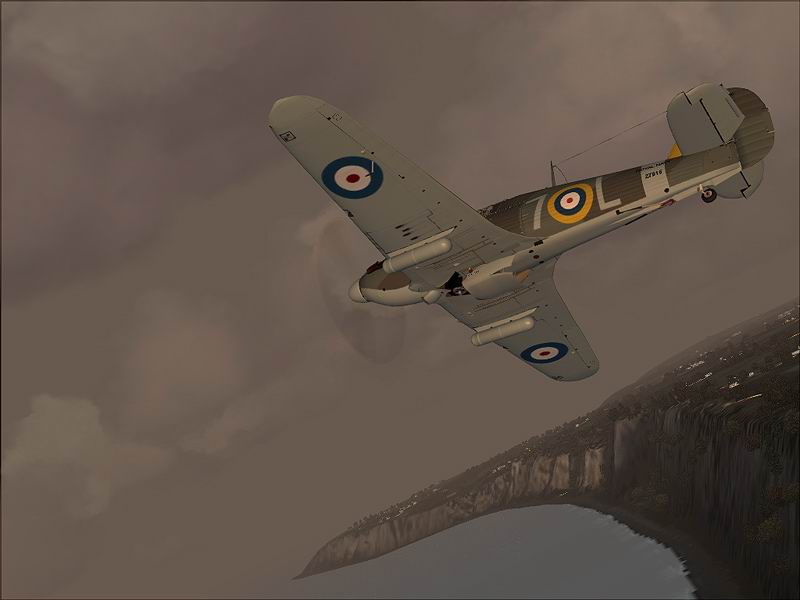
I seem to recall Stormtropper saying that he used F1View to produce this shot:

Image

I can't remember exactly, but I was pretty sure F1View was mentioned. This being both rotated and panned.