Page 1 of 1

Push back

PostPosted: Fri Sep 30, 2005 2:32 am
by erp001
Hello,

I have been visiting these forums for a long time as a guest but now I have a question. I know how to pushback a plane and having it turned. (shift-P 1 or 2). This works with all aircraft in my setup but one. I can't get the 737 by Moach to turn in any direction. It will only pushback straight out. Is this a known problem and is there a fix to it?

Many thanks,

Easy Flyer.

Re: Push back

PostPosted: Fri Sep 30, 2005 5:35 am
by microlight
Welcome, easy flyer.

I've just tried the shift-P-1, and my 737 Experience -700 did exactly as it was supposed to; on my system at least.

If you can't get this to work for you, there is an alternative which I actually use routinely in preference to the shift-P thing: there is a set of custom pushback and taxi gauges by Rob Barendregt (on Avsim - type the surname into the site search engine) that allow you to set pushback duration and angle of turn right or left. Also ground taxi speed if you wish.

Good luck!

;)

Re: Push back

PostPosted: Fri Sep 30, 2005 6:13 am
by erp001
Thanks Microlight, I will try that.

Easy Flyer.

Re: Push back

PostPosted: Fri Sep 30, 2005 8:42 am
by commoner
Hi Easy flyer....

Re: Push back

PostPosted: Fri Sep 30, 2005 10:05 am
by erp001
Hello Commoner,

Thanks for your reply. I see you use something I've never seen before. What is it?

Easy Flyer.

Re: Push back

PostPosted: Fri Sep 30, 2005 10:36 am
by wji
Having said all this about all that there are FS9 addon aircraft which simply will not turn either way on pushback -- fanda DHC8 being one.

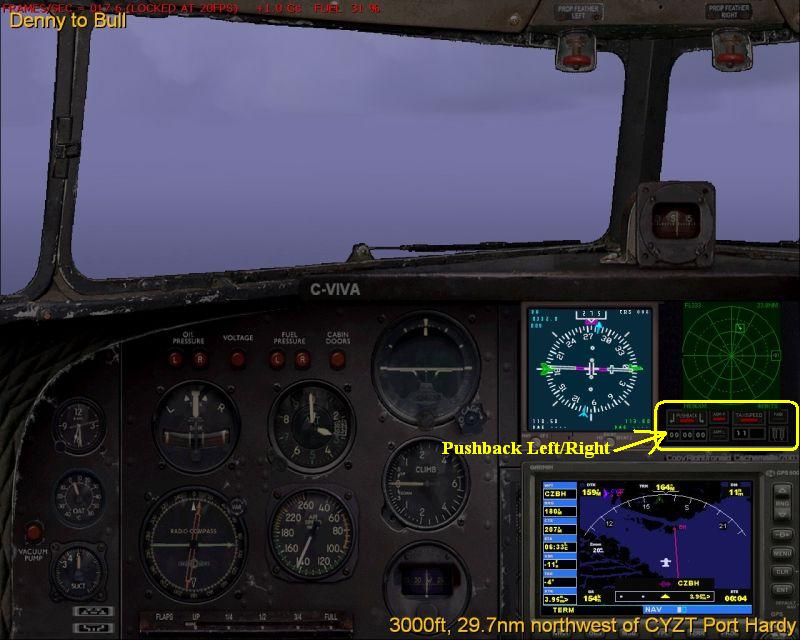
There are copious amounts of Pushback utilities for FS9 aircraft; here's a screenshot of one which ships with the Back2theFurure DC3 panel.

Image

Search here at SimV

Re: Push back

PostPosted: Fri Sep 30, 2005 11:01 am
by garymbuska
Also some third party air craft will not turn as well I just recently purchased the 727 Professional from Just Flight and it will not turn at all. I have a ground handling gauge I use to control taxi speeds on most of my air planes that also has a push back gauge built into it. I could put this in the plane but do not want to spoil a perfect panel so I live with it the way it is, No big deal. 8)

Re: Push back

PostPosted: Fri Sep 30, 2005 11:09 am
by commoner
''it represents a hand held pushback gizmo....click on the green arrows to go in that direction...can't for the life of me think where it came from.......commoner  ???

Re: Push back

PostPosted: Fri Sep 30, 2005 10:53 pm
by Graycat
Heya Easy flyer,

The gauge that commoner and wji are referring to is the Groundhandling gauges for FS2004 aircraft By Rob Barendregt (RCBgh-40.zip).  I have it on all of my FS 2004 aircraft.  You can get it at Flightsim or Avsim.  It's a definite must have!

Re: Push back

PostPosted: Sat Oct 01, 2005 5:17 am
by erp001
Thanks again for all the replies. I am sure I'll find a way now to get this 737 turning.

Easy Flyer.

Re: Push back

PostPosted: Sun Oct 02, 2005 10:57 am
by Clownloachlover
[quote]Heya Easy flyer,

The gauge that commoner and wji are referring to is the Groundhandling gauges for FS2004 aircraft By Rob Barendregt (RCBgh-40.zip).

Re: Push back

PostPosted: Sun Oct 02, 2005 3:55 pm
by rcbarend

I tried this and followed the instructions and all I get when I bring up the window is a black box, nothing else. Do you know why this is?

Clown


If you DO get the window, the most probable error is that the \gauges\ folder does not contains the fle rcb_groundhandling4.cab.
Note that (as instructed) this .cab file should remain as-is (NOT unzipped).

Cheers, Rob Barendregt

Re: Push back

PostPosted: Sun Oct 02, 2005 7:51 pm
by Clownloachlover

If you DO get the window, the most probable error is that the \gauges\ folder does not contains the fle rcb_groundhandling4.cab.
Note that (as instructed) this .cab file should remain as-is (NOT unzipped).

Cheers, Rob Barendregt


I followed the instructions and unzipped into my FS9
just like it says. I get a little black box when I bring up the Groundhandling view.

"1. Extract all files to the MAIN FS2004 folder, using the "Use folder names"
option. This will place each file in it's correct location.
Overwrite older files when asked."

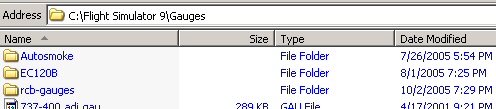
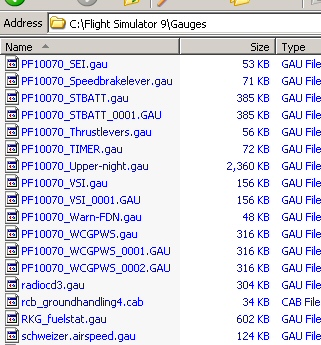
Here is my gauges folder.

Image

Image

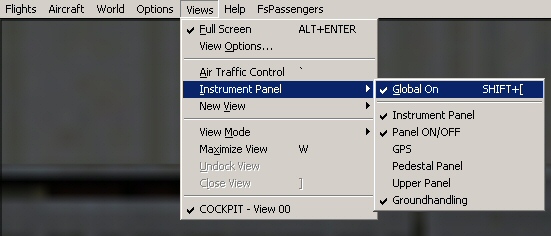
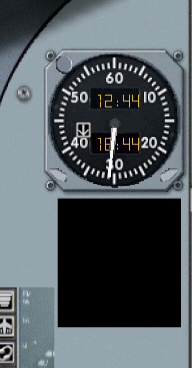
Here is what it looks like ingame.

Image

Image

Thank you for any help you might give me.

Clown

Re: Push back

PostPosted: Mon Oct 03, 2005 5:12 am
by rcbarend
"CLown",

If you are the "James" who Emailed me: see my extensive response