aircraft.cfg

Forum dedicated to Microsoft FS2004 - "A Century of Flight".

aircraft.cfg

Postby davidharris » Fri Jun 17, 2005 4:50 am

hi all just a quick question how do i change what in in my aircraft.cfg folder. i need to add a repaint and it says to go into my aircraft cfg file but what sort of programme do i need to get into it to change it.

many thanks in advance

D

davidharris
2nd Lieutenant
2nd Lieutenant
 
Posts: 160
Joined: Wed Jan 28, 2004 3:09 pm

Re: aircraft.cfg

Postby WebbPA » Fri Jun 17, 2005 5:48 am

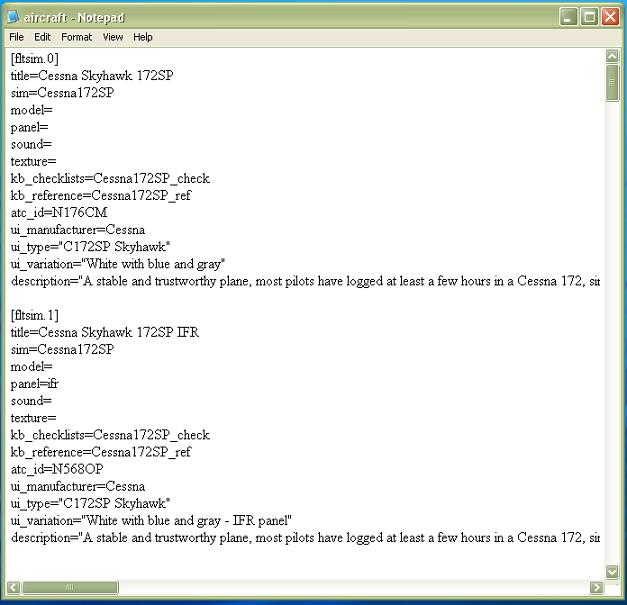
Aircraft.cfg files are plain vanilla ascii text files.  Open and edit them with notepad.  Do not use a word processor that will write formatting and other undesirable codes.
WebbPA
Ground hog
Ground hog
 
Posts: 0
Joined: Sat Sep 25, 2010 6:01 pm

Re: aircraft.cfg

Postby commoner » Fri Jun 17, 2005 5:49 am

Hi David...it's a text file and will open in note pad.....make a copy before you mess with it ...........commoner ;)
Image"In theory, there is no difference between theory and practice. But, in practice, there is."
User avatar
commoner
Major
Major
 
Posts: 3221
Joined: Sat Aug 28, 2004 2:26 am
Location: Yorkshire. England. UK.

Re: aircraft.cfg

Postby Saitek » Fri Jun 17, 2005 6:05 am

Hello David.
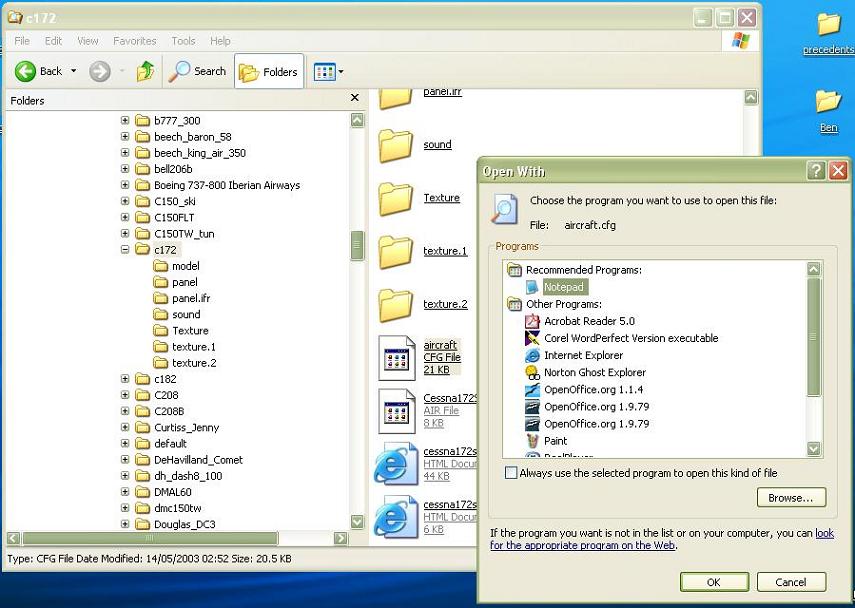
Here is a couple of screenies. You can do whatever you like, but always save the original first or you will be in big trouble if something goes amiss! ;D

Right click on the CFG file and then select the "open with" and choose program.

Image

Image
Windows 7 Pro 64bit
Intel Core 2 Duo E2180 2GHz
GA-P35-DS3L Intel P35
Kingston HyperX 4GB (2x2) DDR2 6400C4 800Mhz
GeForce 8800 GT 512MB
2 x 22" monitors
200GB Sata
Be Quiet! Straight Power 650W

Flying FS
Saitek
Lieutenant Colonel
Lieutenant Colonel
 
Posts: 5274
Joined: Thu Jun 19, 2003 3:04 pm
Location: UK


Return to FS 2004 - A Century of Flight

Who is online

Users browsing this forum: No registered users and 196 guests