Page 1 of 1

Repaint Problems

PostPosted: Mon May 30, 2005 8:43 pm
by mitchgixer6
Hi everyone

Just recently bought the game and have been enjoying not only flying, but downloading various add on aircraft to up my inventory. Keep up the good work everyone who is buliding these add ons.

Run into a problem with repaints though. I installed the KC135 that's on this site tonight. However, I thought I would try installing a repaint for this aircraft. Dowloaded 2 (portland model and the france one). Did all the required things, copied the foler into my FS9/Aircraft/KC135 folder OK. Then added the text to the aircraft.cfg file. Made sure the fltsim.xx number was correct and that the texture= matched the folder name.

Problem is when I try to select either of these models, the names are there and I can select them ok. But when I load up the game the plane has no texture, just appears plain grey in colour.

I know I'm probably doing something silly, but I couldn't find any answers on the FAQ or anywhere else. Any help on how to see the new textures much appreciated.

Michael

Re: Repaint Problems

PostPosted: Mon May 30, 2005 9:50 pm
by GA_Pilot
Did you rename the very first line: title=
You have to give it a unique title name...That used to trip me up sometimes....... >:(

Re: Repaint Problems

PostPosted: Tue May 31, 2005 2:02 am
by commoner
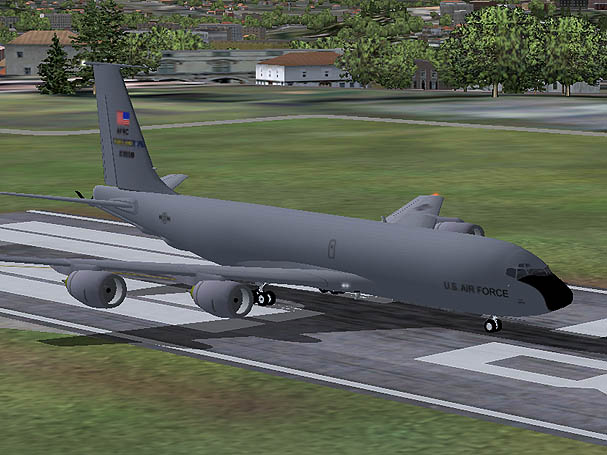
Hi Mitch.....welcome to SimV..........do you mean it looks like this screenie?...if so then that's ok 'cos that's what it should be like.....just the markings are different.....this is the Portland version.............commoner ;)

Image

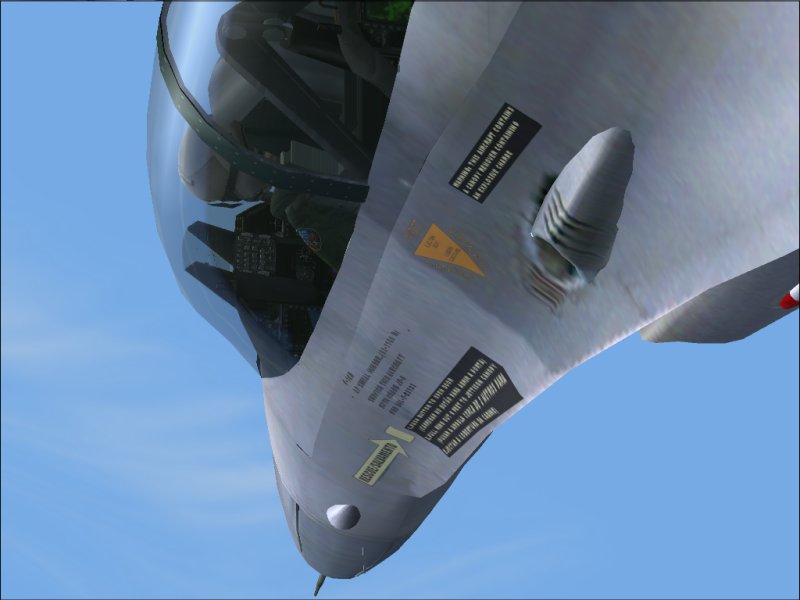
...and with NO textures it would be like this.....

Image

Re: Repaint Problems

PostPosted: Tue May 31, 2005 5:04 am
by mitchgixer6
Cheers fot the replies guys.

Checked the tiltle= in the file. They are both set to a different name. The plane looks like commoner's second picture. Completely blank with no textures. Don't know what I'm doing wrong.  ???

I'm away to try and download some textures for a different aircraft and see how it goes. Will keep you posted.

Re: Repaint Problems

PostPosted: Tue May 31, 2005 5:36 am
by mitchgixer6
OK, update time. Maybe someone can tell me if this is normal.

Deleted the KC-135 model that I had in FS2004, and replaced it with Mike Stones model. All of the repaints seemed to mention that they were for this model. Are repaints always model specific like this?

Retried installing the new texture. Portland first. This seemed OK until I selected it in the menu. The preview screen (with the revolving aircraft) was black. Clicked the "Fly now" button and I got an error saying the aircraft couldn't be loaded. Fs2004 crashed to desktop then restarted itslef. When it restarted the portland texture was available and I could go fly it with no problem.

Did the same procedure with the French texture and that came up first time. No problems.

Think I know what is happening here, but can anyone elaborate?

Re: Repaint Problems

PostPosted: Tue May 31, 2005 6:11 am
by Hagar
Hi Mitch. You answered your own question. Well done for figuring it out. Repainted textures will only work with the version of the aircraft they were intended for. All 3rd party aircraft vary & use a different number of textures with different file names, sometimes even different versions of the same model by the same author. You must make sure you have the original version of the aircraft the repaint was intended for. The author's name & version should be mentioned in the Readme with the textures.

Re: Repaint Problems

PostPosted: Tue May 31, 2005 6:27 am
by commoner
...yes I got Mike Stones a/c (skc135.zip) and the two repaint textures you mentioned..........only thing I had to change was the Fltsim no...for portland my aircraft.cfg which I added was like this

[fltsim.1]
title=Boeing KC-135 Stratotanker portland
sim=kc135
model=
panel=
sound=
texture=portland
kb_checklists=
kb_reference=
atc_id=kc135
atc_airline=USAF
atc_flight_number=1123
atc_heavy=1
ui_manufacturer=Boeing
ui_type=KC-135
ui_variation=USAF (Portland)
description=repaint by Andy Nott, www.repaints.tk
[General]
atc_type=BOEING
atc_model=KC135
editable=1
performance=Cruise Speed\tMach .84\nMaximum Range\t5,600 nm\nService Ceiling\t36,400 ft\nMax Takeoff Weight\t580,000 lb\nSeating\t\t368 to 550\nCargo Capacity\t7,552 CU ft\n


Put the texture.portland folder in the correct aircrafts folder (mine is called kc135)and away..............commoner ;)

Re: Repaint Problems

PostPosted: Tue May 31, 2005 5:07 pm
by mitchgixer6
Thanks for the quick replies. Looking forward to using these forums much more in the future.  ;D