
My planes are transparent!

Forum dedicated to Microsoft FS2004 - "A Century of Flight".

My planes are transparent!

Postby Stubbedtoe18 » Mon Jun 25, 2007 12:40 am
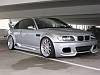
What is going on?  After a long day of installing and trying out new planes on FS, for some reason my planes are see-through.  Anyone know why and how to fix this?  It has happened before, but I reinstalled it.  I wish to avoid that at all costs.
User avatar
Stubbedtoe18
Captain
Captain
 
Posts: 875
Joined: Sun Jun 24, 2007 8:03 pm

Re: My planes are transparent!

Postby born_2_fly » Mon Jun 25, 2007 1:38 am

Can you post a picture?

It sounds like there might be something wrong with the envirobmp file, have your tried turning off reflections?
born_2_fly
 

Re: My planes are transparent!

Postby microlight » Mon Jun 25, 2007 2:33 am

Which planes are involved? All, or just some? If it's all, then a likely suspect is the bitmap Alex refers to. If it's just some newer ones, then another suspect might be a lack of night textures in the plane's texture folder.

;)
User avatar
microlight
Major
Major
 
Posts: 2076
Joined: Mon Aug 19, 2002 6:24 pm
Location: Southern UK

Re: My planes are transparent!

Postby JSpahn » Mon Jun 25, 2007 7:07 am

Maybe Wonder Woman is your co-pilot? Sorry couldnt help myself :)
Image
User avatar
JSpahn
Major
Major
 
Posts: 1768
Joined: Wed Apr 04, 2007 9:12 pm
Location: Philadelphia,PA

Re: My planes are transparent!

Postby Stubbedtoe18 » Mon Jun 25, 2007 1:02 pm

I'm gonna sound new (which I am), but how do I really paste the screenshot here?
User avatar
Stubbedtoe18
Captain
Captain
 
Posts: 875
Joined: Sun Jun 24, 2007 8:03 pm

Re: My planes are transparent!

Postby Stubbedtoe18 » Mon Jun 25, 2007 5:41 pm

Shoot it's all of em
Last edited by Stubbedtoe18 on Mon Jun 25, 2007 5:42 pm, edited 1 time in total.
User avatar
Stubbedtoe18
Captain
Captain
 
Posts: 875
Joined: Sun Jun 24, 2007 8:03 pm

Re: My planes are transparent!

Postby dave3cu » Mon Jun 25, 2007 6:55 pm

Look in your ....\FS2004\Texture\.. folder for the 'envmap.bmp' file. The default is 43kb, dated 4/17/2003.

If you need to restore it, grab it
Last edited by dave3cu on Mon Jun 25, 2007 6:58 pm, edited 1 time in total.
At that time [1909] the chief engineer was almost always the chief test pilot as well. That had the fortunate result of eliminating poor engineering early in aviation.
dave3cu
Major
Major
 
Posts: 3141
Joined: Sun May 19, 2002 9:55 am
Location: 3CU, Northern Wisconsin, USA

Re: My planes are transparent!

Postby Stubbedtoe18 » Mon Jun 25, 2007 8:52 pm

Damn I fixed it by turning of reflections.  Thanks for that idea.  Unfortunately, I now have non-reflective aircraft.  Better than ghost planes, though.
User avatar
Stubbedtoe18
Captain
Captain
 
Posts: 875
Joined: Sun Jun 24, 2007 8:03 pm

Re: My planes are transparent!

Postby VFC-183_Raven » Mon Jun 25, 2007 9:02 pm

Try lowering your scenery quality and aircraft quality...maybe that can save your reflections.
Image
AMD Athlon XP 2500+ 1.83GHz 512MB of RAM
User avatar
VFC-183_Raven
Ground hog
Ground hog
 
Posts: 28
Joined: Wed May 30, 2007 10:25 pm
Location: Tennessee,USA

Re: My planes are transparent!

Postby Stubbedtoe18 » Tue Jun 26, 2007 12:36 pm

I like those things raised high...  and by releasing my reflections, I went from ultra-high (which is the same as high) down to medium-low aircraft quality.  Snickerdoodle.
User avatar
Stubbedtoe18
Captain
Captain
 
Posts: 875
Joined: Sun Jun 24, 2007 8:03 pm

Re: My planes are transparent!

Postby dave3cu » Tue Jun 26, 2007 12:45 pm

Did you check the file I pointed out above?

If the date stamp or file size on your file is different than the one I listed, replace it with the default from the CD.

Dave
At that time [1909] the chief engineer was almost always the chief test pilot as well. That had the fortunate result of eliminating poor engineering early in aviation.
dave3cu
Major
Major
 
Posts: 3141
Joined: Sun May 19, 2002 9:55 am
Location: 3CU, Northern Wisconsin, USA

Re: My planes are transparent!

Postby Stubbedtoe18 » Tue Jun 26, 2007 2:13 pm

Yah thanks for the help  ;D
User avatar
Stubbedtoe18
Captain
Captain
 
Posts: 875
Joined: Sun Jun 24, 2007 8:03 pm

Re: My planes are transparent!

Postby haroldkip » Fri Jun 29, 2007 7:20 am

Can you post a picture?

His planes were transparent ... wat would be the use to post a picture of them>

Image
Last edited by haroldkip on Fri Jun 29, 2007 7:20 am, edited 1 time in total.
User avatar
haroldkip
Lieutenant Colonel
Lieutenant Colonel
 
Posts: 5906
Joined: Wed Apr 12, 2006 5:13 am
Location: Amsterdam, The Netherlands

Re: My planes are transparent!

Postby Fozzer » Fri Jun 29, 2007 7:29 am

Can you post a picture?

His planes were transparent ... what would be the use to post a picture of them>

Image


CSI, (Crime Scene Investigation), have special sprays, and torches fitted with ultra-violet lights, to identify invisible "things" like screen shots....
.....and the results of over-active love-play... ;)...!

Paul.... ;)... ;D...!
Win 8.1 64-bit. DX11. Advent Tower. Intel i7-3770 3.9 GHz 8-core. 8 GB System RAM. AMD Radeon HD 7700 1GB RAM. DVD ROM. 2 Terra Byte SATA Hard Drive. Philips 17" LCD Monitor. Saitek Cyborg X Fly-5 Joystick. ...and a Briggs and Stratton Petrol Lawn Mower.
User avatar
Fozzer
Colonel
Colonel
 
Posts: 27369
Joined: Thu Jan 31, 2002 3:11 pm
Location: Hereford. England. EGBS.

Re: My planes are transparent!

Postby haroldkip » Fri Jun 29, 2007 7:38 am

CSI have special sprays ... to identify invisible "things" like screen shots
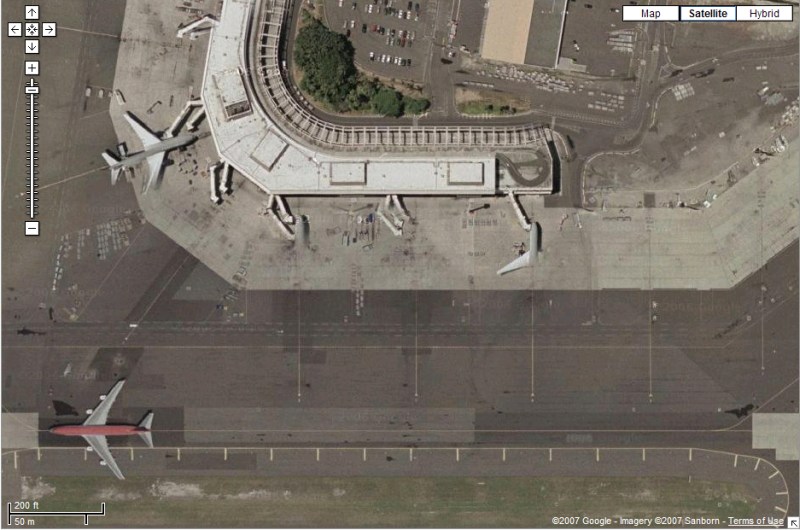
TRUE!! ;D

Image
User avatar
haroldkip
Lieutenant Colonel
Lieutenant Colonel
 
Posts: 5906
Joined: Wed Apr 12, 2006 5:13 am
Location: Amsterdam, The Netherlands

Next

Return to FS 2004 - A Century of Flight

Who is online

Users browsing this forum: No registered users and 349 guests


