Screenshots`

Forum dedicated to Microsoft FS2004 - "A Century of Flight".

Re: Screenshots`

Postby Midnight_LS1 » Mon Jan 09, 2006 1:19 am

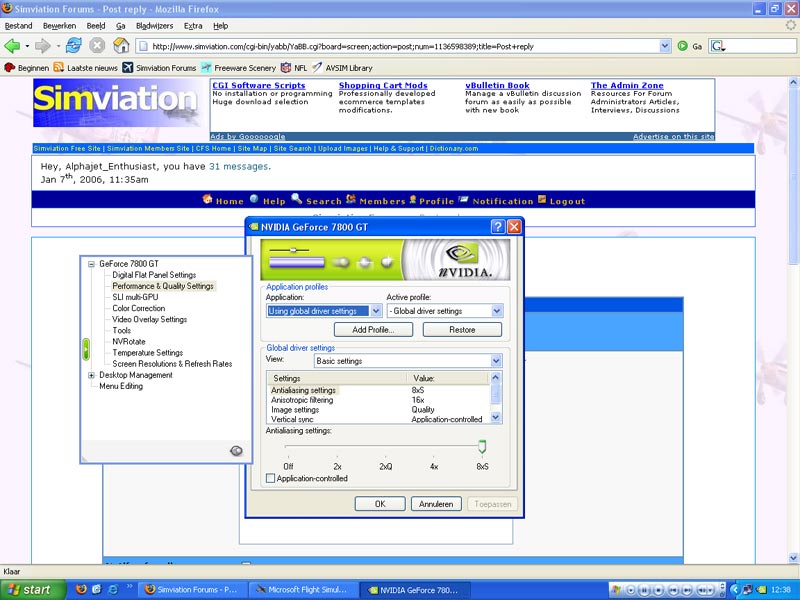
Make sure your screen is set to a high resolution and that the colour is 32Bit, not 16Bit.
Screen resolution is amongst the most important factors in eliminating jaggies.
Then, also turn on anti-aliasing on your video card.
Image


I noticed you have the 7800GT.  
Did you used to have 6800Ultra before upgrading to the 7800GT?

If so what major differences did you notice?
-Chris
Active Camera Pro
MegaScenery NY
PSS 777-200LR
Aerosoft Scenery Manhattan
TrackIR3 Pro with Vector
ActiveSky 6
PMDG 747 'Queen of the Skies'
AlphaSim F-117
Midnight_LS1
1st Lieutenant
1st Lieutenant
 
Posts: 394
Joined: Mon Apr 05, 2004 2:30 pm

Re: Screenshots`

Postby Alphajet_Enthusiast » Mon Jan 09, 2006 1:08 pm

Indeed I have the 7800, I put it kinda big in my sig too...  ;D
I didnt have the 6800 Ultra before though, however I recently just bought a whole new computer althogether so my graphics and performance improvement has been mindblowing.
But im sure that you could get quite similar pics from Flight Simulator with a 6800, after all the 6800's and 7800's capabilities far exceed the flight simulator upper graphics limits.  :) ;)
Last edited by Alphajet_Enthusiast on Mon Jan 09, 2006 1:14 pm, edited 1 time in total.
Image
Macbook Pro | Nvidia Geforce 8600M GT | 2GB Ram | 2.6GHz Intel Core 2 Duo | Mac OSX 10.5 Leopard
User avatar
Alphajet_Enthusiast
Major
Major
 
Posts: 2858
Joined: Mon Jan 03, 2005 12:49 pm

Previous

Return to FS 2004 - A Century of Flight

Who is online

Users browsing this forum: No registered users and 314 guests